

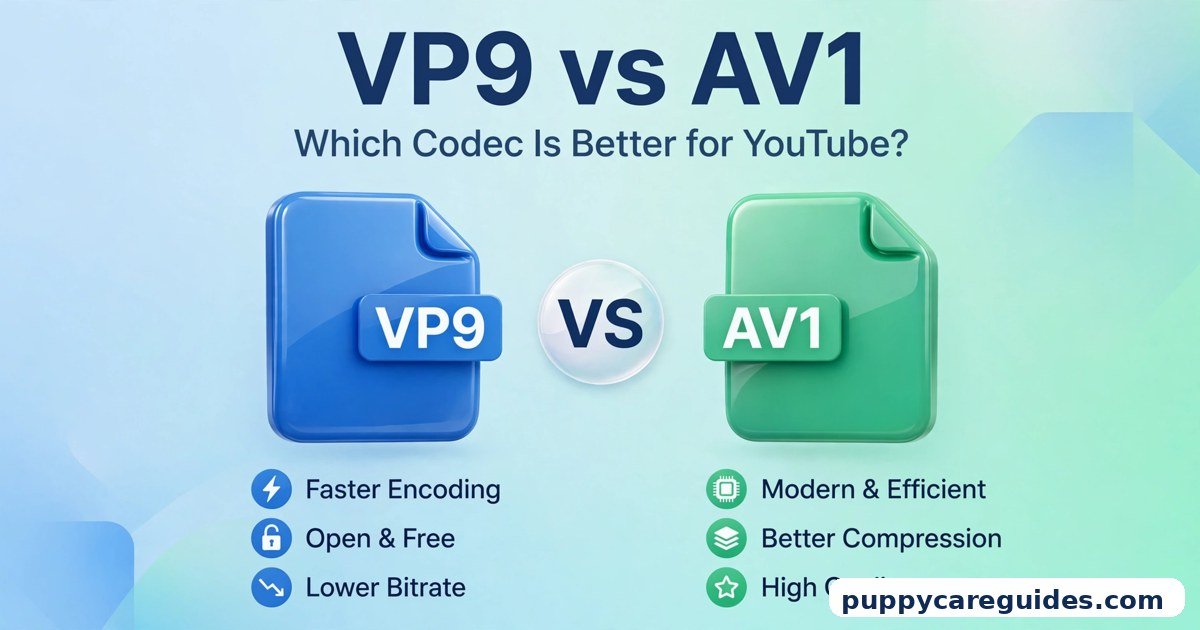
VP9 vs AV1: Which Codec Is Better for YouTube?
Quick Answer
For watching YouTube today, VP9 is the codec you will meet most often — and it is very good. For the best quality at the lowest data use, AV1 is better, and YouTube serves it more and more whenever your device supports it. That is the short answer to vp9 vs av1.

For more technical background, see the VP9 overview on Wikipedia.
Table of Contents
VP9 is Google’s proven streaming codec: fast to decode, supported on almost everything that plays YouTube, and the key to 4K quality on the platform. AV1 is its younger successor: typically 20–30% more efficient, royalty-free, but harder to encode and dependent on newer hardware. As a viewer you do not choose between them — YouTube does, per video and per device. As a creator, your real job is uploading in a way that earns your videos the good codecs.
Confused about how these relate to familiar names? H.265 vs AV1 explains the other half of the modern codec race.
Introduction
Open a YouTube video on a desktop browser, right-click, choose “Stats for nerds,” and you will see a mysterious line: a codec named VP9 or AV1 (sometimes shown as vp09 or av01). No H.264, no familiar names — because inside the modern web, YouTube runs on its own codec family.
Why should you care? Because the codec decides three things you definitely notice: how sharp the video looks, how much data it eats, and how smoothly it plays on your phone. A video delivered in a weak codec at a low bitrate is the reason a “1080p” upload sometimes looks disappointingly soft, while the same resolution elsewhere looks crisp.
VP9 built YouTube’s HD and 4K era. AV1 is now taking over, one device at a time. This guide explains both, honestly compares them, and ends with the only part you can actually control: what to do as a viewer, and what to do as a creator. The vp9 vs av1 decision is simpler than it looks once you know what to check first.
The table below sums up vp9 vs av1 at a glance.
vp9 vs av1: Quick Comparison Table
| Feature | VP9 | AV1 |
|---|---|---|
| Compression efficiency | Very good — much better than H.264 | Best — typically 20–30% smaller than VP9 at the same quality |
| Developed by | Google (released 2013) | Alliance for Open Media (released 2018) |
| Licensing | Royalty-free (Google’s open codec) | Royalty-free and open, industry-wide backing |
| YouTube use | The long-time default for HD/4K; still serves a huge share of views | Growing fast; served for popular videos and capable devices |
| Hardware decoding | Very wide — Android phones, TVs, browsers for years | Newer devices only — recent phones, TVs and GPUs |
| Encoding speed | Slow in software, but manageable | Much slower in software; fast only with modern hardware encoders |
| Browser support | Chrome, Firefox, Edge; Safari support added later for YouTube | All major modern browsers (on supported hardware/OS) |
| Container | Usually WebM | Usually WebM or MP4 |
| Best for | Universal smooth playback, 4K on YouTube today | Lowest data use, best quality per bit, the future |
Note: percentage figures are typical ranges from many published comparisons, not measurements from a single test encode. Real savings depend on the video’s content and settings.
What Is VP9?
VP9 is a video codec created by Google and released in 2013. It was built for one main purpose: to stream high-quality video over the web without paying licence fees to anyone. Google put it at the heart of YouTube, and suddenly HD and then 4K streaming became practical at internet scale. The whole vp9 vs av1 story starts here.
VP9 compresses far better than the older H.264 — roughly speaking, it can deliver similar quality with around 30–50% less data in typical streaming use. That saving is why your connection can hold a stable 4K stream today. VP9 usually travels inside the WebM container, which we cover in MP4 vs WebM.
Because it has been around for over a decade, VP9 is deeply supported: Android phones have decoded it in hardware for years, smart TVs ship with it, and Chrome, Firefox and Edge all play it natively. On YouTube, VP9 is also a quiet quality gate — videos processed to VP9 generally receive healthier bitrates than those left on the basic H.264 (AVC) path, which is why creators obsess over earning it.
Real example: Upload a video in 4K and watch it back on YouTube: the crisp 4K and even the cleaner-looking 1080p you receive are almost certainly VP9 at work, streaming smoothly to a mid-range phone without melting it. In any vp9 vs av1 comparison, VP9 stands for the proven codec behind YouTube.
What Is AV1?
AV1 arrived in 2018 as VP9’s designated successor — but this time Google did not build it alone. The Alliance for Open Media (Google plus Mozilla, Netflix, Amazon, Apple, Microsoft and others) designed AV1 together, combining the best ideas from several experimental codecs into one royalty-free standard, covered in more depth in H.265 vs AV1. The vp9 vs av1 gap is easiest to understand right here.
Technically, AV1 improves on VP9 the patient way: better prediction of what the next frame looks like, smarter handling of film grain, and more flexible ways to split each picture into pieces. The result is the same visible quality in typically 20–30% fewer bits than VP9 — or visibly cleaner quality at the same bitrate, especially in the hard moments: smoke, water, confetti, dark scenes, fast games. Streaming quality is where vp9 vs av1 gets practical.
The price is effort. AV1 is much heavier to encode, and until recently few devices could decode it in hardware. Both are being fixed by new chips year after year, so AV1’s role keeps expanding: YouTube serves it widely to capable devices, Netflix streams it, and modern GPUs can even encode it for live streaming.
Real example: Stream a hit video on a recent flagship phone over mobile data. There is a good chance YouTube quietly sends AV1 — the same sharp picture, while your data pack drains noticeably slower than it would with older codecs. In any vp9 vs av1 comparison, AV1 stands for better compression with no royalties.
vp9 vs av1: Key Differences Between VP9 and AV1
1. Efficiency: AV1 wins, by a useful margin
At the same quality, AV1 streams are typically 20–30% smaller than VP9 streams. For a viewer, that means less buffering on a weak connection and less data burned on mobile. For YouTube, multiplied across billions of views, it means enormous savings — which is exactly why the platform pushes AV1 wherever it safely can.
The gap is not identical for every video. Simple content — slides, a static webcam talk — compresses well in both. Complex, grainy, fast-moving footage is where AV1 pulls ahead. Treat the range as typical, not guaranteed.
2. Playback support: VP9 plays almost anywhere
VP9 has a decade-long head start in hardware. Android devices, Chromebooks, smart TVs and browsers have decoded it efficiently for years, so a VP9 stream sips battery and plays 4K without drama on ordinary devices.
AV1 hardware decoding is a feature of newer chips: recent flagship and mid-range phones, current smart TVs, and modern graphics cards. Older devices fall back to software decoding — possible at 1080p, risky at 4K — so platforms simply do not send AV1 to hardware that cannot handle it. Nobody gets a broken experience; they just get VP9 instead.
3. Encoding: VP9 is slow, AV1 is slower
Neither codec is quick to create in software, but AV1 is famously demanding — a high-quality software AV1 encode can take several times longer than the same VP9 encode. For YouTube and Netflix, with server farms and custom settings, that cost buys bandwidth savings forever. For an individual creator exporting at home, it is mostly pain — which is why, as we will see, you should almost never encode AV1 yourself for upload.
Hardware is changing the story: recent NVIDIA, Intel and AMD graphics cards include AV1 encoders, making even live AV1 streaming practical. VP9 hardware encoding exists on some chips but was never as widely promoted.
4. On YouTube specifically: both serve you, chosen automatically
Here is the part most articles skip: you cannot pick the codec YouTube uses — for watching or uploading. YouTube re-encodes every upload into a ladder of formats (H.264/AVC, VP9, AV1) at many resolutions, then serves each viewer the best combination their device, browser and connection support.
Patterns you can observe:
- New and small-channel uploads often start on the basic AVC path and receive VP9 after processing or as the video gains views.
- 1440p and 4K uploads are processed to VP9 as standard practice — a famous creator trick we return to below.
- Popular videos + capable devices increasingly receive AV1 streams, because re-encoding a hit video in AV1 pays for itself in saved bandwidth.
- Apple devices historically received H.264 due to missing VP9 support; Apple has added VP9 (for YouTube 4K) and AV1 hardware decoding on its newest chips, narrowing that gap generation by generation.
5. Quality character: AV1 handles the hard scenes better
Side by side at the same modest bitrate, AV1 typically preserves film grain instead of smearing it, keeps edges around text and game HUD elements cleaner, and survives dark gradients with less banding. VP9 is no slouch — at YouTube’s healthy 4K bitrates it looks excellent — but when data gets tight (a 1080p stream on a struggling connection), AV1’s version of the same scene usually looks a step more faithful.
6. Licensing and backing: both free, AV1 has the bigger coalition
VP9 is royalty-free and controlled by Google. AV1 is also royalty-free, but it is governed by an industry-wide alliance including Google’s biggest rivals. That shared ownership is why AV1 — not VP9 — became the universal successor: TV makers, chip designers and streaming services all sit at the same table. VP9 remains perfectly healthy on YouTube and Android, but the industry’s long-term bet is clearly AV1. Every vp9 vs av1 difference above comes back to the proven workhorse versus its more efficient successor.
vp9 vs av1: Best Uses of VP9
- YouTube viewing on any device — the reliable default that plays everywhere, including 4K
- Android and smart TV playback — years of hardware support mean cool, efficient decoding
- Web video via WebM — a safe, licence-free choice for embedding video today
- Creators checking quality — if your upload earned VP9, your viewers are getting YouTube’s good bitrates
- Older hardware — smooth HD/4K without the battery and heat cost of software AV1 decoding
vp9 vs av1: Best Uses of AV1
- YouTube and Netflix on modern devices — best quality per megabyte on phones and new TVs
- Mobile-data saving — the same video, noticeably less data, chosen automatically by apps
- Live streaming with a modern GPU — hardware AV1 encoding delivers cleaner streams at the same upload speed
- Large streaming platforms — bandwidth savings that scale to millions of viewers
- Future-proof web video — the codec every new chip now supports. For new streaming projects, vp9 vs av1 usually ends in AV1’s favour.
Pros and Cons
VP9 — Pros
- Hardware decoding almost everywhere YouTube plays
- Far more efficient than H.264; makes 4K streaming practical
- Royalty-free, with mature tools and encoders
- The established, dependable YouTube workhorse
VP9 — Cons
- Typically 20–30% larger than AV1 at the same quality
- Slow software encoding compared with H.264/H.265
- Historically late support in Apple’s ecosystem
- Being gradually succeeded by AV1 on major platforms
AV1 — Pros
- Best compression of any widely deployed codec
- Royalty-free with backing from the whole streaming industry
- Cleaner quality in grain, darkness and fast motion at low bitrates
- Saves viewers real mobile data. That is the vp9 vs av1 balance in one line.
AV1 — Cons
- Needs newer hardware for smooth, efficient playback
- Very slow software encoding; impractical for most home exports
- Viewers and creators cannot force YouTube to use it
- Support still thinner than VP9 on older TVs and devices. This is where the vp9 vs av1 choice really bites.
vp9 vs av1: Which Should You Choose?
- Beginner / everyday viewer: Choose nothing — that is the point. Use the YouTube app or a modern browser and the platform picks the best codec for your device automatically. If a video buffers, lower the resolution one step; the codec is rarely the problem.
- Student: On hostel or campus Wi-Fi, AV1-capable devices (a recent phone or laptop) genuinely stretch your data and patience further. When downloading lectures for offline viewing inside the app, pick 720p or 1080p — the efficient codecs make those sizes surprisingly small.
- Creator / YouTuber: You cannot upload “in AV1” to win — YouTube re-encodes everything. What works: upload at 1440p or 4K (even if your footage is 1080p, upscale on export) so your video enters the VP9 processing path with better bitrates, and upload the highest-quality master you reasonably can, as we advise in MP4 vs MKV. Popular videos then graduate to AV1 delivery on their own.
- Professional / streamer: If your GPU has an AV1 encoder, test AV1 for live streams — viewers on Twitch/YouTube often receive visibly cleaner video at the same bitrate. For produced content, deliver high-quality H.264/H.265 masters and let each platform’s pipeline do the VP9/AV1 work. Decide vp9 vs av1 by your audience’s devices — older hardware or the newest screens — and the choice makes itself.
vp9 vs av1: Common Mistakes
- Trying to force a codec on YouTube. Browser extensions and settings cannot make YouTube serve AV1 to an unsupported device, or VP9 where it has not been generated. The choice is made server-side, per device.
- Uploading AV1 exports expecting better treatment. A slow home AV1 encode, uploaded and then re-encoded by YouTube anyway, gains nothing and can even start from worse quality. Upload a strong master instead.
- Judging codecs at different bitrates. An AV1 clip at a starved bitrate will look worse than a VP9 clip with room to breathe. Codec comparisons only mean anything at matched quality or matched size — and platform bitrates usually matter more than the codec name.
- Assuming 1080p is 1080p. On YouTube, a 1080p video on the AVC path can look softer than the same video on VP9, and “1080p Premium” on some platforms simply means a higher bitrate. Resolution is only one ingredient; see 1080p vs 4K.
- Ignoring frame rate in the quality hunt. A smooth 60fps video in VP9 often looks better in motion than a juddering AV1 one. If motion matters to your content, read 30fps vs 60fps before chasing codecs. Most vp9 vs av1 regrets come from exactly these avoidable errors.
How to Check and Choose: A Simple Step-by-Step
You cannot control everything, but you can check what you are getting and stack the odds:
- See your current codec. On desktop YouTube, right-click a playing video → “Stats for nerds.”
vp09means VP9,av01means AV1,avc1means H.264. Now you know what your device is being served. - As a viewer, update your gear’s chances. Use the latest YouTube app or a current browser. AV1 only arrives on software and hardware that support it; an ancient browser app quietly caps you at older codecs.
- As a creator, export a strong master. Edit and export at the highest sensible quality — high-bitrate H.264 or H.265 in MP4 — rather than a specialised codec.
- Upscale before upload. Export your final video at 2560×1440 or 3840×2160 (even from 1080p footage). This reliably routes uploads into YouTube’s VP9 processing with better bitrates at every resolution, including the 1080p most people watch.
- Wait for processing, then verify. After upload, let HD/4K processing finish (it can take a while), play the video, and check Stats for nerds on the public version — VP9 confirms your viewers get the good ladder, and popular videos may later gain AV1 versions automatically.
- Streamers: test AV1 if your GPU offers it. In OBS, choose the AV1 hardware encoder, stream a test at your normal bitrate, and compare honestly against your VP9/H.264 setup on a phone — keep whichever looks cleaner in motion. Whichever side of vp9 vs av1 you pick, keep the original file saved before you re-encode.
vp9 vs av1: FAQs
Which codec does YouTube prefer, VP9 or AV1?
YouTube uses both, plus H.264, and picks per video and per viewer. VP9 is the long-standing default for HD and 4K quality. AV1 is served increasingly — especially for popular videos and to devices with AV1 hardware — because it saves the platform the most bandwidth. There is no single “preferred” answer; there is a ladder, and your device decides your rung. This is the core of the vp9 vs av1 debate.
Can I make YouTube give my uploads AV1?
Not directly. AV1 versions are generated by YouTube according to a video’s popularity and the audience’s devices. What you can do is maximise quality inputs: upload at 1440p/4K for the VP9 ladder and strong bitrates, grow the video’s views, and AV1 delivery follows where it makes sense. Exporting AV1 yourself does not shortcut this. That is vp9 vs av1 in practice.
Does AV1 drain phone battery faster than VP9?
Only on the wrong phone. With hardware AV1 decoding (recent models), playback is efficient — comparable to VP9. On older phones without AV1 hardware, software decoding works harder and can drain more battery and generate heat, which is precisely why YouTube does not send AV1 to those devices in the first place. That is the vp9 vs av1 difference where it counts.
Is VP9 going away?
Not soon. VP9 serves an enormous share of YouTube and Android playback today, and billions of devices decode it in hardware. Expect a long overlap: AV1 grows at the top (new devices, popular content, live streaming), VP9 remains the dependable middle for years. Codecs retire slowly — H.264, older than both, is still everywhere. That is vp9 vs av1 in daily use.
Which is better for 4K on YouTube?
Both deliver excellent 4K when YouTube assigns healthy bitrates. AV1 keeps a slight edge in fine detail and grain at the same data rate, while VP9 is available to far more devices — including older 4K TVs. In practice, the 4K VP9 stream your TV can actually play beats the theoretical AV1 stream it cannot. For the resolution side of the decision, see 1080p vs 4K. That is the vp9 vs av1 difference that matters most.
vp9 vs av1: Final Verdict
VP9 is YouTube’s trusted present. AV1 is its chosen future.
VP9 made modern YouTube possible — free, efficient, and playable on everything. AV1 does the same job with typically 20–30% less data and the backing of the entire industry, so it is steadily taking over wherever hardware allows. As a viewer, do nothing and let the platform match codec to device. As a creator, forget uploading “in AV1”: upload big, clean masters at 1440p or 4K, earn the VP9 ladder, and AV1 will arrive on its own. That is the vp9 vs av1 choice in short: VP9 for safe playback today, AV1 for the best streaming quality tomorrow.
Related Articles
- H.265 vs AV1: Which Codec Is the Future of Streaming? — AV1 against the camera-and-TV codec champion
- 30fps vs 60fps: Which Frame Rate Is Better for Video? — the other setting that decides how smooth your video feels
- MP4 vs WebM: Which Format Is Better for Websites? — the containers these codecs travel in, explained







Leave a Reply