

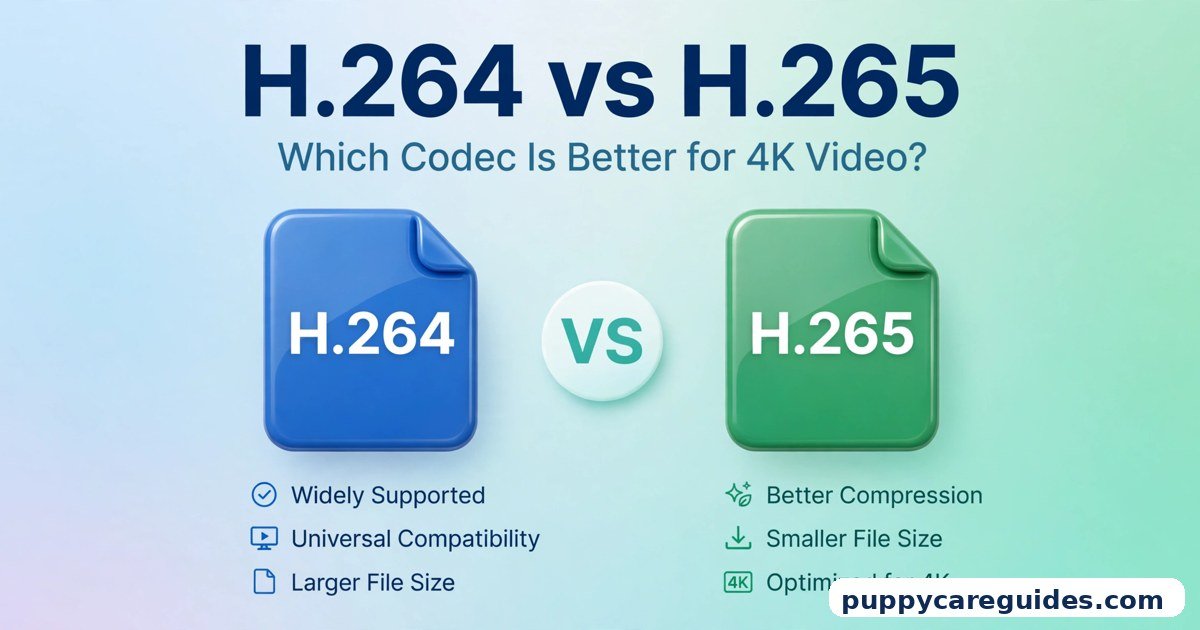
H.264 vs H.265: Which Codec Is Better for 4K Video?
Quick Answer
Use H.265 for recording and storing 4K video on modern devices and H.264 when compatibility matters most. That is the short answer to h.264 vs h.265.
For more technical background, see the H.265 (HEVC) overview on Wikipedia.
Table of Contents
H.265 (also called HEVC) is the newer, smarter codec. At the same visible quality, its files are typically around 40–50% smaller than H.264 — or, looked at the other way, noticeably cleaner at the same file size. That is exactly what 4K needs, because 4K carries four times the pixels of 1080p. H.264 is older, a little heavier, but plays on practically everything built in the last twenty years. New and modern? H.265. Old, unknown, or must-play-anywhere? H.264.
New to containers versus codecs? MKV vs MOV explains the boxes these codecs travel in.
Introduction
Every minute, phones record video, drones film landscapes, and creators upload to YouTube — and behind almost all of it sits one quiet question: which codec squeezed this picture into a file?
A codec is the maths that compresses video. Without it, one minute of uncompressed 4K footage would be far too large to store or send. With a good codec, that minute becomes a file your phone can hold hundreds of.
H.264 has been the world’s workhorse codec for two decades. H.265 is its designed successor, built for the 4K era. They produce the same pictures — movies, vlogs, game recordings — but with very different appetites for storage and processing power. This guide compares them side by side: size, quality, compatibility, speed, and cost, so you can pick the right one for recording, editing, uploading, and keeping your videos. The h.264 vs h.265 decision is simpler than it looks once you know what to check first.
h.264 vs h.265: Quick Comparison Table
The table below sums up h.264 vs h.265 at a glance.
| Feature | H.264 (AVC) | H.265 (HEVC) |
|---|---|---|
| Full name | Advanced Video Coding | High Efficiency Video Coding |
| Released | 2003 | 2013 |
| File size at same quality | The baseline | Typically 40–50% smaller |
| Quality at same bitrate | Good | Better — cleaner detail, especially in motion and dark scenes |
| Best resolution range | Up to 1080p comfortably; 4K possible but heavy | Built for 4K; handles 8K too |
| Device support | Virtually everything | Most modern phones, TVs, and computers; patchy on old devices |
| Browser playback | Excellent everywhere | Uneven — good in Safari, historically limited and hardware-dependent in Chrome |
| Encoding speed | Fast, modest hardware is enough | Slower, more demanding — can take noticeably longer |
| Playback smoothness on old hardware | Smooth even on weak devices | Can stutter on old laptops and cheap players |
| Phone recording | Older phones and “most compatible” settings | Default on most modern iPhones and Android phones |
| Licensing | Simpler, one main patent pool | More complex and expensive patent pools — a reason AV1 was created |
| Uploading to YouTube/social | Accepted everywhere | Accepted by YouTube and most platforms, often converted by the platform anyway |
Note: the 40–50% saving is a typical range quoted across the industry, not a measurement from one test clip in this article. Your exact saving depends on the scene, the quality setting, and the encoder you use.
What Is H.264?
H.264, officially called AVC (Advanced Video Coding), arrived in 2003 and quietly took over the world. Blu-ray discs, YouTube’s early years, TV broadcasts, video calls, security cameras, screen recorders — H.264 powered all of them, and in many places still does. The whole h.264 vs h.265 story starts here.
Its trick is inter-frame compression: instead of storing every frame as a full picture, it stores one complete frame and then only what changes between frames. A talking head in a vlog barely changes from frame to frame, so H.264 stores that video very efficiently for its time.
Two decades later, H.264’s greatest strength is no longer efficiency — it is universality. Every phone, browser, TV, game console, and editor understands it, and most devices have dedicated hardware to play it smoothly without draining the battery. When a video absolutely must play anywhere, H.264 is still the safest language to write it in.
Real example: A teacher records lessons with a basic screen recorder and sends them to students with a mix of old laptops and budget phones. H.264 means every single student can press play — no error messages, no “please install something,” no drama. In any h.264 vs h.265 comparison, H.264 stands for playing everywhere with no fuss.
What Is H.265?
H.265, officially HEVC (High Efficiency Video Coding), was released in 2013 as H.264’s successor, designed for a world moving from HD to 4K. It uses the same basic idea — store one full frame, then the changes — but with much smarter analysis. It divides the picture into blocks of flexible sizes, studies motion more precisely, and predicts what each part of the frame will do next far more accurately than H.264 can. The h.264 vs h.265 gap is easiest to understand right here.
The result: the same picture at typically 40–50% less data — or a visibly better picture at the same data. That gap grows with resolution, which is why H.265 matters most at 4K and is almost pointless to argue about for small, low-resolution clips. File size is where h.264 vs h.265 gets practical.
This cleverness has a price. H.265 does far more maths, both when creating a file (encoding) and when playing it (decoding). Modern phones and TVs have hardware built for it, but older devices must work hard in software — and some simply cannot play it at all. Its patent licensing is also messier and pricier than H.264’s, which frustrated the industry so much that it later created the royalty-free AV1 — the subject of H.265 vs AV1.
Real example: A family’s new phone records a birthday in 4K H.265. The clips look stunning on their TV, yet an hour of footage takes a manageable amount of storage. The same hour recorded in H.264 at the same quality would typically need close to twice the space. In any h.264 vs h.265 comparison, H.265 stands for the same quality in half the space.
h.264 vs h.265: Key Differences Between H.264 and H.265
1. File size: H.265 is typically 40–50% smaller at the same quality
This is the headline difference, so let’s make it concrete with typical numbers rather than promises. Imagine a 10-minute 4K travel video:
- In H.264 at high quality, you might be looking at a file in the region of several gigabytes.
- In H.265 at the same visible quality, a typical result lands roughly 40–50% smaller — around half the gigabytes, give or take the scene.
Busy scenes with lots of movement (water, crowds, confetti) save less; calm scenes (interviews, slides, slow pans) save more. Either way, across a whole library the saving is the difference between “my drive is full” and “plenty of room.” For 1080p the absolute numbers shrink, but the percentage advantage stays similar.
2. Quality at the same bitrate: H.265 looks cleaner
Flip the comparison around: give both codecs the same file size budget. Now H.265 spends that budget more wisely. You will typically see:
- Cleaner skies and walls, with less visible banding and blockiness
- Better-held detail in moving scenes — faces in a crowd, leaves, rain
- Fewer smudges in dark scenes, where H.264 often turns shadows into blocks
At generous bitrates both look great, and at tiny resolutions the difference is hard to spot. The gap shows itself exactly where 4K lives: big screens, close viewing, and lots of detail in motion.
3. Compatibility: H.264 plays everywhere, H.265 plays almost everywhere modern
H.264 support is total: twenty years of devices, every browser, every editor, every cheap media player. H.265 support is strong but not total:
- Phones: modern iPhones and Android flagships record and play it natively.
- TVs: most 4K TVs from the last several years play it — it is how 4K broadcasts and files are usually delivered.
- Computers: Windows and macOS play it, though some Windows setups historically needed an extension from the Microsoft Store.
- Browsers: Safari handles it well; Chrome’s support arrived later and depends on your device’s hardware, so a file that plays for you might not play for a visitor.
- Old hardware: budget tablets, ancient laptops, and old media boxes may fail or stutter badly.
That last line is why H.264 refuses to retire: “modern” describes your new phone, not necessarily your audience’s devices.
4. Encoding speed and power: H.264 is fast, H.265 makes your machine work
Because H.265 analyses each frame far more deeply, exporting takes longer — on the same computer, an H.265 export commonly takes noticeably longer than the same H.264 export, and the gap widens at 4K. Handheld devices feel it too: recording H.265 is efficient on phones with dedicated hardware, but editing and exporting it on an old laptop can turn fans loud and timelines sluggish.
H.264 encoding, by contrast, is a solved problem — graphics cards and even modest CPUs have hardware encoders that produce it quickly and cheaply. Streamers, teachers, and anyone exporting many videos a week feel this difference in real hours, not percentages.
5. Recording and storage on phones: H.265 is why 4K fits
Open a modern phone’s camera settings and you will find the choice wearing disguises: iPhones call it “High Efficiency” (H.265) versus “Most Compatible” (H.264); many Android phones offer the same switch. High Efficiency is the default for a reason — 4K video is hungry, and H.265 is what makes a day of 4K shooting survivable on built-in storage. Choose Most Compatible only when you know the footage is heading to an old computer or a fussy program, exactly the trade-off explored in 1080p vs 4K.
6. Licensing and the future: H.264 is simpler, H.265 is pricier, AV1 is coming
Under the surface, codecs are also legal objects. H.264’s patents are handled mainly through one pool with clear, modest fees. H.265’s patents are split across several pools with higher and less predictable costs, which slowed its adoption in browsers and free software. That frustration pushed Google, Netflix, and others to build AV1 — royalty-free and even more efficient, compared in VP9 vs AV1. H.265 is not disappearing — it owns phone recording and 4K TV — but its licensing is why the streaming world is already looking past it. Every h.264 vs h.265 difference above comes back to compatibility versus compression efficiency.
h.264 vs h.265: Best Uses of H.264
- Sharing with unknown devices — students, clients, family: if it must play anywhere, send H.264.
- Uploading everywhere — accepted by every platform, editor, and website without complaint.
- Fast exports — daily videos, lessons, and screen recordings where turnaround beats file size.
- Older hardware workflows — editing and playing on older laptops and budget machines.
- Live streaming — streaming software and platforms are built around H.264 encoding.
h.264 vs h.265: Best Uses of H.265
- Recording 4K on your phone or camera — near-H.264 quality at roughly half the storage.
- Storing big libraries — travel footage, family archives, and film collections on limited drives.
- 4K playback on modern TVs — the standard way 4K files and broadcasts are delivered.
- Archiving finished projects — a compact master that keeps quality for the future.
- Slow connections — sending a cleaner picture through a limited upload speed or data plan. For 4K video, h.264 vs h.265 usually ends in H.265’s favour.
Pros and Cons
H.264 — Pros
- Plays on virtually every device, browser, and player of the last 20 years
- Fast, cheap encoding — even modest hardware exports quickly
- Supported by every editor and platform
- Simple, predictable licensing
H.264 — Cons
- Files roughly twice the size of H.265 at the same quality
- Struggles to keep 4K clean at reasonable bitrates
- Quality breaks down sooner in dark and busy scenes at low bitrates
H.265 — Pros
- Typically 40–50% smaller files at the same visible quality
- Cleaner detail in motion, dark scenes, and gradients at the same bitrate
- Built for 4K (and beyond) — the natural codec for modern footage
- Standard for modern phone recording and 4K TVs. That is the h.264 vs h.265 balance in one line.
H.265 — Cons
- Slower, heavier encoding — longer exports, hotter laptops
- Uneven browser support and failures on old devices
- Can stutter on weak hardware without a dedicated decoder
- Complex, expensive patent licensing slowed its adoption in free software. This is where the h.264 vs h.265 choice really bites.
h.264 vs h.265: Which Should You Choose?
- Beginner: Record with your phone’s default — that is H.265 on most new phones, and it’s the right default. Switch to H.264 (“Most Compatible”) only if a file refuses to open somewhere you need it.
- Student: H.264 for anything you submit, share with classmates, or play on classroom computers. H.265 for your own long recordings when storage is tight.
- Creator: Record and archive in H.265 to save serious space, especially in 4K. Export uploads in the format your platform handles best — YouTube accepts both happily; when in doubt, H.264 exports are faster and never rejected.
- Professional: H.265 for delivery and archives where the target screens are known and modern; H.264 for client previews and maximum-compatibility deliverables; and keep an eye on AV1 for streaming — it is where the industry is heading next. Decide h.264 vs h.265 by your screen and storage — 4K and tight space, or maximum compatibility — and the choice makes itself.
h.264 vs h.265: Common Mistakes
- Re-encoding H.264 to H.265 and expecting miracles. Converting an already-compressed H.264 file to H.265 saves some space but cannot restore detail H.264 already threw away — and a second round of compression adds its own small damage. H.265 shines when it is the original recording or made from a high-quality master.
- Sending H.265 files to people with old devices. The video is fine; grandma’s ten-year-old tablet simply cannot decode it. Send an H.264 copy for sharing.
- Judging the codecs at tiny sizes. At 480p on a phone screen, the difference is almost invisible. The comparison only matters at 1080p and above, on real screens.
- Using the slowest encoder preset without a reason. Extreme presets can double or triple export time for a tiny quality gain. For everyday videos, a medium preset is the sensible balance.
- Assuming YouTube treats both the same and not checking. Platforms re-encode everything you upload, so upload the best quality you reasonably can in either codec, then watch the published version — not your local file — when judging quality.
- Deleting the original after converting. Keep the camera original (whichever codec it is) until you are sure the converted file plays everywhere you need. Storage is cheaper than re-shooting. Most h.264 vs h.265 regrets come from exactly these avoidable errors.
How to Convert Between H.264 and H.265
- Start from the best source you have — the camera original or your editing project, not a file that was already converted once.
- Pick a tool. HandBrake is free, clear, and ideal for this job; Shutter Encoder is another friendly option; VLC handles simple one-off conversions.
- Load the file and choose an MP4 or MKV container. Either can hold both codecs; MP4 is the safer pick for sharing. (For containers themselves, see MP4 vs MKV.)
- Set the video codec. Choose H.265 (x265) to shrink, or H.264 (x264) to maximise compatibility.
- Use constant-quality mode. Pick a high-quality setting in the tool’s recommended range for the codec rather than a fixed file size — quality-based encoding keeps good scenes good and busy scenes honest.
- Keep resolution and frame rate unchanged. Converting codec is the job; changing 4K to 1080p at the same time is a different decision — make it separately if you want it.
- Encode a one-minute sample first. Compare it with the original at full screen, check the file size saving is in the typical range you expect, then run the full file.
- Test on the target device — the actual TV, phone, or laptop that will play it — before deleting anything. Whichever side of h.264 vs h.265 you pick, keep the original file saved before you re-encode.
h.264 vs h.265: FAQs
Is H.265 always better than H.264?
It is always more efficient: at the same quality its files are typically 40–50% smaller, and at the same size it usually looks cleaner. But “better” includes playing the file at all. On old devices, in some browsers, and under deadline pressure, H.264’s total compatibility and fast encoding can make it the better choice. Efficiency is H.265’s win; effortlessness is H.264’s. This is the core of the h.264 vs h.265 debate.
Why won’t an H.265 video play on my computer or browser?
Usually because decoding support is missing or switched off: some Windows installations need a store extension, older Chrome versions leaned on hardware that many machines lack, and old laptops may have no H.265 decoder at all. The practical fixes: play the file in VLC, update your browser and system, or convert a copy to H.264 for that machine using the steps above. That is h.264 vs h.265 in practice.
Does converting H.264 to H.265 lose quality?
A conversion re-encodes, so technically yes — a small loss is unavoidable, because H.265 can only work from the picture H.264 already kept, not the original scene. Done at a high-quality setting, the loss is normally invisible, and you still gain most of the size saving. Just never treat the converted file as a new “original”; keep the source archived. That is the h.264 vs h.265 difference where it counts.
Which codec does YouTube use, and which should I upload?
YouTube accepts uploads in both codecs, then re-encodes them into its own streaming formats (including VP9 and AV1) for viewers. So your upload codec matters less than your upload quality: send a clean, high-bitrate H.264 or H.265 file and let YouTube do its work. H.264 uploads are faster to export; H.265 uploads are smaller to send on slow connections. That is h.264 vs h.265 in daily use.
Is H.265 the same as HEVC, and H.264 the same as AVC?
Yes — two names for the same thing in both cases. H.264 is the standard’s number, AVC (Advanced Video Coding) its descriptive name. H.265 is the number, HEVC (High Efficiency Video Coding) the descriptive name. Phone settings, cameras, and software mix these labels freely; now you know they are not four codecs, just two. That is the h.264 vs h.265 difference that matters most.
h.264 vs h.265: Final Verdict
4K and modern devices = H.265. Must play anywhere = H.264.
H.265 is the better codec where it counts for the 4K era: typically 40–50% smaller files, cleaner pictures, and it is already the default inside your phone and TV. H.264 remains the universal fallback — slower to fill a drive, quicker to export, and welcome on every screen ever made. Record new, store smart with H.265; share wide with H.264. That is the h.264 vs h.265 choice in short: H.265 for 4K and saving space, H.264 for playing anywhere.








Leave a Reply