

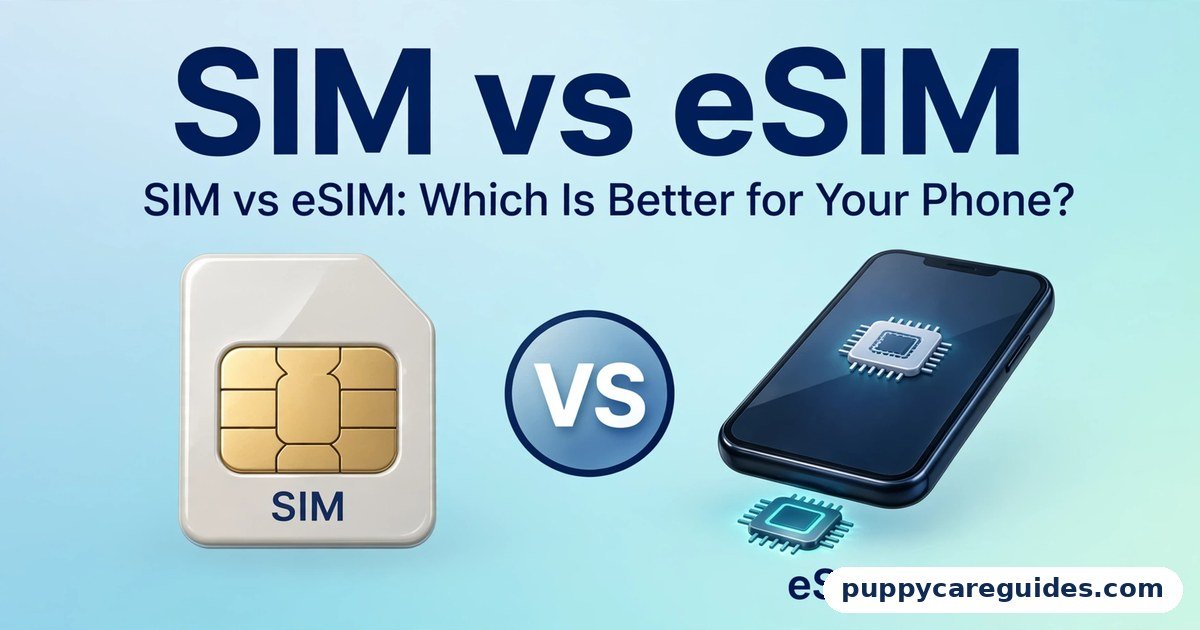
SIM vs eSIM: Which Is Better for Your Phone?
Quick Answer
Use a physical SIM if your phone or network does not support eSIM, or if you swap phones often. Use eSIM if your phone and network support it — especially for travel and running two numbers on one phone. That is the short answer to sim vs esim.
For more technical background, see the eSIM overview on Wikipedia.
Table of Contents
A physical SIM is the small plastic card you have used for years: it works in almost every phone on earth and can be moved between phones in seconds. An eSIM is the same identity built into the phone as a chip — instead of inserting a card, you download your number onto the chip by scanning a QR code. Call quality, speed, and signal are identical either way, because both are just your identity card for the mobile network. What changes is convenience: eSIM wins on travel and dual numbers, physical SIM wins on universal support and effortless swapping.
Introduction
For thirty years, getting a phone number meant getting a plastic card. You bought a SIM, pushed it into the tray with a pin, and your number lived on that little chip. Now a growing number of phones skip the card entirely. The SIM is soldered inside the phone, and your number arrives as a download.
This confuses a lot of buyers. Is eSIM a different kind of connection? Is it faster? Is it safer? Do you lose your number if the phone breaks? And the practical question underneath all of them: should your next phone choice care about this at all?
This guide compares SIM vs eSIM in plain language: what each one actually is, where each one is genuinely better, the mistakes people make when switching, and simple steps for activating and transferring an eSIM. If you are also deciding between mobile networks, our 4G vs 5G guide explains the other half of the connection story. The sim vs esim decision is simpler than it looks once you know what to check first.
sim vs esim: Quick Comparison Table
The table below sums up sim vs esim at a glance.
| Feature | Physical SIM | eSIM |
|---|---|---|
| What it is | Removable plastic card with a chip | Chip built into the phone; profile downloaded |
| Phone support | Almost every phone ever made | Newer mid-range and flagship phones only |
| Getting a number | Buy the card, insert it | Scan a QR code or use the carrier app |
| Switching phones | Move the card in seconds | Transfer or re-download the profile |
| Travel use | Buy a local card after landing, or pay roaming | Install a local data plan before you fly |
| Dual SIM | Needs two slots, or one slot + eSIM | One phone can hold many profiles; two lines active on many models |
| Security if phone is stolen | Thief can remove the SIM and silence the phone | SIM cannot be removed; number stays reachable for tracking |
| Risk | Card can be lost, damaged, or swapped | Profile deletion or carrier account takeover |
| Network support | Every network | Growing, but not every network or plan supports it |
| Best for | Older phones, frequent phone-swappers, simple setups | Travel, two numbers on one phone, newer flagships |
Note: signal strength, call quality, and data speed are the same on both. The SIM only identifies you to the network — it does not carry the signal.
What Is a Physical SIM?
SIM stands for Subscriber Identity Module. It is a small smart card — today usually the tiny “nano” size — that stores your subscriber identity: a unique number called the IMSI, the secret authentication keys that prove to the network that you are you, and sometimes a small amount of space for contacts. The whole sim vs esim story starts here.
When you put a SIM in a phone and switch it on, the phone presents that identity to the network. The network checks the keys, and if they match, your number is live: calls, texts, and data all attach to you, not to the phone. This is why your number survives a broken phone — pull the card out, put it in any other phone, and you are back in a minute.
The physical SIM’s strengths are simplicity and universality. Every network sells them, every phone accepts them, and no internet connection, account, or QR code is needed to use one. Its weaknesses are physical too: cards get lost, contacts corrode, trays jam, and a card can be taken out of a stolen phone in two seconds.
Real example: Your phone falls and the screen dies on a work trip. With a physical SIM, you borrow or buy any cheap phone, move your card across, and your number — including your banking codes and WhatsApp — works immediately. That rescue takes under a minute and needs no help from anyone. In any sim vs esim comparison, the physical SIM stands for universal support and easy swapping between phones.
What Is an eSIM?
An eSIM (“embedded SIM”) does exactly the same job, but the chip is built into the phone during manufacturing instead of living on a removable card. The standard chip is called an eUICC, and its defining trick is that it can be programmed remotely: your network sends your subscriber profile — the same identity a plastic card would hold — to the chip over the internet. This is called remote SIM provisioning, and it is managed under GSMA standards, the same industry body behind mobile networks generally. The sim vs esim gap is easiest to understand right here.
In practice, activating an eSIM usually means scanning a QR code your network gives you, or tapping a button in the network’s app. The profile downloads, and your number is live. Most eSIM phones can store several profiles at once — your home number, a work number, a travel data plan — although typically only one or two can be active at the same time, depending on the model. Dual SIM is where sim vs esim gets practical for most people.
Nothing about the connection itself changes. An eSIM phone uses the same towers, the same 4G and 5G networks, and the same number as it would with a plastic card. If you want to know whether your phone has an eSIM, dial *#06# — if an “EID” number appears alongside the IMEI, your phone has the embedded chip.
Real example: You are flying abroad tomorrow. Tonight, from your sofa, you buy a travel data plan online, scan the QR code in the email, and the foreign plan sits quietly on your phone next to your home number. When the plane lands, you switch data to the travel profile and you are online before you reach the taxi — no airport SIM kiosk, no tiny tray pin, no roaming bill. In any sim vs esim comparison, the eSIM stands for instant activation with no card to handle.
sim vs esim: Key Differences Between SIM and eSIM
1. Support: every phone vs newer phones
This is the difference that decides the question for many people. A physical SIM works in essentially every phone, from a fifteen-year-old basic handset to today’s flagships. An eSIM needs both a phone with the embedded chip and a network that offers eSIM profiles. Most flagship phones from the last few years have it, many mid-range phones now include it, and budget phones often do not.
Networks are catching up at different speeds — in some countries every major carrier offers eSIM, in others only some do, and prepaid plans sometimes lag behind postpaid ones. Always confirm with your own network before assuming, especially before buying an eSIM-only phone such as the US models of recent iPhones, which have no SIM tray at all.
2. Travel: buy after landing vs be ready before takeoff
Roaming on your home number is the expensive way to travel. The physical SIM way to avoid it is buying a local card after you land — cheap, but it costs you time at the airport and your home number goes offline while the local card is in the phone (unless the phone has two slots).
The eSIM way is to install a local or regional data profile before you leave — from your own carrier or from travel eSIM providers — while your home number stays active on the same phone for calls and banking texts. For anyone who travels more than once in a while, this is eSIM’s single biggest advantage.
3. Two numbers on one phone: slots vs profiles
Dual SIM used to mean two physical slots. eSIM changed the maths: many phones now offer one tray plus eSIM, or even two active eSIM lines, so a personal number and a work number can live on one handset with separate rings, separate data choices, and the ability to switch one off after office hours. Phones can store a stack of inactive profiles too — a travel plan from last year’s trip can sit dormant until you fly again. With plastic cards, carrying five numbers means carrying five loose cards and swapping them by hand.
4. Security: the stolen phone and the swapped number
Each type has a different weak point. A physical SIM can be removed from a stolen phone instantly, which takes the number offline and makes tracking and recovery harder; an eSIM cannot be removed, so a stolen phone stays connected and findable as long as it has power and signal. The other attack is “SIM swap” fraud, where a criminal convinces a network to move your number to a SIM they control, then uses your texts to reset your accounts.
That fraud targets the network’s customer service, not the card type — it can happen with either SIM or eSIM, which is why a strong account PIN with your carrier matters more than which SIM you use. On balance, eSIM is slightly stronger against phone theft, and equal against account fraud.
5. Switching phones: ten seconds vs a small procedure
Moving a physical SIM to a new phone is the easiest upgrade in technology: tray out, card across, done — no network involvement at all. Moving an eSIM is a procedure: many phones now offer a direct transfer during setup (iPhone-to-iPhone transfer is smooth, and Android support is improving), but on some networks you must request a fresh QR code or visit the app or a shop, and a code often works only once.
It is rarely hard, but it is never ten seconds, and it usually needs an internet connection and sometimes carrier support hours. If you change phones very often, or lend your number between devices, plastic still wins. Every sim vs esim difference above comes back to a removable card versus a built-in chip.
sim vs esim: Best Uses of a Physical SIM
- Older and budget phones that have no eSIM chip at all
- People who swap phones frequently — reviewers, repair shops, families sharing a spare handset
- Areas and networks where eSIM is not offered yet, or only on selected plans
- A backup or emergency phone kept in a drawer — the card waits patiently with no profile to expire
- Users who want zero setup — no QR codes, apps, accounts, or internet needed
- Anyone whose network makes eSIM transfers awkward, where a shop visit would be needed each time
sim vs esim: Best Uses of an eSIM
- Travel — install a local data plan before flying, keep your home number active alongside
- Two numbers, one phone — work and personal lines without carrying two handsets
- New flagship phones, including eSIM-only models with no tray
- Quick activation — a new number live in minutes without visiting a shop or waiting for a card
- Extra theft protection — the number cannot be pulled out of a stolen phone
- Storing several plans — home, work, and travel profiles kept on one chip, switched in settings. For travel and a second line, sim vs esim usually ends in the eSIM’s favour.
Pros and Cons
Physical SIM — Pros
- Works in virtually every phone and on every network
- Moves between phones in seconds, no carrier involved
- Simple and familiar; nothing to download or activate online
- Easy rescue when a phone breaks — any spare phone will do
Physical SIM — Cons
- Can be lost, damaged, or worn out
- A thief can remove it from a stolen phone immediately
- One card per slot limits multi-number setups
- Buying a local card while travelling means your main number goes offline
eSIM — Pros
- Nothing to insert, lose, or damage — the chip is inside the phone
- Travel data plans installed from home before you fly
- Several profiles stored on one phone; two lines active on many models
- Cannot be removed from a stolen phone, aiding tracking
- No plastic — and no tray means one less opening for dust and water. That is the sim vs esim balance in one line.
eSIM — Cons
- Needs a compatible phone AND a network that supports it
- Transferring to a new phone takes a procedure, not seconds
- Activation needs internet, and sometimes the carrier’s app or a shop
- Deleting a profile by mistake can mean a support call to restore it. This is where the sim vs esim choice really bites.
sim vs esim: Which Should You Choose?
- Beginner / everyday user: If your phone and network both offer eSIM and you rarely change phones, eSIM is set-and-forget. If anything in your setup is older or unsupported, the physical SIM remains the zero-hassle default.
- Frequent traveller: eSIM, no contest. Arriving with data already working, while your home number stays live for bank codes, is worth more than every other difference combined. Keep your home line as whichever type it already is, and add travel plans as eSIMs.
- Two-number user (work + personal): eSIM for the second line. One phone, two numbers, and you can silence work after hours. Most people keep their main number on the physical card and add the work line as eSIM, or the reverse — both work.
- Phone-swapper / family tech support: Physical SIM. If phones in your house rotate, break, and get handed down, a card you can move in ten seconds beats re-provisioning a profile every time. Decide sim vs esim by your phone and your carrier — if both support eSIM, the choice makes itself.
sim vs esim: Common Mistakes
- Buying an eSIM-only phone before checking your network. Some phones — notably US iPhone models — have no SIM tray at all. If your carrier or plan does not offer eSIM, that phone cannot use your number. Check first, buy second.
- Deleting the eSIM profile when changing phones. Deleting is not the same as transferring. On many networks the QR code is single-use, so deleting the profile on the old phone before the new one is set up can leave you visiting a shop with no working number.
- Assuming every phone with an EID works with every carrier. The chip is standardised, but each network must still support eSIM on your plan. Confirm with your own network — this is the single most common disappointment, and it is avoidable in one phone call.
- Throwing away the eSIM QR code or email. Some networks let you re-scan the same code on a replacement phone; others charge or require ID checks for a new one. Save the email or screenshot somewhere safe, like you would a bank letter.
- Removing the physical SIM before the eSIM transfer finishes. During a conversion from physical to eSIM, your old card dies the moment the new profile activates. Start the process when you have Wi-Fi, a charger, and twenty unhurried minutes — not at an airport gate.
- Believing eSIM changes your signal or speed. It does not. If coverage is poor, the fix is network or location, not SIM type. Our 4G vs 5G comparison explains what actually changes your mobile speed. Most sim vs esim regrets come from exactly these avoidable errors.
How to Activate an eSIM (Typical Steps)
Exact menus vary by phone and network, but the flow is almost always this:
- Confirm your phone supports eSIM (dial *#06# and look for an EID) and that your network offers eSIM for your plan.
- Ask your network for an eSIM — in their app, on their website, or in a shop. You will receive a QR code, or an in-app activation button.
- Connect the phone to Wi-Fi. The profile downloads over the internet, so this step is not optional.
- On iPhone: Settings → Mobile/Cellular → Add eSIM, then scan the QR code. On Android: Settings → Network & Internet → SIMs → Add / Download a SIM, then scan.
- Label the line (for example “Home” or “Travel”) and choose which line handles calls, texts, and mobile data if you have two.
- Make a test call and open a web page on mobile data before you rely on it — and before you let the old SIM go.
Moving to a new phone: Start the new phone’s setup near the old one — many phones offer to transfer the eSIM automatically during setup. If yours does not, contact the network for a fresh QR code; do not delete the old profile until the new phone shows signal. Whichever side of sim vs esim you pick, check your carrier supports it before you switch.
sim vs esim: FAQs
Can I keep my old number if I move to eSIM?
Yes. Your number belongs to your account with the network, not to the piece of plastic. Converting from a physical SIM to an eSIM keeps the same number, plan, and balance — the network simply moves your identity from the card to the chip. The old card stops working the moment the eSIM activates. This is the core of the sim vs esim debate.
How do I transfer my eSIM when I change phones?
It depends on the phone and network. iPhones can usually transfer an eSIM directly to a new iPhone during setup. Many Android phones now offer the same. Where direct transfer is not supported, your network issues a new QR code — through its app, website, or a shop — and you activate the new phone with it. Never delete the profile from the old phone until the new one is working. That is sim vs esim in practice.
Can I use a physical SIM and an eSIM at the same time?
Yes — this is one of the most popular setups. Many phones run one physical SIM and one eSIM as two active lines, and some recent models can run two eSIMs actively with no card at all. You choose which line is used for data, and you can label each line so incoming calls show whether they are personal or work. That is the sim vs esim difference where it counts.
Does eSIM give better signal or faster data than a physical SIM?
No. The SIM — plastic or embedded — only identifies you to the network. Signal and speed depend on the network, the phone’s antennas and modem, and your location. If you are comparing connection quality, the meaningful comparison is the network generation itself, which we cover in 4G vs 5G. That is sim vs esim in daily use.
What happens to my eSIM if my phone is lost or broken?
Your number is safe — it belongs to your account, not the handset. Get a replacement phone, ask your network for a new eSIM activation (app, website, or shop), and your number moves to the new device while the old profile is cancelled. This is slightly slower than moving a plastic card, which is why some people keep their main line physical and use eSIM for extra lines. That is the sim vs esim difference that matters most.
sim vs esim: Final Verdict
Support and simplicity = physical SIM. Travel and two numbers = eSIM.
SIM and eSIM are the same identity in two packages. The plastic card is universal, instant to move, and understood by everyone; the embedded chip is neater, travel-friendly, and harder to separate from a stolen phone. Neither makes your connection faster or your signal stronger. The deciding questions are boringly practical: does your phone have the chip, does your network support it, and do you travel or carry two numbers? If yes to all, eSIM earns its place. If any answer is no, the little plastic card remains a perfectly good piece of technology. That is the sim vs esim choice in short: a physical SIM for any phone, an eSIM for convenience where it is supported.
Next: Bluetooth vs NFC: Which Does What on Your Phone? — why one connects your earbuds and the other pays for your coffee, and why they are not rivals at all.
Related Articles
- Bluetooth vs NFC: Which Does What on Your Phone? — two wireless features that do completely different jobs
- 4G vs 5G: Is a 5G Phone Worth It for You? — what actually changes your mobile speed
- Fingerprint vs Face Unlock: Which Is Safer and Faster? — the other big choice in a modern phone
- USB-C vs Lightning: Which iPhone Cable Is Better? — the charging-cable split between Android and older iPhones
- USB-C vs Thunderbolt: What’s the Difference? — why identical-looking ports perform differently





Leave a Reply