

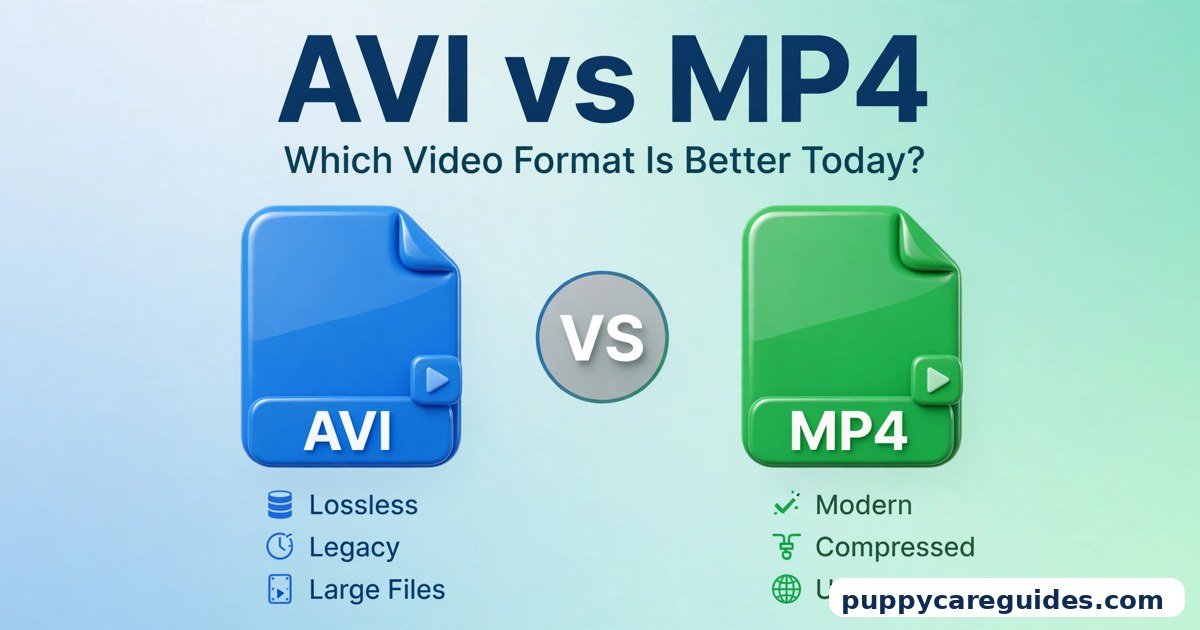
AVI vs MP4: Which Video Format Is Better Today?
Quick Answer
Use MP4 for almost everything today — sharing, uploading, streaming, and playing on phones, TVs, and websites. Keep AVI only for old recordings, old cameras, and archives where the file already exists in that format. That is the short answer to avi vs mp4.

For more technical background, see the AVI overview on Wikipedia.
Table of Contents
MP4 packs good quality into much smaller files and plays on virtually every device made in the last fifteen years. AVI is a format from 1992: it works, but its files are large, its streaming support is poor, and many modern phones and browsers refuse to play it at all. If a video matters to you today, MP4 is the safe, modern home for it.
Introduction
Here is a scene many people know. You dig out an old hard drive and find a folder of family videos from years ago. Half of them end in .avi. You double-click one on your new laptop — nothing. You copy it to your phone — it will not play. You try to send it to a relative — the file is so large the upload crawls.
Meanwhile, every video on your phone, every clip on social media, and every download from a modern camera ends in .mp4, and those files play everywhere without a fight.
That contrast is the whole AVI vs MP4 story. AVI is the grandfather of PC video formats, built by Microsoft in the early 1990s when a “video file” was a tiny, grainy clip. MP4 arrived a decade later, designed for the internet age — streaming, phones, and small files that still look good. This guide compares them properly: what each format actually is, where the real differences lie, when AVI still has a job, and how to convert old AVI files into MP4 without losing quality.
If you are working through video containers generally, our comparison of MP4 vs MKV is the natural companion to this one — MKV is the other container you will meet constantly. The avi vs mp4 decision is simpler than it looks once you know what to check first.
The table below sums up avi vs mp4 at a glance.
avi vs mp4: Quick Comparison Table
| Feature | AVI | MP4 |
|---|---|---|
| Full name | Audio Video Interleave | MPEG-4 Part 14 |
| Released | 1992 (Microsoft) | 2001 (MPEG) |
| File size | Large — often several times bigger for the same video | Small — modern compression keeps files compact |
| Video quality | Can be excellent, but at a big size cost | Excellent quality at a fraction of the size |
| Compression | Older codecs, often lightly compressed | Modern codecs such as H.264 and H.265 |
| Device support | Windows PCs mainly; poor on phones and TVs | Virtually every phone, TV, browser and player |
| Browser / web playback | Not supported by modern browsers | The standard format for web video |
| Streaming | Poor — not designed for it | Designed for streaming from the start |
| Subtitles and chapters | Limited, often stored separately | Built-in support for subtitles, chapters and metadata |
| Editing support | Works in older Windows editors | Works in every modern editor |
| Best for | Old recordings, archives, legacy Windows setups | Sharing, uploading, streaming, phones, websites — almost everything |
What Is AVI?
AVI stands for Audio Video Interleave, and it was introduced by Microsoft in 1992 as part of its “Video for Windows” technology. The name describes its trick: audio and video data are interleaved — woven together in alternating chunks — so a computer of that era could play both in sync from a slow CD-ROM drive. The whole avi vs mp4 story starts here.
AVI is a container format. That means the file is a box, and inside the box sits video and audio that were compressed with separate tools called codecs. An AVI file might contain video compressed with DivX, Xvid, or barely compressed at all. This is why two AVI files can behave completely differently — one plays fine, the next demands a codec your computer does not have. That “missing codec” error message haunted PC users for years, and AVI was usually the reason.
In its favour, AVI is simple and tough. The files are easy to recover if partly damaged, older editing tools handle them happily, and a lightly compressed AVI can hold very high quality. Millions of early digital cameras, capture cards, and screen recorders saved their output as AVI, which is why so much old footage lives in this format.
Real example: A ten-minute home video recorded on a digital camera from 2007 might be saved as an AVI file of around 700 MB to 1 GB, depending on its settings — figures in the typical range for cameras of that era. The same video re-saved as a modern MP4 would commonly be a small fraction of that size, with picture quality most viewers cannot tell apart on a normal screen. In any avi vs mp4 comparison, AVI stands for the old format that predates modern streaming.
What Is MP4?
MP4, formally MPEG-4 Part 14, arrived in 2001 from the same standards group behind the MPEG family. It learned from everything that came before it — including AVI and Apple’s MOV format, which it is closely related to (we compare those two in MP4 vs MOV). The avi vs mp4 gap is easiest to understand right here.
MP4 is also a container, but it was built for a connected world. Inside an MP4 you will usually find video compressed with H.264 or the newer H.265, and audio in AAC — a combination that delivers sharp picture and clear sound in a file small enough to stream over a phone connection. The container also has proper, standard places to store subtitles, chapter markers, cover art, and descriptions, which AVI never really had. Compression is where avi vs mp4 gets practical.
Because one standards body defined it tightly, an MP4 file is predictable: if a device claims to play MP4, your file will almost certainly just work. That reliability is why YouTube, social media platforms, messaging apps, phones, smart TVs, game consoles, and every web browser settled on MP4 as their common language.
Real example: Record a one-minute video on any modern phone and look at the file: it is an MP4, probably between 10 MB and 100 MB depending on resolution and settings — a typical range. You can send it on WhatsApp, upload it, play it on a TV, or drop it into a browser window, and it works in all four places with zero conversion. In any avi vs mp4 comparison, MP4 stands for small files that play anywhere.
avi vs mp4: Key Differences Between AVI and MP4
1. File size: the difference you feel first
This is the difference that hits your hard drive, your upload time, and your phone storage. AVI files, especially older ones, use weak or no compression, so the files grow fast. MP4’s modern codecs squeeze the same picture into far less space.
As a typical range — not a promise for any single file — an AVI video can be three to ten times larger than an MP4 of the same clip at similar visible quality. Exact numbers depend on the codecs and settings inside each file, but the direction never changes: MP4 is dramatically smaller.
2. Compatibility: plays everywhere vs plays on Windows
MP4 is the most widely supported video format in history. Phones, tablets, smart TVs, consoles, browsers, car screens, and cheap media players all handle it natively.
AVI’s support has been shrinking for years. Windows plays it (with the right codecs), but iPhones and iPads do not play it natively, Android support is hit-and-miss, smart TVs are unreliable, and no modern web browser plays AVI. An AVI file is a file you often have to fix before you can watch it; an MP4 is a file you just watch.
3. Streaming and the web
MP4 was designed so a player can start showing the video before the whole file has downloaded — that is the entire basis of streaming. Upload an MP4 and platforms can also re-process it easily, which is why every video site asks for it.
AVI was designed for files that live complete on a local disc. It has no proper streaming structure, and browsers cannot play it, so it simply has no role on the modern web. If your video is going online in any form, it needs to become MP4 (or a web format like the one in MP4 vs WebM).
4. Quality: a fairer fight than people think
It is tempting to say “AVI is higher quality” because the files are bigger. The truth is more precise: a lightly compressed AVI can hold superb quality, because almost nothing is thrown away. But a well-made MP4 at a sensible bitrate looks identical to the human eye in normal viewing — the extra data in the AVI is mostly detail nobody can actually see on a TV across the room.
Where AVI genuinely wins is as a working file in old editing setups, where its simple structure and light compression make cutting easy on weak hardware. For finished videos that people will watch, MP4’s quality-per-megabyte is in a different league.
5. Subtitles, chapters, and extra features
MP4 has standardised support for subtitle tracks, multiple audio tracks, chapter points, and rich metadata like titles and thumbnails. One MP4 can carry a film plus subtitles in several languages, tidily, in a single file.
AVI officially supports very little of this. In the AVI era, subtitles usually travelled as a separate little file sitting next to the video — lose that file and the subtitles are gone. Chapters and proper metadata were effectively not part of the format’s everyday life.
6. The codec lottery
Because AVI is a loose container from a looser era, an AVI file might contain any of dozens of codecs, including obscure ones. That is the source of the classic problem: the file extension tells you almost nothing about whether your player can handle what is inside.
MP4 files in the real world overwhelmingly contain H.264 (or increasingly H.265) video with AAC audio. Players know exactly what to expect. You can read about those two codecs in our H.264 vs H.265 comparison — they are the engines inside most MP4 files. Every avi vs mp4 difference above comes back to a 1990s container versus the modern standard.
avi vs mp4: Best Uses of AVI
- Old family and camera archives — Videos recorded years ago on cameras and capture cards that saved AVI. Keep the originals untouched as your master copies.
- Legacy Windows editing setups — Older editing software and capture hardware on Windows that expect AVI input and work smoothly with it.
- Recovering damaged recordings — AVI’s simple structure sometimes makes partly corrupted files easier to rescue frames from than more complex formats.
- Short, high-quality working clips on a local PC — Screen captures or clips that will be edited on the same Windows machine and never shared or uploaded.
- Playing on an old media setup that already works — If a household’s existing player and library are all AVI and everything functions, there is no emergency to change what is not broken.
avi vs mp4: Best Uses of MP4
- Sharing videos with anyone — WhatsApp, email, cloud links: MP4 plays on the other person’s device, whatever it is. This alone covers most people’s needs.
- Uploading anywhere — YouTube, social media, your own website: MP4 is the accepted standard format everywhere, with no pre-conversion needed.
- Recording and keeping phone videos — It is the native format of modern phones for good reason: good quality, sensible size, plays everywhere.
- Streaming and web playback — The only realistic choice of the two for video that plays inside a browser or an app.
- Building a long-term video library — Small files, rich metadata and subtitles inside the file, and support that will outlast any current device you own.
- Playing on TVs and consoles — Smart TVs, streaming sticks, and game consoles all treat MP4 as their default language. For sharing and streaming today, avi vs mp4 almost always ends in MP4’s favour.
Pros and Cons
AVI — Pros
- Simple, sturdy container that is often recoverable if damaged
- Can hold very high quality with little compression
- Works well with older Windows software and capture hardware
- Huge amount of existing old footage already in this format
AVI — Cons
- Very large files compared with MP4
- Poor or no support on phones, TVs, and modern browsers
- Cannot be used for web video or streaming
- Codec lottery: some files need extra software before they play at all
- Weak support for subtitles, chapters, and metadata
MP4 — Pros
- Small files with excellent visible quality
- Plays on virtually every modern device and browser
- Built for streaming and uploading
- Proper support for subtitles, chapters, and metadata
- The universal standard — future-proof for sharing and archiving finished videos. That is the avi vs mp4 balance in one line.
MP4 — Cons
- Heavy compression at very low settings can soften fine detail
- Editing very highly compressed files is heavier work for weak computers
- Not the highest possible quality for professional master archives (formats like MKV or MOV serve that role better). This is where the avi vs mp4 choice really bites.
avi vs mp4: Which Should You Choose?
- Beginner / everyday user: MP4, for everything. If an old AVI will not play, convert it (steps below) and move on — you will never need to think about this again.
- Student: MP4 for recorded lectures, presentations, and anything you submit or share. Teachers and classmates can open it on any device; an AVI submission risks not playing at all on their machine.
- Creator: Record and edit in whatever your tools prefer, but deliver in MP4. It is what platforms accept, what audiences can play, and what keeps upload sizes sane. Keep the project files and masters separately.
- Professional: MP4 as the delivery and distribution format, full stop. For masters, you may keep higher-quality originals (including legacy AVI archives) on storage — but nothing leaves the building as AVI in a modern workflow. Decide avi vs mp4 by where the video plays — a modern device or an old archive — and the choice makes itself.
avi vs mp4: Common Mistakes
- Assuming a bigger file means a better picture. A 1 GB AVI and a 150 MB MP4 of the same clip usually look the same on a real screen. The extra bytes are mostly invisible detail.
- Trying to upload AVI to a website or social platform. It will be rejected or fail to play in browsers. Convert to MP4 first, every time.
- Deleting the original AVI after converting. Converted copies are for watching and sharing. Keep the untouched original as your archive master — storage is cheaper than lost memories.
- Renaming
.avito.mp4and expecting it to work. Changing the letters in a filename does not convert anything. The data inside is still AVI, and players will still treat it that way. - Installing random “codec packs” from the internet. This old habit is a common route to junk software. A reputable player like VLC, or a proper conversion, solves the problem safely.
- Converting an AVI again and again. Every lossy conversion shaves a little quality. Convert once from the original, keep the result, and always work from the master. Most avi vs mp4 regrets come from exactly these avoidable errors.
How to Convert AVI to MP4
- Keep a backup of the original AVI file in a separate folder. Conversion should never touch your only copy.
- Pick a trusted converter. VLC (free, Windows/Mac/Linux) and HandBrake (free) are the long-standing safe choices; most video editors can also export MP4.
- In VLC: open Media → Convert/Save, add your AVI file, choose the “Video — H.264 + MP3 (MP4)” profile — or H.264 with AAC if offered — and set a destination file ending in
.mp4. - In HandBrake: open the AVI, choose a general preset such as “Fast 1080p30” (or match your source’s resolution), make sure the format is MP4, and start the encode.
- Match the resolution of the original. Do not upscale a 720p AVI to 4K during conversion — it only inflates the file without adding real detail.
- Check the result before deleting anything. Play the MP4 start to finish, check the sound is in sync, and confirm the size has dropped as expected.
- Name and file it properly. A clear name like
birthday-2009.mp4, stored beside (not instead of) the original, keeps your archive tidy. Whichever side of avi vs mp4 you pick, keep the original file saved before you convert.
avi vs mp4: FAQs
Is MP4 better quality than AVI?
At the same file size, MP4 is far better quality — its modern codecs do much more with every megabyte. AVI can match or exceed MP4 quality only by using far larger files. For normal watching, a good MP4 and the original AVI look the same. This is the core of the avi vs mp4 debate.
Why are my old AVI files so big?
Because they were made with the weak compression of their era — some are barely compressed at all. Cameras and capture tools of the time favoured simplicity over size, because hard drives were the cheap part of the problem back then. Converting to MP4 with H.264 typically shrinks them dramatically. That is avi vs mp4 in practice.
Can I play AVI files on my phone?
Not natively on iPhone, and only unreliably on Android. A third-party app such as VLC for mobile can play many AVI files, but the dependable solution for a video you want to keep and share is converting it to MP4. That is the avi vs mp4 difference where it counts.
Will converting AVI to MP4 lose quality?
A well-set conversion loses nothing you can actually see. Use a quality-based setting (in HandBrake, the default presets are a good start), match the original resolution, and convert once from the original file. What you gain — a file that plays everywhere at a fraction of the size — is worth far more than the invisible difference. That is avi vs mp4 in daily use.
Is AVI completely dead?
As a format people choose, yes — no modern device, camera, or platform picks AVI today. As a format people have, no: enormous amounts of old footage exist only as AVI, which is exactly why knowing how to keep and convert those files still matters. That is the avi vs mp4 difference that matters most.
avi vs mp4: Final Verdict
AVI is history; MP4 is the present. AVI deserves respect — it carried PC video through the 1990s and still holds millions of hours of old recordings. But for anything you record, share, upload, or stream today, MP4 wins on size, quality, compatibility, and features, and it is not close. Keep your AVI originals safe as archives, convert copies to MP4 for real life, and let each format do the job it is actually good at. That is the avi vs mp4 choice in short: MP4 for almost everything today, AVI only for old files and archives.
Related Articles
- MP4 vs MKV: Which Is Better for Videos? — the other big container comparison, especially for storing films and shows.
- MP4 vs MOV: Which Is Better for Recording and Editing? — MP4’s closest relative, and the format Apple devices love.
- MP4 vs WebM: Which Is Better for Websites? — the next article in this series, on the format built purely for browsers.
- H.264 vs H.265: Which Codec Is Better? — what is actually inside your MP4 files, and why it matters for size and quality.







Leave a Reply