

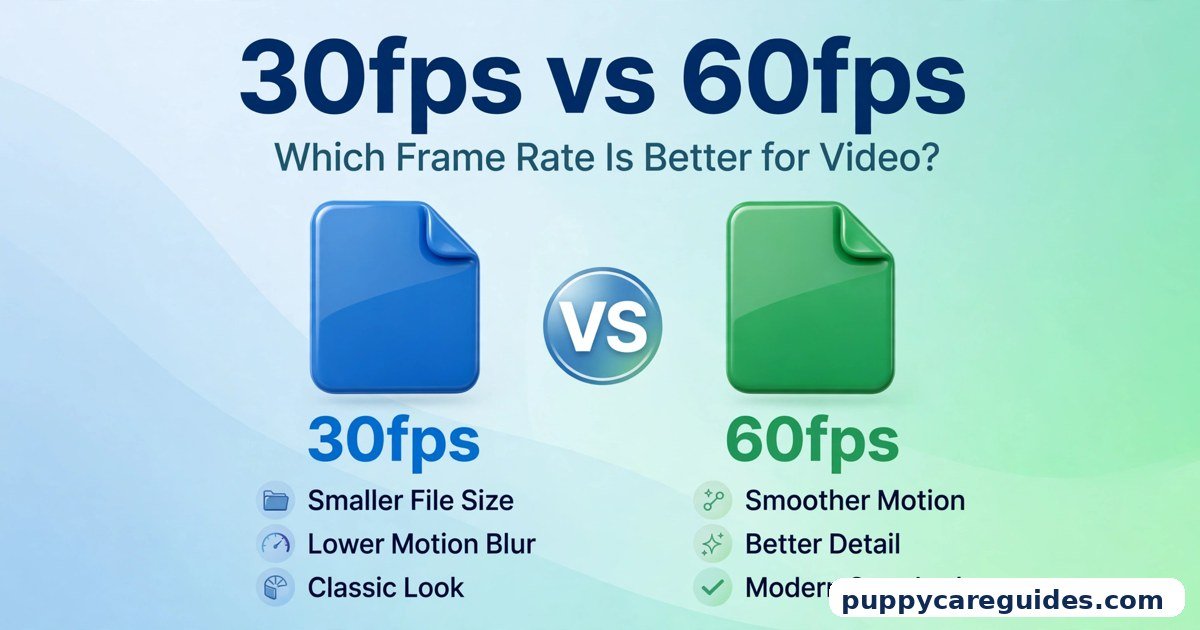
30fps vs 60fps: Which Frame Rate Is Better for Video?
Quick Answer
Use 30fps for most talking, teaching, and everyday videos, and 60fps for fast motion — sports, gaming, action, and anything you may want to slow down later. That is the short answer to 30fps vs 60fps.
For more technical background, see the frame rate overview on Wikipedia.
Table of Contents
30fps is the classic video look. It uses less storage, less battery, and smaller upload files, and it looks completely natural for a person sitting and talking. 60fps records twice as many frames every second, so movement looks smoother and clearer — but files grow, your phone works harder, and on a static scene you gain almost nothing. The right choice depends on how much movement is in front of your camera.
New to video basics? Start with MP4 vs MKV to understand the file your frames live inside.
Introduction
Open any camera app and you will find the same quiet question hiding in the settings: 30 or 60? Most people tap nothing, the default wins, and they never learn what they gave up — or what they paid for no reason.
Frame rate sounds technical, but it is really about one thing: how honestly your video shows movement. A hummingbird, a football match, and a teacher explaining maths do not move at the same speed, so they do not need the same number of frames. Choose too few and fast action turns into a blurry slideshow. Choose too many and you burn storage, battery, and upload time on scenes where nothing fast ever happens.
This guide compares 30fps and 60fps in plain language — what each one actually is, where the difference is visible, where it is invisible, and the exact settings to use for YouTube, gaming, sports, vlogging, and slow motion. The 30fps vs 60fps decision is simpler than it looks once you know what to check first.
30fps vs 60fps: Quick Comparison Table
The table below sums up 30fps vs 60fps at a glance.
| Feature | 30fps | 60fps |
|---|---|---|
| Frames captured per second | 30 | 60 — twice as many |
| Motion smoothness | Natural, classic video look | Noticeably smoother, especially in fast scenes |
| Motion blur | More blur on fast movement | Less blur; moving subjects stay clearer |
| File size (same length and quality) | Smaller | Typically 1.5–2x larger |
| Battery and heat | Lighter on phone/camera | Heavier; phones may get warm on long shoots |
| Low-light performance | Better — each frame can gather more light | Weaker — shutter must be faster, less light per frame |
| Slow motion | Limited — slows to about 40–50% speed cleanly | Good — slows to 50% for a clean 30fps result |
| Best for | Talking videos, lessons, vlogs, interviews, films | Sports, gaming, action, dance, pets, slow motion |
Note: file-size and storage figures in this article are typical ranges in everyday use, not measurements from a single controlled test. Your exact numbers depend on resolution, codec, and scene.
What Is 30fps?
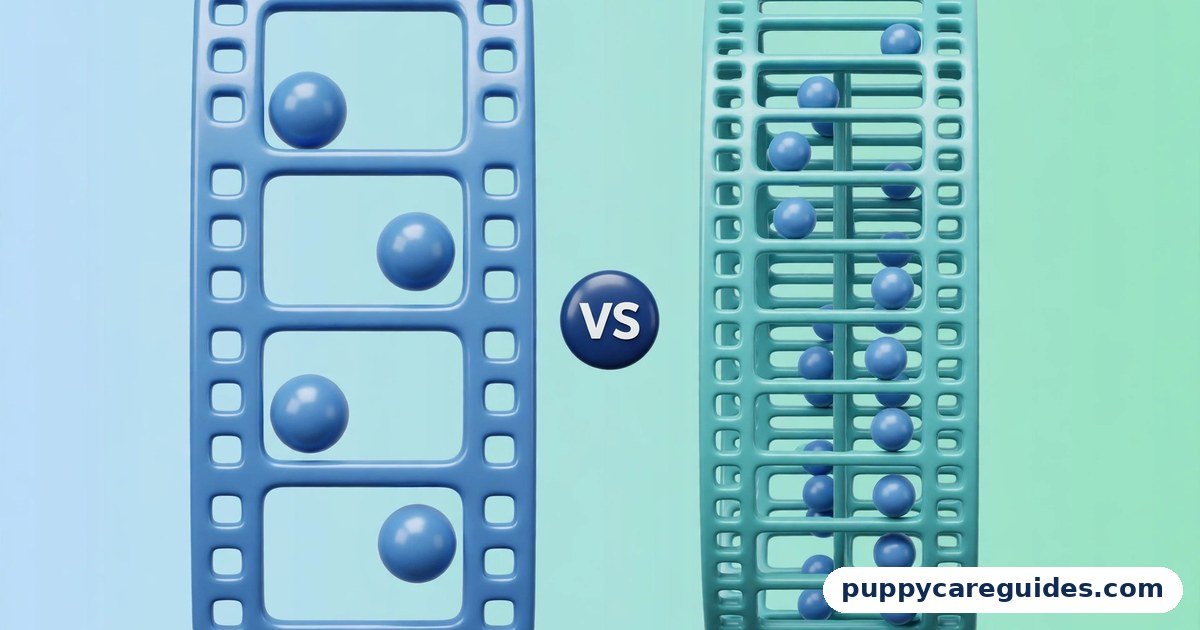
FPS means frames per second — how many still pictures your camera takes every second and plays back as moving video. At 30fps, the camera takes 30 pictures each second. Played quickly, your eye blends them into smooth-looking motion. The whole 30fps vs 60fps story starts here.
30fps is the frame rate most of the video world grew up with. Television settled near it decades ago, and YouTube, online classes, video calls, news clips, and most phone videos still use it as the default. Cinema uses a similar-but-lower 24fps, which is why 30fps already feels slightly “smoother than a movie” while keeping that familiar, natural look.
Real example: A teacher records a lesson on a whiteboard at 30fps. She stands mostly still, gestures normally, and writes slowly. Every frame is sharp, the file is modest, and students see exactly what they need. Nothing in that scene moves fast enough to justify more frames. In any 30fps vs 60fps comparison, 30fps stands for the classic film look and smaller files.
What Is 60fps?
60fps doubles the count: 60 pictures every second. With twice the information, anything that moves — a running player, a panning camera, a hand waving quickly — is captured in more steps, so motion looks fluid instead of jumpy, and individual frames stay sharper with less blur. The 30fps vs 60fps gap is easiest to understand right here.
Your eyes already know this look. Modern video games run at 60fps or higher, sports broadcasts use it, and phone screens refresh at 60Hz or more. That is why 60fps footage feels “live” and immediate next to the calmer, more film-like feel of 30fps. Motion is where 30fps vs 60fps gets practical.
Real example: A father films his son’s school football match. At 60fps, the sprint down the wing and the strike on goal stay clear enough to enjoy frame by frame. At 30fps, the same run looks smeared, and the exact moment the boot meets the ball may fall between frames entirely. In any 30fps vs 60fps comparison, 60fps stands for smooth motion that feels live.
30fps vs 60fps: Key Differences Between 30fps and 60fps
1. Motion smoothness: 60fps is clearly smoother
This is the headline difference, and it is real — but only when something moves. Pan your camera across a room at 30fps and the pan judders: the background hops from frame to frame. Do the same pan at 60fps and it glides. The same applies to walking vlogs, dancing, traffic, water, and children or pets who refuse to sit still. For a locked-off camera and a calm subject, both look nearly identical, and viewers will not be able to tell which you used.
2. Motion blur and clarity of moving subjects
Every frame is also a photograph taken with a certain shutter speed. At 30fps the shutter can stay open longer, so a fast hand or ball smears across the frame — natural-looking blur, but a blur. At 60fps the shutter must be faster, freezing movement into crisper steps. That is why sports and gaming footage at 60fps stays readable, and why pausing a 60fps video usually gives you a usable, sharper still frame than pausing the 30fps version.
3. Low light: 30fps quietly wins
Here is the difference camera ads never mention. In a dim room, each frame needs light. At 30fps, a frame can gather light for up to about 1/30 of a second; at 60fps, only half that time. The camera compensates by raising ISO, which adds grain and noise. So the evening birthday video, the restaurant clip, and the indoor evening vlog typically look cleaner at 30fps. Rule of thumb: brightness beats smoothness when light is scarce.
4. File size, storage, and upload time
Twice the frames means much more data. In typical use, a 60fps video is roughly 1.5 to 2 times the size of the same clip at 30fps at the same resolution and quality — the exact figure varies, because smart codecs (see H.264 vs H.265) compress similar frames efficiently. On modern phones, a minute of footage can grow from a few hundred megabytes to noticeably more. For a creator uploading daily, that also means longer uploads and faster-filling memory cards. Smoothness is never free.
5. Battery, heat, and camera strain
Recording 60fps asks the sensor, processor, and encoder to do roughly double the work. Phones get warmer, batteries drain faster, and some devices limit 60fps recording length at high resolutions to protect themselves from heat. For a two-minute clip, ignore this. For a two-hour school function recorded on one charge, 30fps is the survivable choice — or bring a power bank.
6. Slow motion and editing flexibility
Editors love 60fps because of one trick: slow it down. Played at half speed on a 30fps timeline, 60fps footage becomes silky slow motion at a full, clean 30fps. Played at half speed, 30fps footage drops to an effective 15fps and looks choppy. If you dream of a dramatic slow-motion goal, splash, or product shot, you must capture it at 60fps (or higher) — you cannot invent the missing frames later. AI frame tools exist, but real frames always look better. Every 30fps vs 60fps difference above comes back to smoothness versus simplicity.
30fps vs 60fps: Best Uses of 30fps
- Talking-head videos — teachers, news-style presenters, and interviewers sitting and speaking
- Online lessons and tutorials — screens, whiteboards, and demonstrations with gentle movement
- Podcasts and video calls recorded for upload — calm scenes, long durations
- Vlogs in normal light — daily life, family events, travel diaries without fast action
- Low-light filming — evenings, restaurants, indoor functions where brightness matters most
- Long recordings — school events, lectures, and ceremonies where storage and battery must last
- Film-style projects — anything aiming for a classic, calm, cinematic feel (24fps is the true film rate; 30fps is its close, web-friendly cousin)
30fps vs 60fps: Best Uses of 60fps
- Sports of every kind — football, cricket, martial arts, running, cycling
- Gaming recordings and streams — the game itself runs at 60fps or more; recording at 30 throws half of it away
- Action and movement — dance, skating, pets playing, kids running, vehicles
- Slow-motion plans — any clip you intend to slow to half speed in editing
- Fast camera movement — walking tours, gimbal shots, and panning scenes that would judder at 30fps
- Screen recordings with fast scrolling or animation — software demos with lots of motion. For sports and gaming, 30fps vs 60fps usually ends in 60fps’s favour.
Pros and Cons
30fps — Pros
- Smaller files: less storage, faster uploads, lighter editing
- Better low-light quality with less noise
- Easier on battery, with less heat on long shoots
- Natural, familiar look that suits speech and calm scenes
- Plays perfectly everywhere, even on weak devices and connections
30fps — Cons
- Fast motion looks blurry and jumpy
- Camera pans can judder noticeably
- Very limited slow-motion use
- Paused frames of moving subjects are often smeared
60fps — Pros
- Much smoother, clearer motion for anything fast
- Sharper individual frames — better paused stills
- Clean half-speed slow motion in editing
- Feels modern and “live,” like sports broadcasts and games. That is the 30fps vs 60fps balance in one line.
60fps — Cons
- Files typically 1.5–2x larger; uploads take longer
- More battery drain and heat; some phones limit recording length
- Weaker in low light — more noise in dim scenes
- No visible benefit on a static, calm scene
- Heavier to edit on an old laptop. This is where the 30fps vs 60fps choice really bites.
30fps vs 60fps: Which Should You Choose?
- Beginner: Leave 30fps as your default. It forgives low light, saves storage, and looks right for most of what beginners film — talking, family, travel. Switch to 60fps only when the scene itself is fast.
- Student: 30fps for recorded lectures, presentations, and study content — small files you can actually share with classmates. Use 60fps for sports-day and event highlights.
- Creator: Match the frame rate to the content, not the trend. Talking videos, reviews, and tutorials: 30fps. Gaming, sports, dance, and B-roll you might slow down: 60fps. And stay consistent inside one video — mixing rates carelessly makes editing messy.
- Professional: Decide before the shoot, not after. 60fps (or higher) when the client may ask for slow motion or the subject truly moves; 30fps or 24fps for interviews, brand films, and controlled sets where light and storage are planned. Also remember the frame-rate decision cannot be undone — missing frames are missing forever. Decide 30fps vs 60fps by the motion in front of the camera — calm scenes or fast action — and the choice makes itself.
30fps vs 60fps: Common Mistakes
- Recording everything at 60fps “because it’s better.” On a still talking scene it simply doubles your file size and noise for zero visible gain.
- Filming sport at 30fps, then wondering why it looks blurry. Fast subjects are exactly what the extra frames exist for.
- Using 60fps in a dark room. The grainy result confuses many beginners; drop to 30fps and let each frame drink more light.
- Planning slow motion but shooting 30fps. Slow motion is decided at record time. If a moment might be slowed, capture it at 60fps.
- Mixing 24, 30, and 60fps clips carelessly on one timeline. Pick a project frame rate and conform clips deliberately, or motion will look uneven.
- Forgetting the shutter rule. For natural motion blur, editors use a shutter near double the frame rate (about 1/60 for 30fps, 1/120 for 60fps). A wildly fast shutter makes video look harsh and stuttery even at the right fps. Most 30fps vs 60fps regrets come from exactly these avoidable errors.
Best Settings Guide
Follow these steps before you press record:
- Ask what is moving. Nothing fast → 30fps. Sport, dance, gaming, or planned slow motion → 60fps.
- Check your light. Bright daylight or good indoor light supports 60fps. Dim evening scene → prefer 30fps.
- Pair it with resolution. 1080p at 60fps is a sweet spot for most phones and creators. 4K at 60fps is beautiful but heavy — see 1080p vs 4K before committing your storage to it.
- Set the shutter (if your camera allows). Around 1/60 for 30fps, around 1/120 for 60fps, for natural-looking motion.
- Check free storage. Before a long 60fps shoot, confirm your card or phone has room — expect roughly double the space of 30fps.
- Keep one project, one base rate. Edit on a 30fps timeline for normal content; place 60fps clips normally, or slow them to 50% for slow motion.
- For gaming, match the game. If the game runs at 60fps, record and upload at 60fps so viewers see the game’s real smoothness. YouTube supports 60fps uploads fully. Whichever side of 30fps vs 60fps you pick, test a short clip before you record the full video.
30fps vs 60fps: FAQs
Can viewers actually see the difference between 30fps and 60fps?
Yes — in moving scenes. Show someone a sports clip or a camera pan in both rates and almost everyone picks out the smoother 60fps version instantly. On a static talking-head video, most viewers cannot tell, which is exactly why 30fps remains the smart default there. This is the core of the 30fps vs 60fps debate.
Does 60fps make video quality “double”?
No. Frame rate is about motion, not sharpness. Resolution (1080p, 4K) controls detail; fps controls how smoothly movement is shown. A 1080p 60fps video is smoother than 1080p 30fps, but not sharper per frame — in low light, it may even look worse due to noise. That is 30fps vs 60fps in practice.
Which frame rate is best for YouTube?
Both are fully supported. Use 30fps for talking, teaching, and vlog content, and 60fps for gaming, sports, and action. Upload in the same frame rate you recorded — converting 30fps footage to 60fps in the editor adds no real smoothness, only bigger files. That is the 30fps vs 60fps difference where it counts.
Why does my phone heat up recording 60fps?
Because it is doing about twice the capturing and encoding work, and at 4K the load is higher still. Warmth on long 60fps recordings is normal; shorten clips, remove a thick case, or drop to 30fps (or 1080p 60fps) if the phone warns about temperature. That is 30fps vs 60fps in daily use.
Can I convert 30fps video to 60fps later?
Not truly. Software can invent in-between frames with AI interpolation, and results keep improving, but fast or complex motion often produces warping and artefacts. If real 60fps smoothness matters, the only honest way is to record it that way. That is the 30fps vs 60fps difference that matters most.
30fps vs 60fps: Final Verdict
Calm scene = 30fps. Fast scene = 60fps.
Neither rate is “the professional one” — professionals simply choose on purpose. Let movement make the decision: if your subject barely moves, 30fps gives you cleaner low-light images, smaller files, and a natural look. If your subject runs, spins, plays, or might be slowed down later, 60fps protects the moment. Decide before you press record, because frames you never captured can never be added back. That is the 30fps vs 60fps choice in short: 30fps for film-style and everyday videos, 60fps for action, sports and gaming.
Related Articles
- 1080p vs 4K — the resolution partner to this frame-rate decision
- H.264 vs H.265 — the codecs that decide how big your 30fps and 60fps files become
- MP4 vs WebM — where your finished videos live on the web
- MP4 vs MOV — which container to record and edit in









Leave a Reply