


Bluetooth vs NFC: Which Does What on Your Phone?
Quick Answer
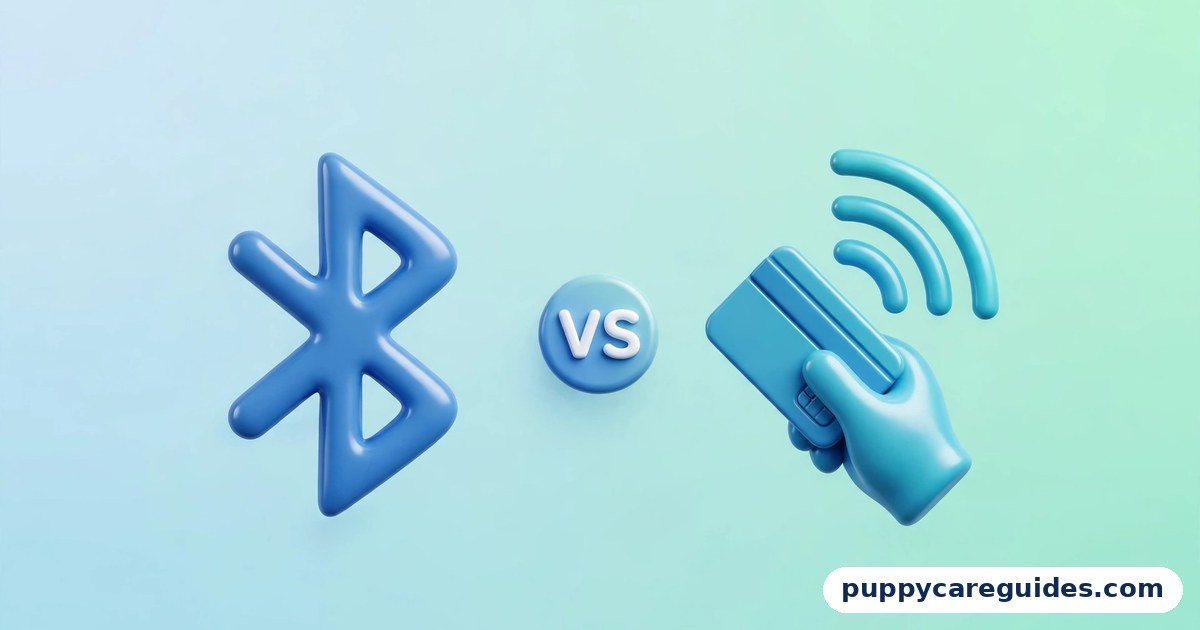
Use Bluetooth for connections that stay open — earbuds, speakers, keyboards, watches, and car audio. Use NFC for instant one-tap actions — contactless payments, access cards, and pairing devices with a touch. That is the short answer to bluetooth vs nfc.
For more technical background, see the NFC overview on Wikipedia.
Table of Contents
These two are not really rivals. Bluetooth is a wireless link that works across a room and stays connected for hours, carrying music, calls, and data. NFC (Near Field Communication) works only when devices almost touch — a few centimetres — and the exchange is over in a fraction of a second. That tiny range is not a weakness; it is the whole point. A payment should only happen when you deliberately hold your phone against the terminal, and NFC’s short reach is what makes that safe. Your phone carries both because everyday life needs both kinds of wireless.
Introduction
Your phone’s settings panel is full of wireless switches, and two of them confuse people more than any others. Bluetooth connects your earbuds and your car. NFC pays at the shop till and reads your travel card. Both are “wireless,” both live in the same phone — so why do both exist, and why can’t one do the other’s job?
The answer is that they were built for opposite tasks. Bluetooth was designed in the 1990s as a cable replacement: a steady link between devices a few metres apart. NFC grew out of contactless card technology: a deliberate, arm’s-length interaction that is finished in a tap. One is a conversation; the other is a handshake.
This guide compares Bluetooth vs NFC in plain language — range, speed, power, pairing, and security — and explains the neat trick where the two work together: tapping an NFC tag can set up a Bluetooth connection for you, with no menus at all. If wireless audio is your main interest, our Wired Earphones vs Wireless Earbuds guide covers what Bluetooth does to your music in more depth. The bluetooth vs nfc decision is simpler than it looks once you know what to check first.
bluetooth vs nfc: Quick Comparison Table
The table below sums up bluetooth vs nfc at a glance.
| Feature | Bluetooth | NFC |
|---|---|---|
| Full name | Bluetooth (Classic + Low Energy) | Near Field Communication |
| Range | About 10 metres typical (Class 2); more for some devices | Under 4 cm — devices must nearly touch |
| Speed | Up to ~1–3 Mbps in real use (version dependent) | 106–424 kbps — very slow, tiny amounts of data |
| Pairing | Yes — devices pair, then reconnect automatically | None — a tap is the whole interaction |
| Connection style | Stays connected for minutes or hours | Instant, momentary tap |
| Power use | Low; Bluetooth Low Energy is very frugal | Extremely low; passive tags need no power at all |
| Typical uses | Audio, wearables, keyboards, mice, car kits, file sharing nearby | Tap-to-pay, transit and access cards, reading tags, tap-to-pair |
| Security model | Paired and encrypted link; visible to nearby devices when discoverable | Proximity itself is the security — you must be centimetres away |
| Works with unpowered items | No — both sides need power | Yes — NFC tags and cards are powered by the reader’s field |
| Best for | Anything that streams or stays connected | Anything that should happen in one deliberate tap |
Note: figures are typical real-world values. Bluetooth range and speed vary by version (4.x, 5.x) and device class; NFC speed is fixed by the standard and was never meant for files.
What Is Bluetooth?
Bluetooth is a short-range radio technology that links devices over the 2.4 GHz band — the same neighbourhood of the airwaves as Wi-Fi, but designed for personal, nearby connections. It comes in two flavours that share a name: Bluetooth Classic, built for continuous streams like music and calls, and Bluetooth Low Energy (BLE), built for tiny, occasional bursts from devices like fitness trackers, smartwatches, and sensors that must run for months on a small battery. The whole bluetooth vs nfc story starts here.
Before two devices can talk, they pair: a one-time introduction where they exchange security keys. After that, they recognise each other and reconnect automatically — your earbuds connect the moment you open the case, and your phone links to your car when you start the engine. A typical phone connection reaches about 10 metres, enough for a room or a car, and modern versions (5.0 and later) improve range, speed, and the ability to stay connected to several devices.
Real example: You put in your earbuds at the gym. They connect by Bluetooth, stream music for an hour while your phone stays in your locker-room bag several metres away, pause when a call comes in, and switch to your laptop later without any new setup. That persistent, automatic link is exactly what Bluetooth exists for. In any bluetooth vs nfc comparison, Bluetooth stands for longer range and all-day connections to your devices.
What Is NFC?
NFC is a very-short-range technology that works at 13.56 MHz and only across about 4 centimetres or less — in practice, you tap the phone against the other device or hold it right next to it. It grew out of RFID, the technology inside contactless bank cards, office access passes, and transit cards, and it speaks the same language as all of them. The bluetooth vs nfc gap is easiest to understand right here.
An NFC interaction is brief and carries very little data: a card number token, a web link, a door credential. Speeds of 106 to 424 kilobits per second sound slow because they are — but a tap only needs to move a few hundred bytes. NFC also has a party trick nothing else matches: passive tags need no battery. A cheap sticker tag or a bank card contains no power source; it wakes up using energy from the phone’s radio field, answers, and goes back to sleep. Contactless payment is where bluetooth vs nfc stops being theory.
On a phone, NFC works in three modes: reading tags (tap a poster tag to open a link), card emulation (the phone pretends to be your bank card for tap-to-pay), and — historically — peer-to-peer transfers, a feature Android has retired in favour of other sharing tools.
Real example: At the checkout, you hold your phone against the payment terminal. The NFC chip wakes, the phone presents a one-time payment token instead of your real card number, the terminal approves it, and the whole exchange is done in under a second — no pairing, no menu, no connection left open afterwards. In any bluetooth vs nfc comparison, NFC stands for a quick tap at very close range.
bluetooth vs nfc: Key Differences Between Bluetooth and NFC
1. Range: across the room vs against the device
This is the defining difference. Bluetooth is built for metres — typically around 10 for phones and earbuds, further for some newer devices. NFC is built for centimetres — the standard’s working distance is under 4 cm. Everything else about the two technologies follows from this. A connection that must carry music while you move around the kitchen needs range. A payment that must not trigger accidentally from your pocket needs the opposite of range. Neither is better; they are answers to opposite questions.
2. Pairing: an introduction vs a tap
Bluetooth devices must pair before they can communicate — a deliberate setup step involving discovery, selection, and sometimes a confirmation code. It is a small effort, paid once, and then the link is remembered. NFC has no pairing at all. There is no list of devices, no codes, nothing to remember: bringing the two devices together IS the connection, and separating them ends it. That is why NFC interactions feel instant — there is nothing to set up because the physical tap does the job pairing does elsewhere.
3. Payments: why the till uses NFC and not Bluetooth
People sometimes ask why shops don’t just take payment over Bluetooth, since every phone has it. Three reasons. First, intent: a payment should require a clear physical gesture, and holding your phone against the terminal is unmistakable, while a Bluetooth payment could trigger from metres away, possibly at the wrong till. Second, compatibility: payment terminals worldwide are built on the same contactless card standard as bank cards, and NFC speaks it natively — your phone simply imitates your card. Third, security design: contactless payments use tokenisation and one-time codes within that card standard. Bluetooth is a fine, encrypted link, but it was never designed to be a payment card, and the world’s payment infrastructure was not built on it.
4. Power: frugal vs almost nothing
Bluetooth Low Energy is impressively economical — a BLE sensor can run for months or years on a coin cell. Classic Bluetooth audio uses more, but still modestly. NFC goes further: the phone side uses very little power listening for tags, and the tag side uses none at all, harvesting energy from the phone’s field. This is why a bank card works with no battery and why NFC stickers can be stuck on a desk or a car dashboard and simply wait, free, for years.
5. The teamwork trick: NFC sets up Bluetooth
The two technologies are often partners, not competitors. Many Bluetooth speakers and headphones include an NFC touch point: tap your phone on it, and the tap exchanges the Bluetooth pairing information automatically — the connection then continues over Bluetooth while you walk away with the phone in your pocket. NFC does the two-second introduction it is perfect for; Bluetooth does the hours-long streaming it is perfect for. Once you know this, the settings panel makes sense: both switches exist because each does the half of the job the other cannot. Every bluetooth vs nfc difference above comes back to range: metres for Bluetooth, centimetres for NFC.
bluetooth vs nfc: Best Uses of Bluetooth
- Wireless audio — earbuds, headphones, speakers, and soundbars (see Wired Earphones vs Wireless Earbuds for the honest trade-offs)
- Wearables — smartwatches and fitness bands syncing with your phone all day
- Car connections — hands-free calls and music through the car’s system
- Keyboards, mice, and game controllers — steady links to phones, tablets, and computers
- Nearby file sharing — features like Quick Share and AirDrop use Bluetooth to find devices, then often hand the big file to Wi-Fi
- Health and smart-home sensors — BLE thermometers, scales, locks, and lights sipping power
bluetooth vs nfc: Best Uses of NFC
- Tap-to-pay — phone and watch payments that imitate your bank card at any contactless terminal
- Transit and access — travel cards, office badges, hotel keys, and event tickets stored on the phone
- Reading smart tags — tapping posters, product labels, or museum exhibits to open information
- Tap-to-pair — instantly introducing Bluetooth speakers, headphones, and cameras to your phone
- Quick setup and check-in — gym equipment, rental bikes, and pairing points where one tap replaces typing codes
- Programmable desk/car tags — cheap stickers that trigger actions (Wi-Fi login for guests, driving mode) when tapped. For tap-to-pay and instant pairing, bluetooth vs nfc usually ends in NFC’s favour.
Pros and Cons
Bluetooth — Pros
- Works across a room and stays connected for hours
- Fast enough for music, calls, and everyday data
- Remembers paired devices and reconnects automatically
- Every phone, laptop, car, and audio device supports it
Bluetooth — Cons
- Pairing can be fiddly, and devices occasionally connect to the wrong partner
- A discoverable device is visible to others nearby; old versions had security flaws
- Audio over Bluetooth is compressed, and there is a small delay (latency)
- Uses more power than NFC — an always-on link costs battery
NFC — Pros
- Instant — no pairing, no menus, just tap
- Proximity is built-in security: an interaction cannot happen from across the room
- Works with unpowered cards and tags that cost almost nothing
- Same standard as contactless bank cards, so terminals worldwide accept it. That is the bluetooth vs nfc balance in one line.
NFC — Cons
- Range of a few centimetres makes it useless for streaming or staying connected
- Far too slow for files, photos, or music
- Not every phone has it — many budget models leave NFC out
- Metal surfaces and thick cases can occasionally block a clean tap. This is where the bluetooth vs nfc choice really bites.
bluetooth vs nfc: Which Should You Choose?
You do not choose between them — your phone already has Bluetooth, and the real question is whether it has NFC. Choose based on the task:
- Listening, typing, wearing, driving: Bluetooth. If it streams or stays connected, it is a Bluetooth job.
- Paying, tapping in, opening doors: NFC. If it must happen in one deliberate tap, it is an NFC job.
- Buying a new phone and you want tap-to-pay: Check the spec sheet for NFC explicitly. It is the feature budget phones most often drop, and no software update can add the chip later. Our SIM vs eSIM guide covers the other easy-to-miss phone feature worth checking before you buy.
- Setting up a speaker or headphones: Look for an NFC logo on the device — if present, tap to pair instead of fighting with Bluetooth menus. Decide bluetooth vs nfc by distance — across the room or a tap away — and the choice makes itself.
bluetooth vs nfc: Common Mistakes
- Expecting NFC to transfer photos or files. NFC moves a few hundred bytes in a tap — a link, a credential, an ID. It was never a file pipe. Phone sharing features use Bluetooth or Wi-Fi for the actual file and sometimes NFC only to start the introduction.
- Holding the phone near the terminal instead of against it. NFC range is centimetres, and the chip sits in one spot (usually the top or centre of the back). A hover at 10 cm does nothing. Rest the phone’s back on the terminal symbol until it beeps.
- Blaming NFC when a budget phone simply lacks it. If tap-to-pay options are missing from your settings entirely, the phone probably has no NFC chip. Check the specifications — this cannot be fixed with an app.
- Leaving Bluetooth discoverable and paired to forgotten devices. Old pairings to rented cars and borrowed speakers linger. Review the paired list occasionally and remove what you no longer use — tidier and safer.
- Assuming NFC must be switched off for safety or battery. NFC uses negligible power, and a payment cannot happen without the phone being unlocked and held against a terminal. Leaving it on is the normal, intended state — see the FAQ below.
- Trying to pay with Bluetooth because NFC “seems slower.” The till does not speak Bluetooth at all. Payment terminals are built on the contactless card standard, which is NFC’s native language. Most bluetooth vs nfc regrets come from exactly these avoidable errors.
How to Check If Your Phone Has NFC (and Turn It On)
- Open Settings and use the search bar at the top — type “NFC”.
- If an NFC option appears (often under “Connected devices” or “Connections”), your phone has the chip. Switch it on; on most phones it is on by default.
- No result usually means no NFC hardware. Confirm on the manufacturer’s specification page for your exact model — some regions’ versions of the same phone differ.
- For tap-to-pay, also install your bank’s app or a wallet app (such as Google Wallet or Apple Wallet) and add your card — NFC alone does not pay; the wallet provides the card.
- Test on any contactless terminal: unlock the phone, hold its back flat against the payment symbol, and wait for the beep or tick.
Finding the Bluetooth version: Settings → About phone usually lists it, or check the spec sheet. Version 5.0 or later gives you better range and battery life with modern earbuds and watches. Whichever side of bluetooth vs nfc you use, keep it switched off when you do not need it.
bluetooth vs nfc: FAQs
Is it risky to leave NFC on all the time? Does it drain the battery?
The battery cost is negligible — NFC idles at almost no power, which is why phones ship with it enabled. The security fear is also mostly theoretical: a payment requires your phone to be unlocked and physically held against a terminal, and the “attacker reads your card from a crowd” scenario fails because NFC range is a few centimetres and payment data is tokenised and one-time. Leaving NFC on is what the technology was designed for. This is the core of the bluetooth vs nfc debate.
Why can’t I pay with Bluetooth instead?
Because the entire contactless payment world — terminals, bank cards, transit gates — is built on the NFC card standard. A Bluetooth payment would also be a worse design: it could trigger from metres away, at the wrong terminal, without a clear physical gesture of intent. NFC’s short range is a security feature the payment industry deliberately chose. That is bluetooth vs nfc in practice.
How can I tell if my phone has NFC?
Search Settings for “NFC” — if the toggle exists, the chip exists. Alternatively, check your model’s official specifications. As a rough guide, most mid-range and flagship phones include NFC, while the cheapest budget models are the ones that often skip it to save cost. That is the bluetooth vs nfc difference where it counts.
Can NFC work through a phone case?
Usually, yes — thin plastic and leather cases are fine. Very thick cases, metal cases, and cases with magnetic plates or card holders stuffed with other cards can weaken or block the tap. If payments keep failing, try removing the case once to test; if it works bare, the case is the problem. That is bluetooth vs nfc in daily use.
Which is faster, Bluetooth or NFC?
They are fast at different things. NFC completes its entire job — the tap exchange — in well under a second, but moves almost no data (a few hundred bytes). Bluetooth takes a few seconds to pair the first time, then moves data millions of times faster and keeps doing it for hours. Asking which is “faster” is like asking whether a handshake or a phone call is faster: it depends whether you needed a greeting or a conversation. That is the bluetooth vs nfc difference that matters most.
bluetooth vs nfc: Final Verdict
Staying connected = Bluetooth. One deliberate tap = NFC.
Bluetooth and NFC sit side by side in your phone because they solve opposite problems. Bluetooth is the patient, long-lasting link: metres of range, hours of connection, music and data flowing the whole time. NFC is the instant, arm’s-length gesture: no pairing, no lingering connection, and a range so short that using it is proof you meant to. The cleverest products use both — NFC for the two-second introduction, Bluetooth for everything after. Neither replaces the other, and now you know exactly which switch does what. That is the bluetooth vs nfc choice in short: Bluetooth for connections across the room, NFC for a tap at the counter.
Next: 4G vs 5G: Is a 5G Phone Worth It for You? — the speed numbers are real, but coverage decides whether you will ever see them.
Related Articles
- SIM vs eSIM: Which Is Better for Your Phone? — the other phone feature that is easy to misunderstand
- 4G vs 5G: Is a 5G Phone Worth It for You? — the network generations behind your data connection
- Wired Earphones vs Wireless Earbuds: Which Should You Buy? — what Bluetooth audio gives you, and what it costs
- USB-C vs Thunderbolt: What’s the Difference? — another pair of technologies people constantly mix up
- MP4 vs MKV: Which Is Better for Videos? — the same “not rivals, different jobs” story in video formats




Leave a Reply