

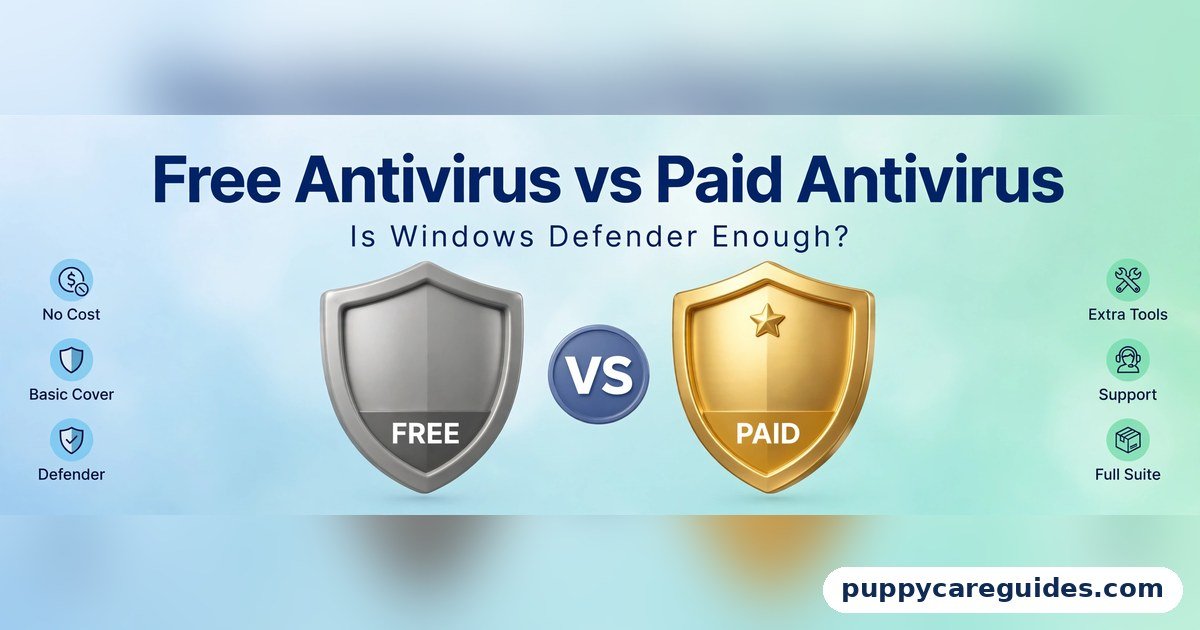
Free Antivirus vs Paid Antivirus
Quick Answer
For most home users, the free protection already built into Windows — Microsoft Defender — plus careful habits is genuinely enough. Pay for an antivirus suite if your computer is a business machine, if children or less careful family members use it, or if you want the bundle of extras (VPN, password manager, parental controls, identity monitoring) in one subscription. That is the short answer to free antivirus vs paid antivirus.

For more technical background, see the antivirus software overview on Wikipedia.
Table of Contents
The core virus-blocking engine in good free and paid products is closer than the advertising suggests — independent test labs regularly give top protection scores to free tools, Defender included. What money buys is everything around the engine: extra layers like a managed firewall and anti-phishing tools, features for the whole family, human support, and no advertising. And some free third-party antiviruses charge a different price: constant upgrade pop-ups and your attention. This guide gives the honest assessment, including the habits that protect you more than any product does.
Introduction
Few software questions carry as much fear as this one. The pop-ups insist your PC is unprotected. A shop assistant insists the boxed antivirus is essential. A nephew insists the built-in Windows one is all anyone needs. Somebody is wrong — or, more likely, each is right for a different person.
The confusion has a history. Fifteen years ago, Windows’ built-in protection was weak, and installing a real antivirus was genuinely essential. Since then, Microsoft Defender — built into every Windows 10 and Windows 11 PC, free, updating itself silently — has grown into a top-scoring product in independent laboratory tests. The honest question is no longer “free or protected?” It is “what, exactly, does paying add, and do I need those things?”
This guide compares free antivirus vs paid antivirus in plain language: real protection levels, the extras money buys, the hidden price of some free products, the effect on speed, and the habits that matter more than either. If you are setting up protection as part of a new system, it pairs well with our Windows vs Linux guide, since the two systems face very different threat levels. The free antivirus vs paid antivirus decision is simpler than it looks once you know what to check first.
free antivirus vs paid antivirus: Quick Comparison Table
The table below sums up free antivirus vs paid antivirus at a glance.
| Feature | Free Antivirus (incl. Windows Defender) | Paid Antivirus |
|---|---|---|
| Malware protection level | Strong — top scores in independent tests for the best free tools | Strong — same engines, plus extra behaviour and web layers |
| Extra features | Few or none (Defender: firewall and basic controls included) | VPN, password manager, parental controls, identity monitoring, webcam protection |
| Ads / nagging | Defender: none. Some free third-party tools: frequent upgrade pop-ups | None — you are the customer, not the audience |
| System speed impact | Defender is light and tuned for Windows; third-party free tools vary | Modern suites are light; full scans still use resources on any product |
| Support | Community help and documentation | Included human support (chat/phone) |
| Devices covered | Defender: your Windows PCs. Others vary | Typically several devices — PC, Mac, phones — on one plan |
| Ransomware extras | Defender includes controlled folder access (off by default) | Often adds dedicated ransomware rollback and backup features |
| Best for | Careful home users on updated Windows | Businesses, families, shared PCs, high-risk usage |
Note: “free antivirus” covers two different things — Microsoft Defender, which is built into Windows and advertises nothing, and free editions of commercial products, which are partly advertisements for their paid versions. This guide separates them wherever it matters.
What Is Free Antivirus?
Free antivirus comes in two forms. The first is Microsoft Defender, built into Windows 10 and 11 at no cost and with no installation: it scans files in real time, updates its virus definitions through Windows Update, includes a firewall, and adds extras like SmartScreen (which warns about dangerous downloads and sites) and ransomware-oriented folder protection. Independent labs such as AV-TEST and AV-Comparatives have repeatedly scored its protection at or near the top — a fact that would have been unthinkable in Defender’s weak early years. The whole free antivirus vs paid antivirus story starts here.
The second form is the free edition of a commercial product (names like Avast, AVG, Bitdefender Free come up often). These use the same detection engines as their paid siblings, so their core protection is also strong. The difference is commercial: the free edition is a shop window. Expect regular pop-ups urging an upgrade, occasional bundled offers, and features visibly greyed out in the menus. The protection is real; the nagging is the price.
Real example: A home user with an updated Windows 11 laptop, who browses carefully, installs software only from official sources, and keeps a backup, is — according to the test data — about as well protected by Defender as by most paid products. Millions of such users run no paid antivirus at all, safely, for years. In any free antivirus vs paid antivirus comparison, free antivirus stands for solid basic protection at zero cost.
What Is Paid Antivirus?
Paid antivirus is a subscription security suite: the same core engine as the company’s free edition, surrounded by additional layers and services. Depending on the suite, the subscription adds a VPN, a password manager, parental controls, webcam and microphone protection, anti-phishing and banking protection, identity-theft monitoring, secure file shredding, and coverage for several devices — Windows, Mac, Android, and iPhone — under one account. It also buys human technical support and a life free of upgrade pop-ups. The free antivirus vs paid antivirus gap is easiest to understand right here.
The fairest way to judge a paid suite is not “does it stop more viruses?” — at the top end, detection rates are all high and close together — but “is this bundle of extras, on all my devices, worth the yearly fee to me?” For a family with children, several devices, and one non-technical parent, the bundle and the support can be worth every penny. For a careful solo user, it can be money spent on features that will never be opened. The extras are where free antivirus vs paid antivirus stops being about price alone.
Real example: A small business owner runs her shop’s accounts on one PC, her children share a family laptop, and banking happens on her phone. One paid suite covers all three devices, adds parental controls for the children, a VPN for café Wi-Fi, and a support line she can call when something looks wrong. She is not buying better virus detection; she is buying coverage, control, and help. In any free antivirus vs paid antivirus comparison, paid antivirus stands for extra layers like ransomware protection, a firewall and support.
free antivirus vs paid antivirus: Key Differences Between Free and Paid Antivirus
1. Protection level: closer than the marketing wants you to think
Independent testing laboratories run the same gauntlets of real-world malware against every major product, free and paid. Their published results have shown for years that the best free tools — Defender included — score at or near the level of paid suites on core protection. Paid products sometimes add behavioural and web-protection layers that catch a little more at the margins.
The honest summary: the gap between good-free and paid protection is small; the gap between any updated antivirus and none or an out-of-date one is enormous. The first rule of this whole topic is to have something current switched on — which, on Windows, you already do by default.
2. Extra features: where the money actually goes
The real product in a paid suite is the bundle. A VPN for public Wi-Fi, a password manager for the whole family, parental controls that filter content and report activity, identity monitoring that watches for your email in data breaches, webcam protection, and multi-device coverage. Each of these exists separately, some free; the suite sells convenience — one subscription, one app, one support line.
Price the bundle honestly: if you would use three or more of the extras, a suite is often good value. If you would use none, you are paying for a nicer box around the same engine. Several of these extras also overlap with your browser’s abilities — see Chrome vs Firefox for the tracking protection both browsers now include.
3. The hidden price of free third-party tools: attention and data
Defender asks nothing of you: no account, no ads, no upsells — it is part of Windows you already paid for. Commercial free editions are different. Their business model is converting you into a subscriber, so expect persistent pop-ups, “your protection is incomplete” warnings that mean “you have not paid,” and setup screens that try to add browser extensions or partner software.
Some free products have also faced criticism in past years over collection of browsing data. None of this makes their protection fake — but it means “free” is paid for in attention, and you should install such a tool only if you actively prefer it over the silent Defender already protecting you.
4. Speed: a smaller issue than its reputation
The belief that “antivirus slows your PC” dates from an era of heavy products on weak machines. Modern suites, free and paid, are engineered to be light, and laboratory performance tests show modest differences between the best and worst of them. Defender is particularly well tuned to Windows, since the same company builds both.
What still slows any computer is a full scan running at a bad moment — schedule scans for when you are away, on either kind of product — and running two real-time antiviruses at once, which causes genuine conflicts and slowdowns (more in the FAQs). If your PC is slow, the cause is usually elsewhere: our Windows vs Linux guide covers the classic case of old hardware.
5. Support and accountability: someone to call
When free protection finds something frightening at midnight, your support network is search results and forums — usually sufficient, occasionally terrifying. A paid subscription includes people: chat and phone support that can walk you through a cleanup and confirm whether an alert is real. For confident users this is worth little. For the family member everyone else calls for help — or for a business that cannot improvise — it can be the entire justification for paying, and that is a legitimate reason.
6. The habits that outrank both products
Every security professional will tell you the same uncomfortable thing: the biggest protections are free behaviours, not products. Keep Windows and your browser updated — most attacks exploit already-fixed holes. Back up important files to a separate place (cloud storage such as Google Drive vs OneDrive, or an external drive you unplug) — a backup turns ransomware from catastrophe into inconvenience.
Use unique passwords with a manager and two-step verification. Treat unexpected attachments and “urgent” links as guilty until proven innocent. A careful Defender user is safer than a careless paid-suite user, every single time. Every free antivirus vs paid antivirus difference above comes back to basic free cover versus paid layers of protection.
free antivirus vs paid antivirus: Best Uses of Free Antivirus (Defender)
- Typical home users on Windows 10 or 11, kept updated
- Careful browsers who install software only from official stores and sites
- Students and single-PC households with no need for parental controls or bundles
- Anyone whose usage is email, web, documents, and streaming — the low-risk mainstream
- As the always-on baseline even while deciding — never leave a gap “until I choose”
free antivirus vs paid antivirus: Best Uses of Paid Antivirus
- Business and work-from-home PCs holding client data, accounts, or payments
- Families needing parental controls and coverage across many devices
- Shared computers used by children or less careful relatives
- Higher-risk usage — frequent downloads, torrents, crypto, or heavy email attachment traffic
- Users who want the bundle — VPN, password manager, identity monitoring — in one subscription with support. For banking, work files and family PCs, free antivirus vs paid antivirus usually ends in the paid suite’s favour.
Pros and Cons
Free Antivirus — Pros
- Costs nothing; Defender is already installed and running on Windows
- Core protection scores at the top in independent tests
- Defender shows no ads, asks for no account, and is tuned for Windows
- One less subscription and one less program to manage
Free Antivirus — Cons
- Few or no extras — no bundled VPN, password manager, or parental suite
- Free third-party editions nag with upgrade pop-ups and offers
- Support is self-service: forums and documentation
- Mac and phone coverage is a separate problem to solve
Paid Antivirus — Pros
- Complete bundle: VPN, password manager, parental controls, identity monitoring
- Covers multiple devices and platforms under one subscription
- Human support when something goes wrong
- No advertising or upsell pressure. That is the free antivirus vs paid antivirus balance in one line.
Paid Antivirus — Cons
- A yearly subscription, forever, for protection that overlaps the free baseline
- Bundles include features many buyers never open
- Auto-renewal pricing can jump after the first-year discount
- Still cannot protect against careless clicks and reused passwords. This is where the free antivirus vs paid antivirus choice really bites.
free antivirus vs paid antivirus: Which Should You Choose?
- Beginner / everyday user: Stay with Microsoft Defender, keep Windows updated, and spend your money on a backup drive or cloud storage instead — it will protect you more.
- Student: Defender plus careful habits. If your university offers a security suite free with your account, take it; otherwise your budget is better spent elsewhere.
- Parent / family IT manager: A paid suite earns its fee: parental controls, several devices, one dashboard, and support that is not you.
- Professional / business: Paid, without debate — client data, compliance expectations, multi-device coverage, and support make it a business cost, not a luxury. Pair it with backups and two-step verification. Whichever side of free antivirus vs paid antivirus you pick, keep it updated and run a full scan on schedule. Decide free antivirus vs paid antivirus by what you do on the device — light browsing or sensitive work — and the choice makes itself.
free antivirus vs paid antivirus: Common Mistakes
- Installing two antiviruses “for double protection.” Two real-time scanners fight over the same files, slow the PC, and can each treat the other as suspicious. Windows handles this sensibly by stepping Defender aside when another product registers — do not force both to run.
- Turning off the antivirus because a game or program asked you to. Legitimate software rarely needs this. A download that insists you disable protection is showing you exactly what it is.
- Believing a paid suite makes you invincible. Suites do not stop you approving a fake login page or reusing one password everywhere. The human layer — updates, backups, unique passwords, suspicion — is still the main defence.
- Letting a subscription lapse silently, or auto-renew blindly. A lapsed suite can leave features half-working; an auto-renewed one can charge triple the introductory price. Put the renewal date in your calendar and decide deliberately each year.
- Ignoring the free wins already on your PC. Defender’s controlled folder access (ransomware protection for your key folders) ships switched off — turning it on costs two minutes and nothing else. SmartScreen and automatic updates are similar quiet gifts.
- Judging by fear instead of tests. Pop-ups and shop assistants sell urgency. Independent labs (AV-TEST, AV-Comparatives) publish free results — ten calm minutes there beats any advertisement’s opinion, including this article’s. Most free antivirus vs paid antivirus regrets come from exactly these avoidable errors.
free antivirus vs paid antivirus: FAQs
Is Windows Defender really enough on its own?
For the typical home user, yes — this is now the mainstream expert position, not a fringe opinion. Defender scores at or near the top of independent protection tests, updates itself with Windows, includes a firewall and download protection, and costs nothing. The conditions are that Windows stays updated, Defender stays switched on (it occasionally gets disabled by other software — check it), and you practise the basic habits: careful downloads, unique passwords, and a backup. Business machines and family PCs with children are the common cases where paying still makes sense. This is the core of the free antivirus vs paid antivirus debate.
Should I install two antiviruses to be extra safe?
No — this makes you less safe, not more. Two real-time scanners monitoring the same files compete for them, slow the system, generate false alarms about each other, and can leave gaps while they argue. Windows is designed around one active protector: install a third-party antivirus and Defender politely steps back into a limited mode. One good, updated product, fully on, is the correct configuration. That is free antivirus vs paid antivirus in practice.
Does antivirus slow down a PC?
Modern products, free and paid, have a small impact that most users on reasonably current hardware never notice; independent performance tests confirm the differences between major brands are modest. The noticeable slowdowns come from full scans running while you work (schedule them for idle times) and from running multiple security tools at once. Defender tends to feel especially light because Microsoft tunes it for Windows. If a PC is chronically slow, age and storage are far more likely culprits than the antivirus. That is the free antivirus vs paid antivirus difference where it counts.
Does a Mac need antivirus?
Macs face fewer attacks than Windows PCs, but “fewer” is not “none”: Mac malware, adware, and especially phishing all exist and grow as Macs spread. macOS includes its own built-in protections (Gatekeeper, XProtect) that work quietly like a built-in Defender. Most careful Mac users run no extra product; those who download widely, or whose work requires it, can add a reputable scanner. The habits matter identically: updates, backups, unique passwords, and suspicion of the unexpected attachment. That is free antivirus vs paid antivirus in daily use.
What is the single most important protection besides antivirus?
A backup — specifically, a backup that is not permanently connected to the PC. Ransomware, theft, fire, and a dead hard drive all become survivable when your files exist in a second place: cloud storage that keeps version history, or an external drive you plug in, back up, and unplug. Antivirus tries to stop bad days; a backup guarantees they do not become disasters. If this article persuades you to spend money on only one thing, spend it there. That is the free antivirus vs paid antivirus difference that matters most.
free antivirus vs paid antivirus: Final Verdict
Careful home user = free (Defender) is enough. Business, family and high-risk machines = paid is worth it.
The old rule “free antivirus is no antivirus” died years ago, killed by Defender’s test results. What a subscription buys today is not a stronger shield but a wider one: more devices, more extras, parental control, and a human to call. Buy it for those reasons if they apply to you, and skip it without anxiety if they do not.
If you remember only one line, make it this: updates, backups, and unique passwords protect you more than the price of your antivirus ever will. That is the free antivirus vs paid antivirus choice in short: free for careful light use, paid for full protection and peace of mind.
Next in this category: revisit Windows vs Linux — the system choice that decides how much of this article even applies to you.
Related Articles
- Windows vs Linux — why the threat picture differs completely between systems
- Chrome vs Firefox — the browser layer of your protection, and its built-in tracking defences
- Google Drive vs OneDrive — the backup half of real security
- Microsoft Word vs Google Docs — where your documents live, and how each tool protects them
- MP4 vs MKV: Which Is Better for Videos? — from our Video Formats series, a lighter read after all this security talk





Leave a Reply