

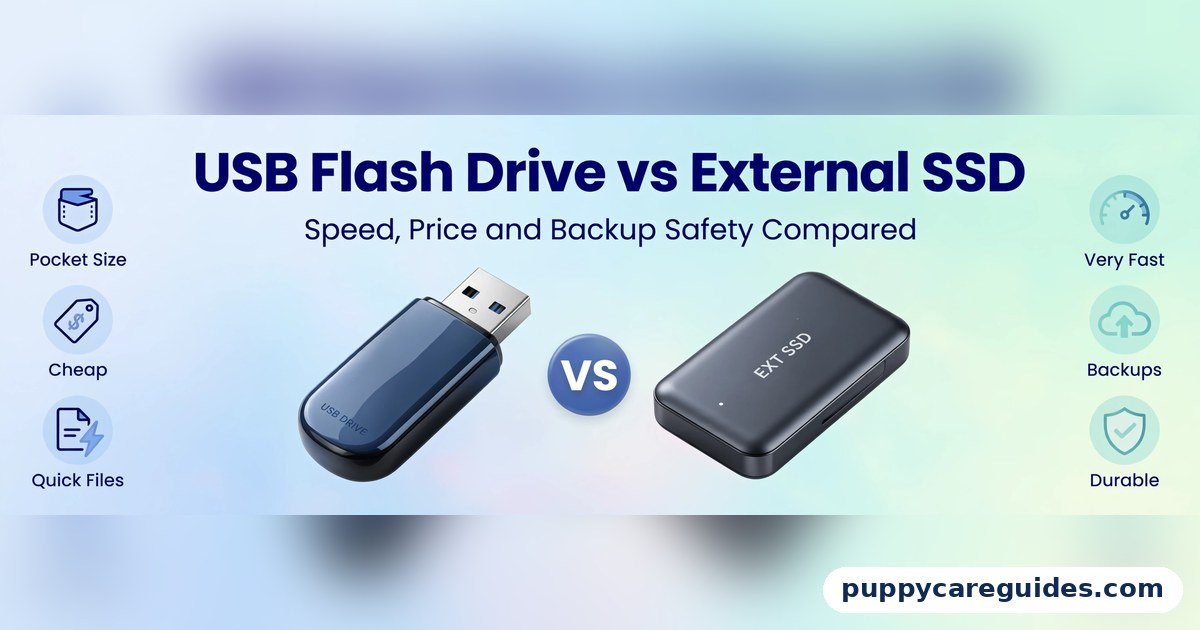
USB Flash Drive vs External SSD
Quick Answer
Use a USB flash drive for small, occasional transfers — documents, a few photos, a Windows installer, a file that needs to travel in your pocket today. Use an external SSD for anything big, frequent, or important — video projects, photo libraries, working files, and serious backups. That is the short answer to USB Flash Drive vs External SSD.

For more technical background, see the SSD overview on Wikipedia.
Table of Contents
The difference shows the moment a copy starts. A typical cheap flash drive writes at 10–30 MB/s once its small cache fills, so 50 GB can take the better part of an hour. A decent external SSD writes at 400–1,000 MB/s and finishes the same job in one to two minutes. Flash drives win on size and price at small capacities; external SSDs win on speed, capacity, endurance, and value at 500 GB and above. And one rule stands above the whole comparison: neither device should ever hold the only copy of anything you cannot replace.
Introduction
The USB stick is one of computing’s great survivors — a fingernail-sized drive that has carried homework, presentations, wedding photos, and entire operating systems for twenty-five years. The external SSD is its ambitious younger relative: a real computer SSD in a pocket-sized case, promising to move your whole photo library before your coffee cools. They plug into the same ports and both call themselves portable storage, so which one deserves your money?
The honest answer depends on three things the packaging hides: how fast each device writes after the first few seconds, how long each is likely to live, and how much data you actually move. Cheap flash drives are famous for advertising the speed of the USB port rather than the drive inside it, and the gap between a “USB 3.2” stick writing at 20 MB/s and an external SSD writing at 900 MB/s is the difference between a chore and a non-event.
This guide compares both properly — speed, price per gigabyte, durability, capacities, and backup safety — so you buy the right tool the first time. If you are choosing an internal drive instead, HDD vs SSD and SATA SSD vs NVMe SSD cover that side of the family. The USB Flash Drive vs External SSD decision is simpler than it looks once you know what to check first.
USB Flash Drive vs External SSD: Quick Comparison Table
The table below sums up USB Flash Drive vs External SSD at a glance.
| Feature | USB Flash Drive | External SSD |
|---|---|---|
| Typical real write speed | 10–30 MB/s (cheap models); up to ~400 MB/s (premium SSD-class sticks) | 400–1,000 MB/s (USB 3.2 Gen 2); up to ~2,000–3,000 MB/s (USB4/Thunderbolt models) |
| Read speed | 30–150 MB/s typical | 500–1,050 MB/s typical; higher on USB4 |
| Time to copy 50 GB (typical) | ~30–80 minutes on a budget stick | ~1–2 minutes |
| Common capacities | 16 GB – 512 GB (up to 2 TB exists) | 250 GB – 8 TB |
| Price per GB | Low at small sizes; poor value at 512 GB+ | Higher entry price; better value from 500 GB upward |
| Size and weight | Tiny — keyring-sized, a few grams | Small — roughly a credit card to a matchbox, 30–80 g |
| Durability | Solid-state but built to a price; connector and controller are weak points | Solid-state with a proper SSD controller, wear levelling, and a protective case |
| Endurance (write lifespan) | Low — basic flash, minimal wear management | High — rated in terabytes written, like internal SSDs |
| Sustained large writes | Slows dramatically once cache fills | Sustains high speed far longer (may dip when cache fills) |
| Best for | Documents, installers, pocket transfers, hand-it-to-a-friend files | Video/photo work, fast backups, portable work drives, game libraries |
Note: speeds are typical real-world figures for mainstream models. The USB connection itself also matters — any drive plugged into an old USB 2.0 port (480 Mb/s, roughly 40 MB/s in practice) is limited by the port, not the device.
What Is a USB Flash Drive?
A USB flash drive — stick, thumb drive, pen drive — is the simplest storage device ever sold: a USB connector, a small controller chip, and flash memory, in a case small enough to lose in a sofa. It needs no cable, no power, and no setup, and it works in everything from printers to car stereos. Capacities run from a few gigabytes to 2 TB, though the sweet spot remains 32–256 GB. The whole USB Flash Drive vs External SSD story starts here.
What the box rarely tells you is that most flash drives are built to a price, not a standard. The flash inside is often the slowest grade, the controller is basic, and the advertised speed describes the USB interface (“USB 3.2!”) rather than the drive’s actual writing ability. Many budget sticks start a copy at a respectable pace, then collapse to 10–30 MB/s once a small buffer fills — and stay there for the remaining forty minutes. Premium “SSD-class” sticks with real controllers exist and perform far better, but at prices that compete with external SSDs, which raises the obvious question this article exists to answer. In daily use, the USB Flash Drive vs External SSD trade-off shows up fast.
Real example: A student keeps a 64 GB stick on her keyring with her CV, coursework, and a bootable Windows installer for emergencies. It is perfect at that job — small files, any computer, zero thought. Asking it to hold her 200 GB video coursework folder would be asking for an afternoon of progress bars. In any USB Flash Drive vs External SSD comparison, a flash drive stands for the smallest, cheapest way to carry files.
What Is an External SSD?
An external SSD is a genuine SSD — the same technology as a modern laptop’s internal drive, often literally an NVMe or SATA SSD on a small board — sealed in a pocketable metal or rubberised case with a USB-C port. A quality controller manages wear levelling, error correction, and garbage collection exactly as an internal drive does, which is why these drives sustain high speeds and carry real endurance ratings. The USB Flash Drive vs External SSD gap is easiest to understand right here.
Connection speed depends on the USB standard: USB 3.2 Gen 2 (10 Gb/s) models transfer at up to roughly 1,000 MB/s, and USB4 or Thunderbolt enclosures reach 2,000–3,000 MB/s and beyond. Even the humblest external SSD reads and writes around 400–500 MB/s — ten to forty times faster than a budget flash drive in sustained writing. They are larger than a stick (think a credit card or a small matchbox) and cost more to enter, but at 500 GB to 2 TB they are frequently cheaper per gigabyte than quality flash drives. For big photo and video libraries, the USB Flash Drive vs External SSD gap is huge.
Real example: A wedding photographer backs up the day’s cards to an external SSD in the car between venues — 120 GB of photos and 4K clips copied in a few minutes, on a drive rated to survive years of exactly this. Her old workflow, a big flash drive, once took so long she stopped mid-copy and drove home with the only copy still on the cards. Never again. In any USB Flash Drive vs External SSD comparison, an external SSD stands for real working speed in your pocket.
USB Flash Drive vs External SSD: Key Differences Between USB Flash Drive and External SSD
1. Sustained write speed: the gap the box hides
Both devices quote best-case numbers; they differ in what happens at minute five of a copy. A budget flash drive’s tiny cache fills almost immediately, exposing flash that writes at 10–30 MB/s — copying 50 GB takes roughly half an hour to well over an hour. An external SSD’s larger cache and faster flash sustain 400–1,000 MB/s, finishing the same 50 GB in one to two minutes. For documents and a handful of photos this difference is invisible; for video projects, disk images, or a backup, it is the entire product. When you shop, the figure that matters is sustained write speed from independent reviews — not the interface logo on the packet.
2. Price per gigabyte: each wins at a different size
At 32–128 GB, flash drives are unbeatable — a few dollars for a pocketable drive is a solved problem. As capacity climbs, the curves cross: a quality 512 GB or 1 TB flash drive commonly costs as much as, or more than, an external SSD of the same size, while being far slower and less durable. External SSDs start at a higher price (you are buying a real SSD plus a case) but their per-gigabyte cost keeps falling as capacity grows. Rule of thumb: below 256 GB, buy the stick; at 500 GB and above, buy the SSD.
3. Portability: keyring vs pocket
The flash drive remains the most portable storage ever made — grams, keyring-sized, no cable to forget. The external SSD is still thoroughly portable (it fits a jeans pocket) but needs its short USB-C cable, which is one more thing to lose, and a dropped cable mid-copy is a cancelled transfer. For a file that must physically travel with you at all times, the stick’s nothing-to-forget design wins. For everything else, the SSD’s cable is a trivial toll.
4. Durability and lifespan: built to a price vs built to last
Both are solid-state and shrug off drops that would kill a hard drive. The difference is inside: flash drives use the cheapest flash and simplest controllers, with little or no wear levelling, so heavy write use wears them unevenly and failures — while uncommon — tend to be total and unrecoverable. External SSDs use proper SSD controllers with wear levelling, over-provisioning, and error correction, carry TBW endurance ratings, and are simply engineered for years of daily work. Treat a flash drive as a transport medium and an external SSD as a working medium and you have understood the distinction perfectly.
5. Capacity: gigabytes vs terabytes
Flash drives top out at 2 TB in exotic, expensive models and are sensibly bought at 256 GB or less. External SSDs range from 250 GB to 8 TB, covering entire photo libraries, game collections, and full system backups. If your portable storage problem is measured in terabytes, there is only one candidate — or consider whether a desktop HDD archive, covered in HDD vs SSD, should hold the bulk while the SSD carries the working set.
6. Compatibility and connections
Flash drives still commonly use the rectangular USB-A plug, which fits older computers, TVs, printers, and consoles directly — a real advantage when handing a file to an unknown machine. External SSDs are almost all USB-C now; they need an adapter or a USB-C-to-A cable for older ports, and their full speed requires a USB 3.2 Gen 2 or better port — on an old USB 2.0 port, both devices crawl at the same ~40 MB/s. Whichever you buy, check the port at both ends before blaming the drive for slow copies. Every USB Flash Drive vs External SSD difference above comes back to cheap convenience versus real speed.
USB Flash Drive vs External SSD: Best Uses of USB Flash Drive
- Everyday document transfer — the file needs to be in someone else’s hands, physically
- Windows and Linux install media — a dedicated 8–16 GB stick is the standard installer
- The keyring emergency drive — CV, ID scans, a few essential files, always with you
- Print shops, photo kiosks, and presentations, where you plug into an unknown machine
- Firmware updates and car-stereo music, where small files and simple devices rule
- Cheap, disposable sharing — a drive you can lend without anxiety. For quick hand-offs and pocket carry, the USB Flash Drive vs External SSD edge goes to the flash drive.
USB Flash Drive vs External SSD: Best Uses of External SSD
- Video and photo work on the move — edit directly from the drive
- Fast, serious backups of a laptop’s working files
- A portable work drive carrying projects between home, office, and studio
- Game libraries for consoles and PCs that support external play storage
- Full photo-library and archive shuttling between computers
- Time Machine and system-image duty, where capacity and sustained speed matter
Pros and Cons
USB Flash Drive — Pros
- Cheapest possible portable storage at small capacities
- Tiny, light, keyring-friendly; no cable needed
- Works in everything, including old USB-A-only machines
- Perfect for installers, documents, and hand-to-hand transfer
USB Flash Drive — Cons
- Sustained write speeds on cheap models are painfully slow (10–30 MB/s)
- Low endurance and minimal error management — not a backup device
- Poor value at 512 GB and above
- Small enough to lose — and everything on it goes with it
External SSD — Pros
- 10–40× faster sustained writes than a budget flash drive
- Real SSD endurance, wear levelling, and error correction
- Capacities to 8 TB; good value per GB from 500 GB up
- Fast enough to edit and work directly from the drive. That is the USB Flash Drive vs External SSD balance in one line.
External SSD — Cons
- Costs more to buy at small capacities
- Bigger than a stick and needs its cable
- Full speed needs a modern USB port; old ports bottleneck it
- Still not a sole backup — it is one copy, however good. This is where the USB Flash Drive vs External SSD choice really bites.
USB Flash Drive vs External SSD: Which Should You Choose?
- Beginner / everyday user: A 64–128 GB flash drive for daily errands, and — the moment you start moving videos or backing up a laptop — one 1 TB external SSD. Most people eventually own both, in that order.
- Student: Flash drive for coursework and print shops; external SSD if your course involves video, design, or code projects that travel between lab and home.
- Creator / photographer / videographer: External SSD, no debate — your file sizes make flash drives a punishment. Keep a cheap stick in the bag anyway for handing a client a few finished files.
- Professional: External SSDs for work and backup rotation (two, alternating), flash drives strictly as couriers. Anything irreplaceable lives in at least two places, one of them not in your bag. Decide USB Flash Drive vs External SSD by how much data moves and how often, and the choice makes itself.
USB Flash Drive vs External SSD: Common Mistakes
- Believing the “USB 3.2” on a cheap stick means fast copies. That label describes the connector standard, not the flash inside. A drive that writes at 15 MB/s is a slow drive wearing a fast badge. Check sustained write speeds in reviews before buying any drive meant for big files.
- Using one flash drive as your only backup. Flash drives are transport devices with the cheapest flash and no meaningful error protection. As a backup they fail silently and completely. Backup means at least two copies, on two devices — an external SSD plus a cloud copy, or two drives in different places.
- Buying a huge-capacity bargain stick from an unknown seller. Fake-capacity drives are a classic scam: a “2 TB” stick that is really 32 GB with a doctored label, which silently overwrites your files once the real space fills. Buy storage from reputable brands and sellers, and test any suspiciously cheap drive before trusting it.
- Plugging a fast SSD into a slow port and blaming the drive. On USB 2.0, everything tops out around 40 MB/s. Check the port’s version (and use the cable the drive came with — a random charging cable may be USB 2.0 inside).
- Leaving an external SSD permanently attached as “the backup.” It is generally safe electrically — modern SSDs handle always-on duty, and many enclosures support TRIM over USB (UASP) so the drive can maintain itself — but a permanently attached backup shares every fate of the computer: theft, ransomware, spilled coffee. A real backup spends most of its life disconnected, ideally in another room or building.
- Formatting the drive without checking the file system. A drive formatted for one system can refuse large files or appear read-only on another. For a drive that travels between Windows and Mac with big files, exFAT is the answer — see FAT32 vs exFAT vs NTFS. Most USB Flash Drive vs External SSD regrets come from exactly these avoidable errors.
How to Choose the Right Portable Drive (Step by Step)
- Measure what you actually move. A week of documents is megabytes; a phone-photo backup is tens of gigabytes; a video project is hundreds. Your honest number decides the category before brands enter the discussion.
- Under ~50 GB at a time, occasionally: buy a reputable 128 GB USB 3.x flash drive and stop thinking about it.
- Bigger or weekly: skip to an external SSD — 500 GB for documents and photos, 1–2 TB for video work and backups.
- Check the ports on your computers. Mostly USB-C with USB 3.2 Gen 2 or better? A Gen 2 SSD gives you ~1,000 MB/s. Only old USB-A ports? Either device is capped near 40–150 MB/s in practice — buy for capacity and reliability, not speed, or budget a proper hub.
- Read one independent review for sustained write speed of the exact model. Ignore the interface logo; trust the graph that shows speed across a whole-drive write.
- Buy from a reputable seller, register the warranty if offered, and run one full test copy before the drive carries anything precious.
- Format it for its job: exFAT for cross-platform travel with large files, NTFS for a Windows-only backup drive, and let cameras and phones format their own cards and sticks. Whichever way you decide USB Flash Drive vs External SSD, always keep a second copy of anything important.
USB Flash Drive vs External SSD: FAQs
Is it safe to leave an external SSD plugged in all the time?
Yes, electrically it is fine — external SSDs are built from the same components as internal laptop drives that run all day, and a good enclosure manages heat and can pass TRIM commands over USB (via UASP) so the drive maintains itself. The real risk is strategic, not electrical: a permanently connected backup is exposed to the same theft, ransomware, power surge, or spilled drink as the computer itself. Use an always-attached SSD as a working drive happily — but keep your true backup disconnected and somewhere else. This is the core of the USB Flash Drive vs External SSD debate.
Is one big USB flash drive enough for backup?
No — not because of its size, but because of what it is. Flash drives use the cheapest flash memory, have minimal error correction and wear management, are easy to lose, and tend to fail without warning. A backup’s entire job is to survive the day your main copy dies; the least reliable device in the drawer should not hold that job. The minimum honest backup is two copies on two different devices — for example, an external SSD at home plus a cloud copy, or two SSDs rotated weekly. That is USB Flash Drive vs External SSD in practice.
How do I tell how fast a drive really is before buying?
Ignore the interface badge (“USB 3.2”) and the “up to” read speed — both describe best cases. Look for the sustained write speed in independent reviews, ideally a full-drive write test: that flat line after the first minute is the speed you will actually live with. As a shortcut, any external SSD from a known brand sustains at least ~400 MB/s, while a flash drive’s sustained write is unguessable from its box — which is itself the answer for anyone who moves big files. That is the USB Flash Drive vs External SSD difference where it counts.
Why does my fast external SSD copy slowly on my old laptop?
Because the slowest link wins. On a USB 2.0 port, every drive is capped at roughly 40 MB/s in practice; on USB 3.2 Gen 1 (5 Gb/s), around 400 MB/s. Cable choice matters too — many USB-C cables sold for charging are USB 2.0 inside. Use the cable supplied with the drive, plug into the fastest port your machine has (usually marked SS or coloured blue on USB-A), and the drive will show its real pace. That is the USB Flash Drive vs External SSD difference in daily use.
Which lasts longer, a flash drive or an external SSD?
The external SSD, by design. It uses higher-grade flash, a proper controller with wear levelling that spreads writes evenly, spare capacity you never see, and carries a rated endurance (TBW) like an internal drive. A flash drive has little of that protection and is built down to a price; treated as a courier it can serve for years, but written to heavily and daily, it wears out far sooner. For either device, remember the other lifespan factor: both are small, portable, and losable — which is why neither should hold your only copy of anything. That is the USB Flash Drive vs External SSD difference that matters most.
USB Flash Drive vs External SSD: Final Verdict
Pocket errands = flash drive. Real data = external SSD.
The flash drive is a courier: cheap, tiny, universal, and perfect for moving small files between machines and people. The external SSD is a workhorse: fast enough to edit from, tough enough to back up to, and honest value once your files reach hundreds of gigabytes. The mistake is asking either to do the other’s job — an afternoon lost to a crawling stick, or a backup entrusted to the cheapest flash in the drawer. Buy the stick for your keyring, the SSD for your data, and keep anything precious in two places at once. That is the USB Flash Drive vs External SSD choice in short: flash drive for your pocket, external SSD for your work.
Next in Storage & File Systems: revisit FAT32 vs exFAT vs NTFS to format whichever drive you chose — the file system decides whether your new drive can even hold your biggest files.
Related Articles
- HDD vs SSD — the internal version of this same speed-versus-price decision
- SATA SSD vs NVMe SSD — what is inside the external SSD, and why it matters
- FAT32 vs exFAT vs NTFS — formatting your portable drive for any computer
- MBR vs GPT — partition styles, for drives that need setting up properly
- MP4 vs WebM — the video files you will shuttle between machines
- SVG vs PNG — small files, sharp logos, and quick transfers
- MP3 vs AAC — fitting more music on the stick in your car







Leave a Reply