


1080p vs 4K: Which TV Resolution Should You Buy?
Quick Answer
Choose 4K for TVs 43 inches and larger, and for monitors where you sit close and want workspace or sharp text. Choose 1080p for small screens, budget laptops, and second TVs — below a certain size and beyond a certain distance, your eyes physically cannot see the extra pixels, and 1080p costs less, streams lighter, and runs games faster. That is the short answer to 1080p vs 4k.

For more technical background, see the 4K resolution overview on Wikipedia.
Table of Contents
Resolution is only one number in a chain: screen size and viewing distance decide whether 4K’s four times as many pixels are visible at all. A 4K badge on a small screen viewed from across the room is money spent on pixels nobody can see, while a big 1080p TV viewed up close shows its pixels clearly. This guide gives you the size-and-distance logic to decide in one minute, then covers streaming data, gaming, and content.
Note: this article is about screens — TVs and monitors you buy. If you are a creator choosing a resolution to record or upload, see our companion guide 1080p vs 4K: Which Resolution Is Better for YouTube? instead.
Introduction
Every TV above a certain price is 4K now, and 1080p (Full HD) has quietly become the “budget” label — which makes buyers assume 1080p is obsolete. It is not. Resolution interacts with screen size and distance in a way that makes 4K essential for a 65-inch TV, pointless for a 24-inch monitor across a desk’s far side, and debatable in between.
The honest way to choose is not “newer is better” but “can I see it from my seat?” This guide works through that question with a simple distance guide, then handles the practical side effects: how much more data 4K streaming eats, how much harder 4K gaming pushes your hardware, what content actually exists in 4K, and where 1080p still wins outright. The 1080p vs 4k decision is simpler than it looks once you know what to check first.
1080p vs 4k: Quick Comparison Table
The table below sums up 1080p vs 4k at a glance.
| Feature | 1080p (Full HD) | 4K (Ultra HD) |
|---|---|---|
| Resolution | 1920 × 1080 — about 2.07 million pixels | 3840 × 2160 — about 8.29 million pixels |
| Pixel count | Baseline | 4× the pixels of 1080p |
| Where the difference shows | Small screens, longer distances | Large screens, close seating |
| Streaming data use | Roughly 1.5–3 GB per hour (service-dependent) | Roughly 7 GB per hour or more on major services |
| Internet speed needed | ~5 Mbps for smooth HD streaming | ~15–25 Mbps recommended for 4K streaming |
| Gaming load | Light — easy for consoles and modest PCs | Heavy — needs a strong GPU or console upscaling |
| Content availability | Everything — broadcasts, discs, streams | Growing: major streaming originals, 4K discs, newer games |
| Price | Cheapest TVs and monitors | Standard on mid-range TVs up; still a premium on monitors and laptops |
| Text and workspace (monitors) | Fine at 24″ or below | Much more usable space and sharper text at 27–32″ |
| Best for | Small TVs, budget laptops, second screens, low-data homes | Main TVs 43″+, close-seating monitors, future-proofing |
Note: figures for data use and speeds are typical published guidance from major streaming services, not laboratory measurements; your service and quality settings will shift them.
What Is 1080p?
1080p — Full HD — packs 1920 pixels across and 1080 down, a little over two million pixels in total. It was the premium standard of the Blu-ray era and is still the native resolution of most broadcast TV, most laptops, most budget monitors, and the base models of games consoles. On screens up to the mid-20-inch range, or TVs watched from a typical sofa distance, its pixels are small enough that most viewers cannot pick them out individually — the picture simply looks sharp. The whole 1080p vs 4k story starts here.
Real example: A 24-inch 1080p monitor on a desk, viewed from about two feet, shows crisp text and clean game graphics. Its owner would gain little from 4K at this size except a higher price — the pixels are already below the threshold of easy visibility. In any 1080p vs 4k comparison, 1080p stands for the sharp-enough standard most channels still broadcast.
What Is 4K?
4K — Ultra HD — doubles both dimensions: 3840 × 2160, about 8.3 million pixels, exactly four times 1080p. (Cinema 4K is slightly wider at 4096 pixels, but every consumer TV and monitor labelled 4K means 3840 × 2160.)
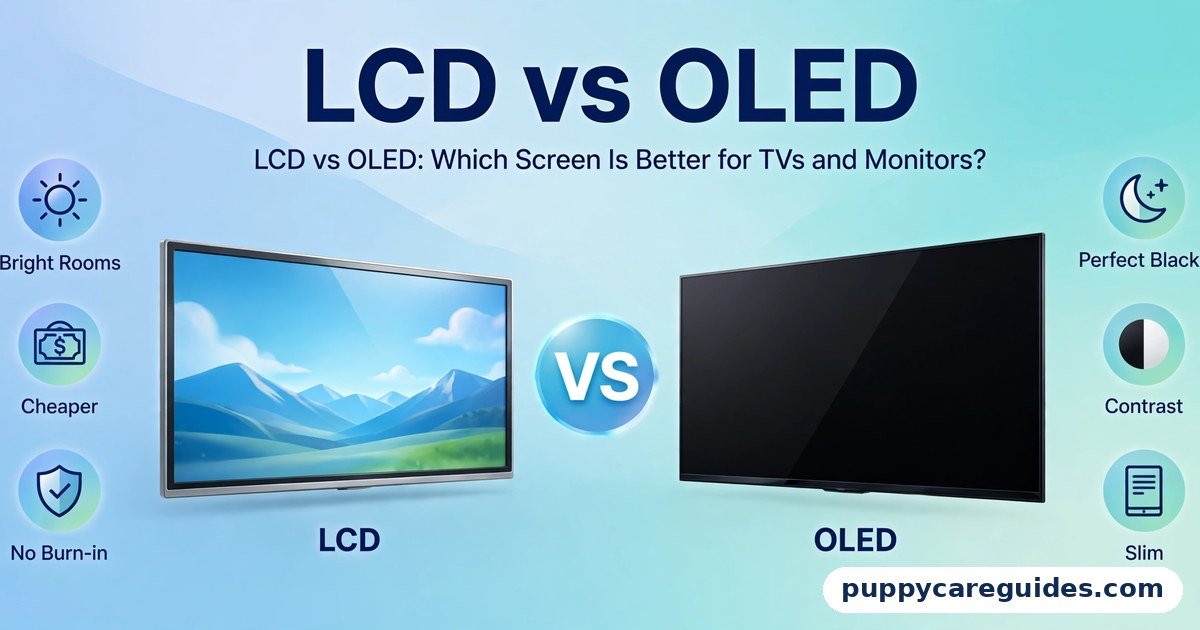
Those extra pixels do not change colours, brightness, or contrast — a 4K version of a bad panel is still a bad panel, which is why our LCD vs OLED and OLED vs QLED guides matter as much as this one. What 4K changes is fineness: edges get smoother, fine detail survives, and you can sit closer to a bigger screen before the pixel grid becomes visible. The 1080p vs 4k gap is easiest to understand right here.
Real example: On a 65-inch TV, a 1080p picture viewed from six feet shows soft edges on text and a faint screen-door texture in flat areas. The same content in 4K from the same seat looks like a photograph — the pixel structure has effectively vanished. In any 1080p vs 4k comparison, 4K stands for four times the detail on bigger screens. Sit at a normal distance from a 65-inch screen, and the 1080p vs 4k difference is plain to see.
The Size and Distance Rule (The Part That Actually Decides)
Your eye can resolve only so much detail. Beyond a certain distance for a given screen size, 1080p and 4K become indistinguishable because the pixels shrink below what your vision can separate. Closer than that distance, 4K’s advantage appears and grows. Use this practical guide for TVs:
| Screen size | 1080p looks fully sharp from about | 4K benefit is clear when you sit closer than about |
|---|---|---|
| 32″ | 6–6.5 feet (1.9 m) | 4 feet (1.2 m) |
| 43″ | 8–8.5 feet (2.6 m) | 5.5 feet (1.7 m) |
| 55″ | 10–11 feet (3.2 m) | 7 feet (2.1 m) |
| 65″ | 12–13 feet (3.9 m) | 8 feet (2.4 m) |
| 75″ | 14–15 feet (4.5 m) | 9.5 feet (2.9 m) |
These are widely used viewing-distance estimates for typical vision, not precise measurements — treat them as a planning guide, not a test result.
Read it this way: measure your sofa distance, find your screen size, and the table tells you whether 4K will be visible from your seat. A 43-inch TV watched from nine feet? 1080p already looks sharp; 4K adds little. A 65-inch TV watched from seven feet? 4K is clearly worth it. For monitors, you sit two to three feet away, which is why 4K pays off at much smaller sizes — 27 inches and up — and also buys you workspace, covered below. Whichever way you decide 1080p vs 4k, always judge from your real seating distance, not standing at the screen.
1080p vs 4k: Key Differences Between 1080p and 4K
1. Streaming data and internet speed: 4K eats roughly three to four times more
A 4K stream carries four times the pixels and, even with efficient modern codecs, typically uses around 7 GB per hour on major services against roughly 1.5–3 GB for HD. Services recommend about 15–25 Mbps of stable internet for 4K versus about 5 Mbps for HD. On unlimited fast broadband this is a non-issue; on a capped connection, a metered plan, or a busy household sharing modest bandwidth, a month of 4K evenings is a real cost. The codecs doing this compression work are compared in our H.264 vs H.265 guide — H.265 is a big reason 4K streaming is practical at all.
2. Gaming: 4K is four times the work
Rendering a game at 4K means your console or graphics card shades four times as many pixels every frame. The results split by hardware: current consoles typically upscale or use dynamic resolution to reach 4K rather than rendering it natively in demanding games; PC gaming at native 4K with high settings requires a high-end GPU. At 1080p, modest hardware runs almost anything smoothly at high frame rates — and as our 60Hz vs 120Hz guide explains, many players prefer 1080p at 120fps over 4K at 60fps, because smoothness beats sharpness in fast games. Choose based on the games you play, not the badge.
3. Content: what actually exists in 4K
Major streaming services film their originals in 4K, big films are available in 4K, and 4K Blu-ray discs exist for collectors. But broadcast TV in most countries is still 1080p or lower, most YouTube content is 1080p, and older shows will never be more than HD. A 4K TV upscales all of that competently — good TVs make HD content look clean — but upscaled 1080p is not true 4K detail. Your viewing mix matters: a household living on broadcast TV and old series gets less from 4K than a household streaming new releases.
4. Monitors: workspace and text, not just sharpness
At a desk, 4K’s best gift is space. A 27- or 32-inch 4K monitor can show two documents side by side at readable size, a full editing timeline, or a large spreadsheet without constant zooming — effectively a bigger desk. Text rendering also sharpens noticeably. The costs: everything on screen shrinks unless you use scaling (which all modern systems handle well), the monitor costs more, and driving games at native 4K is demanding. At 24 inches and below, 1080p remains the sensible default; the pixels are already fine at desk distance and the workspace gain is small.
5. Recording and storage: the creator’s angle
If you create video, the maths flips: recording in 4K gives you room to crop, zoom, and stabilise while still delivering a sharp 1080p final video — a common professional trick — at the cost of much larger files and heavier editing. That is a production decision rather than a screen decision, and it is covered fully in our 1080p vs 4K YouTube guide.
6. Price and the “free 4K” reality
On TVs, the market has decided for you: above roughly 43 inches, nearly everything is 4K already, often at prices that make hunting for 1080p pointless. The live 1080p decisions are at the small end — bedroom and kitchen TVs, budget laptops, portable monitors — and in monitors, where 4K still commands a real premium over 1080p at the same size. Every 1080p vs 4k difference above comes back to pixel count versus viewing distance.
1080p vs 4k: Best Uses of 1080p
- TVs 32 inches and under, and any TV viewed from far away relative to its size
- Budget laptops and Chromebooks, where 1080p balances sharpness, price, and battery
- Second screens — kitchen, bedroom, guest room, kids’ TV
- Homes with slow or capped internet, where 4K streaming data is a genuine cost
- Competitive PC gaming, where high frame rates at 1080p beat prettier pixels
- 24-inch and smaller monitors for everyday work
1080p vs 4k: Best Uses of 4K
- Main living-room TVs 43 inches and larger — the standard, correct choice
- Home cinema setups with close seating and big screens
- 27–32 inch monitors for office work, coding, design, and editing — space plus sharp text
- Video and photo editing, where you inspect detail and need the workspace
- New-release streaming households with fast, unlimited internet
- Future-proofing — content and consoles have standardised on 4K; a main screen bought today should speak it. For big TVs, movies and next-gen gaming, the 1080p vs 4k edge clearly goes to 4K.
Pros and Cons
1080p — Pros
- Cheaper screens, especially laptops and small TVs
- Far lighter streaming data and lower internet speed requirements
- Easy for consoles and modest PCs to game on at high frame rates
- All content is native — nothing needs upscaling
1080p — Cons
- Pixels become visible on large screens at normal seating distances
- Less monitor workspace; text less sharp at 27 inches and up
- Being phased out of mid-range and premium TVs — choice is shrinking
- No headroom as 4K content becomes the default
4K — Pros
- Visibly sharper on large TVs and close-viewed monitors
- Much more usable workspace on desktop monitors
- The current standard — new content, consoles, and discs target it
- Allows closer seating and bigger screens without visible pixels. That is the 1080p vs 4k balance in one line.
4K — Cons
- Streaming uses roughly 3–4× the data and needs faster internet
- Native 4K gaming demands expensive hardware
- Still a price premium on monitors and laptops
- Invisible benefit on small screens or from far away — money spent on unseen pixels. This is where the 1080p vs 4k choice really bites.
1080p vs 4k: Which Should You Choose?
- Main family TV (43″+): 4K. It is the standard for a reason, prices are fair, and your seating will show the benefit.
- Small bedroom/kitchen TV (32″ or less): 1080p is plenty from across a room, and cheaper.
- Student / budget laptop: 1080p — better battery, lower price, sharp enough at 13–15 inches.
Here are a few more situations to weigh.
- Desk monitor for work: 27″+ → 4K for space and text; 24″ or less → 1080p and save the money.
- PC gamer: Competitive or modest GPU → 1080p high-refresh. High-end GPU and story-driven games → 4K is glorious.
- Limited internet household: 1080p screens (or a 4K TV with streaming quality capped at HD in the app settings — a perfectly good compromise). Decide 1080p vs 4k by screen size and seating distance, and the choice makes itself.
1080p vs 4k: Common Mistakes
- Buying 4K for a small screen viewed from far away. If the distance table says you cannot see it, you cannot see it — spend the difference on panel quality instead.
- Assuming 4K fixes a bad picture. Resolution adds fineness, not colour, contrast, or brightness. A 1080p OLED will embarrass a cheap 4K LCD in most scenes.
- Ignoring your internet. A 4K TV on a slow or capped connection means buffering or quiet quality drops to HD anyway. Check your speed and data cap first.
Here are three more mistakes to avoid.
- Paying the 4K monitor premium at 24 inches. At that size and desk distance, 1080p is already sharp; the workspace gain is minimal.
- Expecting broadcast TV to look 4K. Most channels are HD or below and are merely upscaled. Judge a 4K TV with real 4K content.
- Forgetting the rest of the chain. A 4K screen needs 4K sources and, for external players, an HDMI cable and port that support 4K at your refresh rate — see our HDMI vs DisplayPort guide for the cable side. Most 1080p vs 4k regrets come from exactly these avoidable errors.
1080p vs 4k: FAQs
Is a 32-inch 4K monitor worth it?
For desk work, often yes — but for the workspace and text sharpness rather than raw “sharpness,” since at 32 inches 4K gives you a genuinely larger, cleaner desktop at a normal sitting distance. For pure gaming on a budget GPU, a 1440p or high-refresh 1080p monitor may serve better. If your work is documents, code, or editing and you sit within about three feet, 32-inch 4K is one of the most satisfying upgrades in this whole category. This is the core of the 1080p vs 4k debate.
How much storage does 4K video eat on a phone?
Roughly three to four times a 1080p recording at the same frame rate — a common figure is around 350–400 MB per minute for 4K at 30fps on many phones versus around 100–130 MB per minute at 1080p, though exact numbers vary by phone and codec. A holiday of casual 4K clips can consume tens of gigabytes; if your phone’s storage is tight, 1080p is the pragmatic default and 4K is for the shots that matter. That is 1080p vs 4k in practice.
How fast does my internet need to be for 4K streaming?
Major services recommend roughly 15–25 Mbps of stable speed for a single 4K stream. Add headroom for other people and devices in the house — a household streaming two 4K TVs while someone games online wants considerably more. If your connection hovers below 15 Mbps, the service will quietly drop you to HD quality anyway, which is the platform telling you 1080p is your real resolution today. That is the 1080p vs 4k difference where it counts.
Will a 4K TV make my old HD channels and DVDs look worse?
Usually slightly softer, not worse — the TV upscales the picture to fill the screen, and good upscaling is smooth and clean. Very large 4K TVs viewed closely do expose the softness of low-resolution sources more than a small HD TV did. This is a size-and-distance effect again, not a defect: from a normal sofa distance, upscaled HD on a decent 4K TV looks perfectly pleasant. That is the 1080p vs 4k difference in daily use.
Should I buy a 4K TV now or wait for 8K?
Buy 4K. 8K content is essentially nonexistent outside demos, 8K TVs carry steep premiums, and at normal sizes and distances the human eye gains little beyond 4K. The industry has settled on 4K as the consumer standard for this decade; a good 4K set today is the opposite of a risky purchase. That is the 1080p vs 4k difference that matters most.
1080p vs 4k: Final Verdict
Big screen or close seat = 4K. Small screen, far seat, or tight budget/data = 1080p, without apology.
Resolution is not a ladder where higher is simply better — it is a fit between pixels, screen size, and your eyes’ distance from them. Get that fit right and both resolutions look “sharp”; get it wrong and you either see a pixel grid on a big 1080p TV or pay for invisible detail on a small 4K one.
Measure your seat, check your internet, then buy — and remember that panel quality (LCD vs OLED) shapes your picture every second, while resolution only sets its fineness. If you remember only one line, make it this: 4K is worth it exactly where you can see it. That is the 1080p vs 4k choice in short: 1080p for small screens and tight budgets, 4K for the big screen.
Next: IPS vs VA Panel: Which Monitor Panel Is Better? — the choice hiding inside almost every LCD monitor listing.
Related Articles
- LCD vs OLED: Which Screen Is Better for TVs and Monitors? — panel quality matters as much as pixel count
- OLED vs QLED: Which Premium TV Should You Buy? — premium 4K TVs compared
- 60Hz vs 120Hz: Is the Higher Refresh Rate Worth It? — the other big number on the TV box
- 1080p vs 4K: Which Resolution Is Better for YouTube? — the creator’s side of this same question
- H.265 vs AV1: Which Codec Is the Future of Streaming? — how 4K streams reach you efficiently







Leave a Reply