


OLED vs QLED: Which Premium TV Should You Buy?
Quick Answer
Choose OLED for the best picture in a dim or dark room — perfect blacks, infinite contrast, and flawless viewing angles. Choose QLED for a bright living room, a bigger screen for your money, and zero burn-in worry — QLED gets much brighter, costs less at large sizes, and shrugs off static content. That is the short answer to OLED vs QLED.

For more technical background, see the QLED overview on Wikipedia.
Table of Contents
The naming causes endless confusion, so clear it up first: QLED is not a rival technology to OLED. QLED is an LCD TV — a backlight shining through a quantum-dot film for richer colours — while OLED pixels make their own light. “QLED” is Samsung’s marketing name, chosen to sit next to “OLED” on the shelf. The real comparison is premium LCD versus OLED, and each wins in a different room.
Introduction
You have decided to buy a proper TV. The budget stretches to the premium shelf, and there the fight is always the same: a Samsung QLED on one side, an LG (or Sony) OLED on the other, with staff in the shop arguing both ways and demo reels designed to make each look unbeatable.
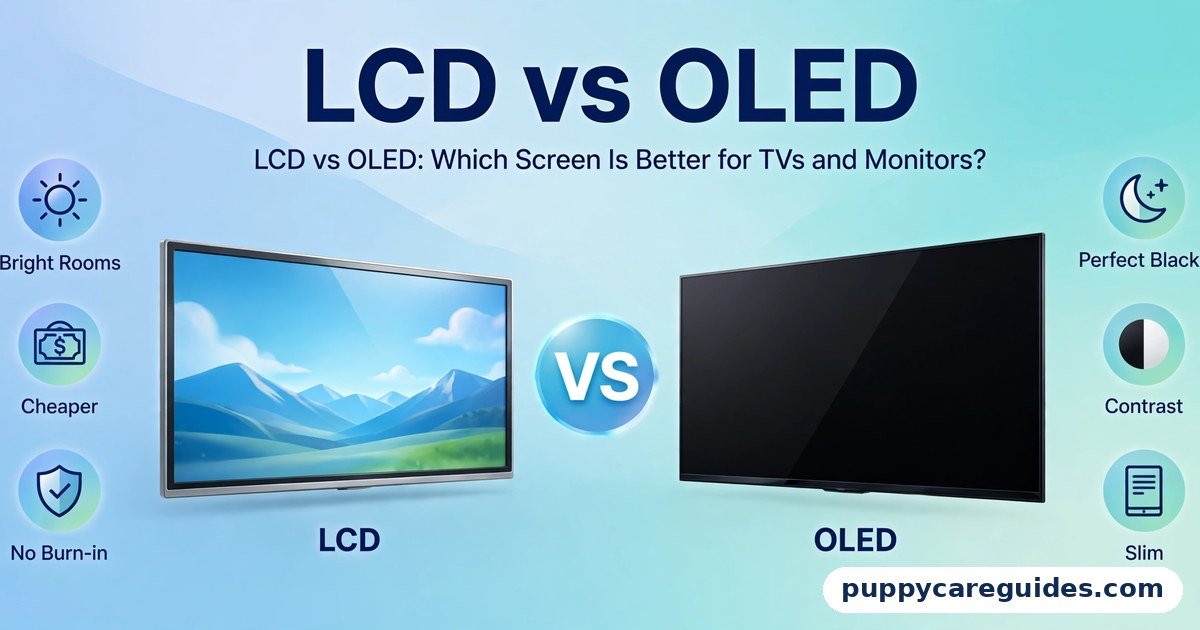
Strip away the marketing and the choice becomes manageable. QLED’s strengths are brightness, size-for-money, and toughness. OLED’s strengths are black levels, contrast, viewing angles, and response time. Which list matters more depends entirely on your room, your seating, and what you watch — and this guide walks through each factor honestly, including why the shop floor is the worst place to judge them. If you want the broader technology background first, our LCD vs OLED guide explains how both screens work. The OLED vs QLED decision is simpler than it looks once you know what to check first.
The table below sums up OLED vs QLED at a glance.
OLED vs QLED: Quick Comparison Table
| Feature | OLED | QLED |
|---|---|---|
| What it actually is | Self-lit pixels (organic LEDs) | LCD with LED backlight + quantum-dot film |
| Black levels | Perfect black — pixels switch off | Very deep grey; local dimming zones reduce glow |
| Contrast | Infinite | High, but limited by backlight zones |
| Brightness | Good peaks in small areas; modest full-screen | Excellent — among the brightest TVs sold |
| Viewing angles | Excellent — no shift from the side | Narrower — colours and contrast fade off-axis (improved on top models with wide-angle layers) |
| Colour | Rich and accurate, especially in dark scenes | Extremely vivid; quantum dots excel at bright, saturated colour |
| Burn-in risk | Possible with heavy static content | None |
| Gaming features | HDMI 2.1, 120Hz, near-instant response on most models | HDMI 2.1 and 120Hz on mid-to-high models; slightly slower response |
| Price at 55″ | Premium | Premium, but usually less than OLED |
| Price at 75–85″ | Very expensive | Much better value — the gap widens with size |
| Best for | Cinema rooms, night viewing, gamers | Bright family rooms, big-screen value, daytime sports |
Note: “QLED” quality varies widely by model. Samsung sells everything from basic to flagship sets under the QLED badge — the badge alone guarantees nothing. The same is true, to a lesser degree, of OLED model tiers.
What Is OLED?
OLED (Organic Light-Emitting Diode) TVs — sold mainly by LG, Sony, and Samsung’s own small OLED line — use pixels that each produce their own light. Any pixel can be dimmed or switched off independently, so black is genuinely black and contrast is infinite. The whole OLED vs QLED story starts here.
For the buyer, that means night scenes with real depth, no halo of light around subtitles or street lamps, a picture that looks identical from a side sofa, and response times so fast that motion blur is essentially the content’s, not the panel’s. The costs of the design are a higher price, lower full-screen brightness than flagship LCDs, and a small but real burn-in risk if the same static image is displayed for many hours daily. In a dark room, the OLED vs QLED difference shows up in the very first scene.
Real example: A couple turns their spare room into a movie room with a 65-inch OLED. Films at night look like a cinema — letterbox bars disappear into true black, dark scenes keep their detail, and both seats on the L-shaped sofa get the same picture. Nothing about their viewing would have used QLED’s extra brightness. In any OLED vs QLED comparison, OLED stands for self-lit pixels and perfect black levels.
What Is QLED?
QLED is Samsung’s name for its premium LCD TVs: an LED backlight, a liquid-crystal panel, and a quantum-dot film between them. Quantum dots are microscopic particles that convert the backlight into very pure, saturated colours, giving QLED TVs their famously vivid picture and high colour volume even at high brightness. Better QLED models add full-array local dimming (many backlight zones), anti-glare coatings, and wide viewing-angle layers. The OLED vs QLED gap is easiest to understand right here.
So QLED inherits all the structural traits of LCD: no burn-in, very high brightness, and prices that scale far more gently to big sizes — balanced against backlight limits: blacks are deep grey rather than black, dimming zones can bloom around bright objects, and viewing angles are weaker than OLED’s (though flagship models have narrowed this gap). Other brands sell the same recipe under different names, such as QNED or ULED — it is all premium LCD underneath. In any OLED vs QLED comparison, QLED stands for a very bright quantum-dot LCD with no burn-in risk.
Real example: A family wants the biggest screen their wall and budget allow for a bright, open-plan living room used for daytime sports and evening shows. A 75-inch QLED costs far less than a 75-inch OLED, stays punchy against the daylight, and nobody worries about the score banner sitting in the corner for a five-hour match.
OLED vs QLED: Key Differences Between OLED and QLED
1. Black levels: perfect vs very good
OLED’s per-pixel control is unbeatable in the dark. A night sky is black; on QLED it is a very dark grey, and a bright moon in that sky will carry a faint halo from its dimming zone. QLED’s best local dimming has become genuinely impressive, and in a lit room the difference shrinks to nearly nothing — ambient light washes out both screens’ blacks equally. But in a dark room, side by side, OLED’s advantage is visible in every shadowy scene.
2. Brightness: QLED’s clearest win
Flagship QLED TVs are among the brightest consumer screens ever made, sustaining high brightness across the whole screen. That matters twice over: in bright rooms, where it defeats reflections and daylight, and for HDR highlights in daytime viewing. OLED reaches strong peak brightness only in small areas and limits full-screen brightness to protect the panel. Neither is “dim” in a normal evening room — but if your TV faces windows, QLED’s headroom is a real, daily advantage.
3. Viewing angles: the side-sofa test
OLED looks the same from almost any seat. QLED, built on VA-type LCD panels, loses contrast and colour saturation as you move sideways — the far seats on a wide sofa see a paler picture. Samsung’s top models add a wide-angle layer that improves this noticeably, at a small cost to native contrast. If your seating is mostly straight-on, this barely matters; if the whole family spreads across a wide room, OLED’s consistency is worth real money.
4. Price by size: the gap grows with the screen
At 55 inches the two are close enough that picture preference can decide. At 65 inches OLED pulls ahead in price. At 75 and 85 inches, QLED (and premium LCD generally) is dramatically cheaper — sometimes half the OLED price. This is why “which is better?” is the wrong first question; “what size, in what room, at what budget?” decides most purchases before picture quality gets a vote.
5. Gaming: response vs reassurance
Both camps now offer the gaming checklist — 4K at 120Hz, HDMI 2.1 ports, variable refresh rate, low input lag. OLED adds near-instant pixel response, so fast games look exceptionally clean, and its blacks make HDR titles glow. QLED counters with higher brightness for daytime gaming and complete indifference to static HUD elements over thousands of hours. A varied gamer is thrilled with either; a one-game marathon player may prefer QLED’s zero burn-in anxiety. Refresh rate itself is a separate spec — see our 60Hz vs 120Hz guide for when 120Hz actually changes the experience.
6. Burn-in and long-term wear
QLED, being LCD, cannot burn in — show the same news ticker for a decade and the picture stays uniform. OLED’s organic pixels age with use, and heavily static content can age them unevenly into visible retention; built-in protections (pixel refresh, logo dimming, pixel shift) make this unlikely under varied viewing, but the risk is not zero and grows with hours of fixed content. For a mixed-use family TV, treat this as a minor factor; for a single-channel all-day screen, treat it as decisive for QLED. Every OLED vs QLED difference above comes back to self-lit pixels versus a backlit panel.
OLED vs QLED: Best Uses of QLED
- Bright, window-filled living rooms where the TV competes with daylight
- Big-screen buys (75 inches and up) where OLED prices become extreme
- Daytime sports and news — bright, vivid, and no burn-in worry from score banners and tickers
- Families with varied, long viewing hours who want premium quality without managing the panel
- Buyers who keep a TV for many years and value an even, predictable lifespan. For bright living rooms and big screens on a budget, the OLED vs QLED edge goes to QLED.
OLED vs QLED: Best Uses of OLED
- Dedicated movie rooms and night viewing, where black levels rule
- Wide seating arrangements — every seat gets the same picture
- Serious gaming, especially cinematic HDR titles, thanks to instant response
- Viewers who notice and care about shadow detail in films and prestige TV
- Moderate sizes (55–65 inches), where the price premium over QLED is smallest
Pros and Cons
OLED — Pros
- Perfect blacks and infinite contrast — unmatched dark-scene quality
- Flawless viewing angles; no colour or contrast shift from the side
- Near-instant response time for gaming and fast motion
- Thin, premium designs
OLED — Cons
- Expensive, and the premium grows sharply with screen size
- Full-screen brightness is limited — not ideal opposite bright windows
- Small burn-in risk with heavy static content
- Brightness slowly decreases over years of use
QLED — Pros
- Outstanding brightness for bright rooms and HDR pop
- Far better value at large sizes
- No burn-in risk at all — show anything, for as long as you like
- Vivid, saturated colours that stay strong at high brightness. That is the OLED vs QLED balance in one line.
QLED — Cons
- Blacks are dark grey, not black; blooming around bright objects in dark scenes
- Viewing angles narrower than OLED (model-dependent)
- The QLED badge spans basic to flagship models — quality varies a lot by tier
- Thicker and heavier than OLED designs. This is where the OLED vs QLED choice really bites.
OLED vs QLED: Which Should You Choose?
- Cinema fan, controlled lighting: OLED. Your room removes QLED’s main advantage and showcases OLED’s.
- Bright family room, mixed daytime use: QLED. Brightness and toughness fit the room, and you’ll likely afford a size up.
- Biggest screen for the budget: QLED, comfortably. At 75 inches and above it is the rational premium buy.
- Wide sofa, many viewers: OLED, unless the room is very bright — angles beat brightness when half the audience sits off-axis.
- Gamer: OLED for cinematic and varied gaming; QLED if you play one title with a static HUD for hours daily or game mainly in daylight.
- One-channel-all-day household (news, a favourite channel): QLED. Static logos all day are OLED’s one bad matchup. Whichever way you decide OLED vs QLED, always test both TVs with a dark movie scene and a bright sports clip. Decide OLED vs QLED by your room lighting and screen size, and the choice makes itself.
OLED vs QLED: Common Mistakes
- Believing QLED is a different technology from LCD. It is premium LCD with quantum dots. That is not a criticism — premium LCD is excellent — but buy it for what it is.
- Comparing a flagship of one against a budget model of the other. A top QLED will embarrass a basic OLED in brightness and features, and vice versa. Compare at the same price.
- Judging on the shop floor. Stores use torch-mode demo settings and bright lighting that flatter QLED’s brightness and hide OLED’s blacks. The ranking can reverse in your living room at night.
- Ignoring size economics. Deciding “OLED is better” and then shrinking to a 55-inch to afford it, when a 75-inch QLED would have made the whole family happier, is the most common premium-TV regret.
- Assuming all QLEDs are equal. The badge covers a wide range. Check local dimming, brightness, and HDMI 2.1 support on the specific model, not the logo.
- Forgetting resolution and size basics. Both technologies come in 1080p and 4K variants at smaller sizes; our 1080p vs 4K TV guide helps decide whether 4K is worth it at your screen size and distance. Most OLED vs QLED regrets come from exactly these avoidable errors.
OLED vs QLED: FAQs
Why doesn’t the difference show up in the shop?
Three reasons: the lighting, the settings, and the content. Shops are bright, which destroys black-level differences — both screens’ blacks look grey under fluorescent light. Demo modes push brightness and saturation to maximum, hiding OLED’s subtlety. And demo reels are bright, colourful loops chosen to flatter LCD brightness. OLED’s home advantage — dark rooms, films, real contrast — is precisely what a showroom cannot demonstrate. This is the core of the OLED vs QLED debate.
Which is better for gaming, OLED or QLED?
For most gamers, OLED: its near-instant response makes motion cleaner than any LCD, input lag is minimal, and HDR games look spectacular in a dim room. QLED is the better pick if you game in a bright room or play the same game with a fixed HUD for many hours a day, every day, and want zero burn-in anxiety. Both offer 120Hz HDMI 2.1 models — just confirm the specific model’s ports before buying. That is OLED vs QLED in practice.
Which one will last longer?
A QLED’s backlight fades slowly and evenly, so its decline is gentle and uniform — it will look much the same for many years. An OLED also lasts for years of normal use, but its pixels wear with use; under varied content the wear is even and barely noticeable, while heavy static content can wear it unevenly. For typical mixed viewing, both should outlast your interest in the TV; for all-day static content, QLED ages more gracefully. That is the OLED vs QLED difference where it counts.
Is QLED just a marketing trick?
The name is marketing — designed to sound like a peer of OLED — but the product is real. Quantum-dot film genuinely improves LCD colour and brightness, and flagship QLEDs are excellent TVs. The trick is only in the name. Judge the specific model’s brightness, dimming, and angles, not the badge. That is the OLED vs QLED difference in daily use.
My room has some windows but we mostly watch at night. Which one?
OLED. “Mostly watch at night” is the deciding fact: you will experience OLED’s blacks and angles at their best, and its daytime brightness will be adequate for occasional use, especially with curtains. QLED’s brightness advantage earns its keep only when bright-room viewing is a large share of your actual hours. That is the OLED vs QLED difference that matters most.
OLED vs QLED: Final Verdict
Dark room and best picture = OLED. Bright room, big size, best value = QLED.
There is no universal winner because the two TVs are optimised for different rooms. OLED’s self-lit pixels deliver a picture in the dark that no backlight has matched. QLED counters with brightness that laughs at daylight, prices that make 75 inches realistic, and a panel you never have to think about. Name your room and your size first — the answer usually names itself. If you remember only one line, make it this: QLED is the best LCD, OLED is the best picture, and your room decides which one you need. That is the OLED vs QLED choice in short: OLED for picture purity, QLED for brightness and value.
Next: 60Hz vs 120Hz: Is the Higher Refresh Rate Worth It? — what those Hz numbers do for gaming, sports, and your phone battery.
Related Articles
- LCD vs OLED: Which Screen Is Better for TVs and Monitors? — the full technology background behind this fight
- IPS vs VA Panel: Which Monitor Panel Is Better? — the panel types inside QLED and other LCDs
- 1080p vs 4K: Which TV Resolution Should You Buy? — resolution matched to screen size and distance
- H.264 vs H.265: Which Codec Is Better for 4K Video? — the codecs your new TV will decode daily
- HDMI vs DisplayPort: Which Cable Should You Use? — connecting your console or PC to the new screen






Leave a Reply