

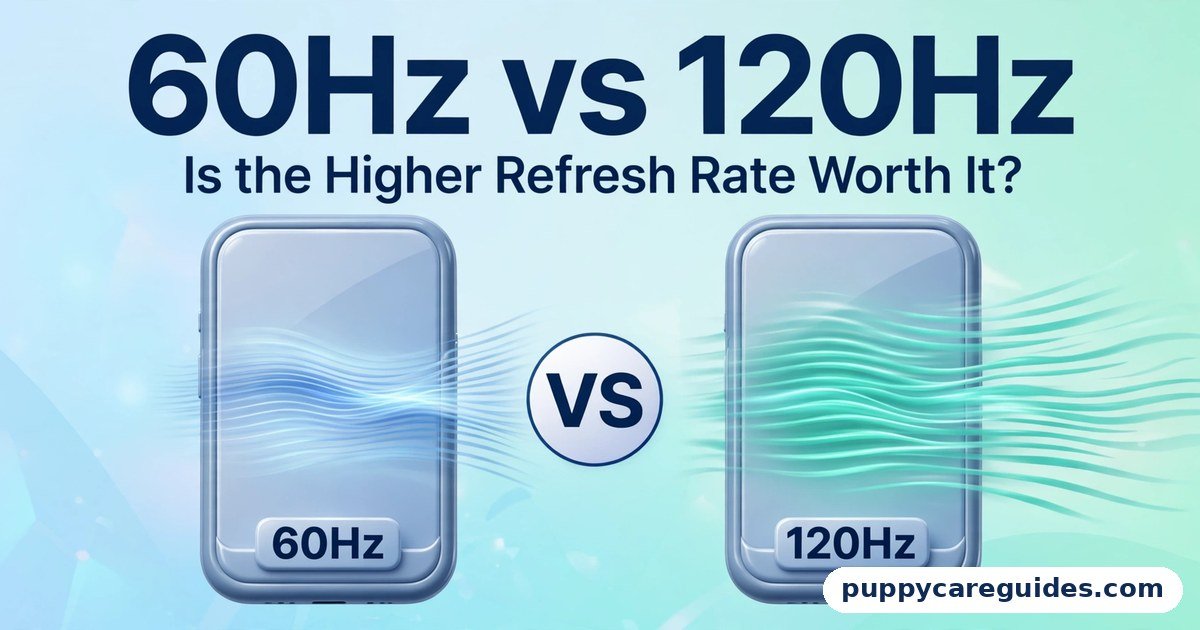
60Hz vs 120Hz: Is the Higher Refresh Rate Worth It?
Quick Answer
Choose 120Hz if you game, scroll a lot on your phone, or hate motion blur — the smoothness is real and immediately visible in the right content. Stay with 60Hz for movies, office work, and budget screens — most video is made at 24–60 frames per second, so a 120Hz screen shows it exactly as a 60Hz screen does, and on phones 120Hz costs battery. That is the short answer to 60hz vs 120hz.

For more technical background, see the refresh rate overview on Wikipedia.
Table of Contents
Refresh rate is simply how many times per second the screen redraws the picture. 60Hz redraws 60 times a second; 120Hz redraws 120 times. When the content also delivers that many fresh frames — a fast game, a scrolling feed — 120Hz feels dramatically smoother. When the content is a 24fps film, both screens show the same film, and the expensive number on the box does nothing for you.
Introduction
Every phone, TV, and monitor advertisement now shouts its refresh rate, and 120Hz has become the badge that separates “premium” from “basic.” But refresh rate is one of the most misunderstood specs in tech, because its benefit depends entirely on what is feeding the screen. A 120Hz display cannot invent frames that your game, app, or film never produced.
This guide explains 60Hz vs 120Hz in plain terms: what the numbers mean, where the difference is dramatic, where it is literally zero, what it costs in battery and money, and who should pay for it. It applies to phones, TVs, and monitors — the trade-offs are similar, but the winners differ by device, so we will call those out as we go. The 60hz vs 120hz decision is simpler than it looks once you know what to check first.
The table below sums up 60hz vs 120hz at a glance.
60hz vs 120hz: Quick Comparison Table
| Feature | 60Hz | 120Hz |
|---|---|---|
| Redraws per second | 60 | 120 |
| Smoothness (scrolling, UI) | Good — the long-time standard | Noticeably smoother and more fluid |
| Gaming difference | Fine for casual and slower games | Clear advantage in fast and competitive games |
| Movies and TV shows | Identical picture — films are 24fps | Identical picture — films are still 24fps |
| Sports broadcasts | Standard — most broadcasts are 50/60fps | Little to no gain unless the broadcast itself is high-frame-rate |
| Motion blur | More blur in fast pans | Less blur; motion looks cleaner |
| Battery / power (phones) | Lower drain | Higher drain — screen refreshes twice as often |
| Price | Standard on budget and mid-range devices | Premium feature; adds cost |
| Input feel | Slight delay between touch/action and screen update | Feels more responsive, especially in games |
| Best for | Movies, office work, budget devices, battery life | Gaming, smooth phone feel, fast-motion content |
Note: a 120Hz screen only shows 120 frames if the content provides them. Refresh rate (Hz) is the screen’s ceiling; frame rate (fps) is what your game or video actually delivers. The lower of the two is what you see.
What Is Refresh Rate?
Imagine the screen as a flip-book. Refresh rate is how fast the book can flip its pages: 60 pages a second at 60Hz, 120 at 120Hz. If the artist only drew 24 pages (a film), the book just shows each page several times — flipping faster adds nothing. If the artist drew 120 pages (a game rendering at 120fps), a 60Hz book can only show half of them. The whole 60hz vs 120hz story starts here.
Two related ideas matter here. Frame rate (fps) is how many fresh images the source produces per second — your game, your phone’s interface, your video. Response time is how quickly a pixel can change once told to; it is separate from refresh rate and is why a slow 120Hz panel can still smear. For panel response differences, see our IPS vs VA Panel guide. When refresh rate and frame rate match and climb together, motion looks both smoother and clearer — that is the whole appeal of 120Hz.
Real example: Scroll a long web page on a 60Hz phone and the text blurs as it moves, snapping into focus when you stop. Do the same on a 120Hz phone and the text stays readable mid-scroll, and the whole interface feels like it is gliding on ice. Same page, same content — the screen simply shows twice as many steps of the movement. In any 60hz vs 120hz comparison, 60Hz stands for the standard refresh rate most content is made for.
Where 120Hz Makes a Real Difference
1. Gaming: the strongest case
Games are the one mainstream content type that routinely renders at 90, 120, or more frames per second. In fast games — shooters, racing, action titles — 120Hz shows you the world updated twice as often: targets move more predictably, camera pans stay readable, and the delay between your input and the screen’s response shrinks. Competitive players treat this as equipment, not luxury, and they are right: in a reaction-based game, seeing a movement a few milliseconds earlier and aiming against smoother motion is a genuine edge. Casual and slow-paced games gain little — a puzzle or turn-based game at 120Hz looks the same as at 60Hz. The 60hz vs 120hz gap is easiest to understand right here.
2. Phone scrolling and everyday feel
On phones, the interface itself renders at the refresh rate, so 120Hz improves everything you touch: scrolling feeds, swiping between screens, animations. It does not make the phone faster — apps open at the same speed — but it makes the phone feel faster and more premium, which is why people who switch rarely want to go back. This is a feel upgrade, not a capability upgrade. Pan the camera in a game, and the 60hz vs 120hz difference is instant.
3. Fast camera pans and sports on modern TVs
Some modern TVs use their 120Hz panels for cleaner motion processing, and a small but growing amount of sports content is produced at high frame rates. Where the source is genuinely high-frame-rate, 120Hz displays it faithfully. The catch, covered below, is that most broadcasts are not that source. In any 60hz vs 120hz comparison, 120Hz stands for twice the motion smoothness.
Where 120Hz Makes No Difference
1. Movies: the 24fps truth
Films are shot at 24 frames per second, and have been for a century. TV dramas are typically 25 or 30fps. Streaming a film to a 120Hz TV changes nothing about its motion — the TV simply repeats each frame five times instead of two and a half. In fact, 120Hz has one quiet advantage here: 24 divides evenly into 120, so films can be shown without the slight judder that 60Hz screens introduce (24 does not divide into 60 evenly). But the film does not become smoother, and anyone selling you 120Hz “for movies” is selling you a number, not a benefit.
2. Most TV broadcasts and streaming video
News, series, and most sports broadcasts run at 25–60fps depending on country and service. YouTube videos are uploaded at up to 60fps. All of it displays identically on 60Hz and 120Hz screens. The “motion smoothing” some TVs advertise (soap-opera effect) is the TV inventing in-between frames — a separate feature that many viewers dislike, and not what a native 120Hz panel is for.
3. Office work and static content
Documents, spreadsheets, email, and web reading are essentially still images that occasionally scroll. 120Hz makes the scrolling prettier and nothing else. If a monitor is for work, spend the money on resolution, size, or panel quality first — our 1080p vs 4K TV guide covers the resolution side of that decision.
60hz vs 120hz: Key Differences Between 60Hz and 120Hz
1. Smoothness you can see — when frames exist
With matching content, 120Hz halves the time between updates (about 8.3 ms versus 16.7 ms), so motion is rendered in finer steps. The eye reads this as smoothness and clarity in movement. Without matching content, there is nothing extra to see.
2. Battery and power: the phone tax
A phone screen refreshing 120 times a second consumes measurably more power than at 60Hz — in real use, expect a noticeable slice of battery life (often quoted around 10–20% depending on the phone and brightness, though adaptive screens narrow the gap). Many phones now use adaptive refresh that drops to low rates on static screens and rises for scrolling and games, which recovers much of the loss. On TVs and monitors plugged into the wall, the extra power is trivial; on phones, it is a real trade-off you make every day.
3. Price: where the money goes
120Hz raises the price of every device it touches. On phones it is now common in mid-range models; on TVs, native 120Hz panels sit in mid-to-premium tiers (beware “effective refresh rate” marketing numbers that describe processing, not the panel); on monitors, 120Hz and above is standard for gaming models and rare in basic office screens. The question is never “is 120Hz better?” — it is “is it better than the other things this money could buy?” For a film lover, a better panel (OLED vs QLED) beats a faster one. For a gamer, the reverse.
4. Competitive gaming: milliseconds that matter
At 60Hz, a frame can wait up to ~16.7 ms before display; at 120Hz, ~8.3 ms. Combined with smoother tracking of moving opponents, this is why esports monitors run at 144Hz, 240Hz, and beyond. The gains shrink as numbers climb — 60→120 is a big, obvious step; 120→240 is a smaller refinement — but the first step is the one this article is about, and for competitive players it is the most valuable upgrade on this page.
5. The chain must match: source, cable, and settings
A 120Hz screen shows 60Hz if any link in the chain caps it: a console set to 60Hz output, an old HDMI cable or port without the bandwidth for 4K at 120Hz, or a game’s performance mode turned off. Many “my 120Hz TV looks the same” complaints trace back to a setting or cable, not the panel. Check that your source device is actually outputting 120Hz before judging the screen. Every 60hz vs 120hz difference above comes back to how smooth motion looks.
60hz vs 120hz: Best Uses of 60Hz
- Movies and TV viewing — content is 24–60fps; nothing is gained above 60Hz
- Office and study monitors — static work where budget is better spent on size and resolution
- Budget phones and laptops, where 60Hz keeps prices and battery drain down
- Battery-first phone use — turning 120Hz off is a legitimate way to stretch a charge
- Casual gaming — slow-paced, story, puzzle, and turn-based titles
60hz vs 120hz: Best Uses of 120Hz
- Competitive and fast-paced gaming on console, PC, or phone
- Phones you scroll on all day — the everyday smoothness is the point
- Gaming monitors, where high frame rates are actually produced by the PC
- Sports and fast action when the source itself is high-frame-rate
- Anyone sensitive to motion blur who finds fast pans on 60Hz tiring. For competitive gaming and fast sports, the 60hz vs 120hz edge clearly goes to 120Hz.
Pros and Cons
60Hz — Pros
- Cheaper on every device category
- Kinder to phone battery life
- Perfectly matched to films, broadcasts, and office content
- The universal standard — every source supports it
60Hz — Cons
- Noticeably less smooth in games and scrolling once you have used 120Hz
- More motion blur in fast pans
- Slight judder showing 24fps films (24 does not divide into 60)
- Feels dated on phones compared with modern flagships
120Hz — Pros
- Dramatically smoother gaming with real competitive advantages
- Scrolling and phone interfaces feel fluid and premium
- Less motion blur; fast movement stays readable
- Shows 24fps films evenly, without judder. That is the 60hz vs 120hz balance in one line.
120Hz — Cons
- Costs more on phones, TVs, and monitors
- Drains phone batteries faster (adaptive refresh softens this)
- Zero benefit for films and most broadcast/streaming content
- Needs the whole chain — source, settings, cable — set correctly to work. This is where the 60hz vs 120hz choice really bites.
60hz vs 120hz: Which Should You Choose?
- Gamer (console/PC): 120Hz, and make sure your console or PC can actually output it. This is the clearest yes on this page.
- Phone buyer: 120Hz if the price step is small — you will feel it all day. If the budget is tight, 60Hz with a better camera or battery serves you better.
- Movie and series watcher: 60Hz is enough; put the money toward panel quality or size instead.
- Office worker / student: 60Hz. Spend on resolution and ergonomics.
- Sports fan: Mostly 60Hz content today, so do not pay for 120Hz for broadcasts alone — but if you also game, the TV case becomes strong.
- Competitive esports player: 120Hz is the floor, not the ceiling — look at 144Hz+ gaming monitors. Whichever way you decide 60hz vs 120hz, always check that your console or PC can actually push 120 frames per second. Decide 60hz vs 120hz by what you play and watch, and the choice makes itself.
60hz vs 120hz: Common Mistakes
- Paying for 120Hz “for movies.” Films are 24fps on any screen. The number does not change them.
- Trusting “effective” or “motion rate” numbers on TVs. Marketing terms like “Motion Rate 240” often describe image processing on a 60Hz panel. Look for “native refresh rate: 120Hz” in the specifications.
- Forgetting to enable it. Phones ship with adaptive or 60Hz modes for battery; consoles need the 120Hz output enabled; PC monitors often default to 60Hz in settings until changed. Many owners never switch it on.
- Ignoring the cable and port. 4K at 120Hz needs an HDMI 2.1 port and a suitable cable on both the source and the TV. Plugging into the wrong port silently caps you at 60Hz.
- Expecting 120Hz to fix a slow game. If the game renders at 30 or 60fps, the screen shows 30 or 60fps. Refresh rate is a ceiling, not a booster.
- Turning off 120Hz permanently to save battery, then wondering why the phone feels ordinary. Adaptive mode is the sensible middle: full speed when you scroll or game, low rates when the screen is still. Most 60hz vs 120hz regrets come from exactly these avoidable errors.
60hz vs 120hz: FAQs
Can the human eye even see more than 60Hz?
Yes — the “eyes can’t see past 60” claim is a myth. The eye does not work in frames per second at all; it detects motion smoothness, flicker, and blur, and most people easily distinguish 120Hz scrolling or gaming from 60Hz side by side. Sensitivity varies by person and content — fast motion reveals the difference most — but there is no biological 60Hz ceiling. This is the core of the 60hz vs 120hz debate.
Will a 120Hz TV make my PS5 games better?
Only the games that offer a 120Hz or “performance” mode — a growing list of major titles, but not all. For those games, yes: smoother motion, cleaner aiming, and lower input delay, usually in exchange for slightly reduced resolution or effects inside the game. Games capped at 30 or 60fps by their developers play identically on a 120Hz TV and a 60Hz TV. Check your favourite titles’ modes before counting this as a reason to upgrade. That is 60hz vs 120hz in practice.
How much battery does 120Hz use on a phone?
It depends on the phone, brightness, and how much you scroll, but a consistent real-world penalty is normal — think in the range of a tenth to a fifth of your daily battery in heavy scrolling use, and much less with adaptive refresh enabled, because the screen slows down whenever the image is static. If you regularly end the day nearly empty, adaptive mode (or 60Hz on travel days) is the practical compromise. That is the 60hz vs 120hz difference where it counts.
Is 120Hz worth it on a monitor I use for work and some gaming?
If the gaming is real — evenings of shooters, racing, or action games — yes: one 120Hz (or 144Hz) monitor serves both jobs, and your work scrolling gets prettier for free. If “some gaming” means slow strategy or story games once a month, a 60Hz monitor with better resolution or a better panel is the smarter spend. That is the 60hz vs 120hz difference in daily use.
Why does my 120Hz screen sometimes look the same as 60Hz?
Because the content is the limit: films at 24fps, broadcasts at 50/60fps, and many games at 60fps look the same on both. Also check the chain — the source device’s output setting, the app’s settings, and the cable/port bandwidth can each silently cap the picture at 60Hz even when the screen is capable of more. That is the 60hz vs 120hz difference that matters most.
60hz vs 120hz: Final Verdict
Gamers and heavy phone users = 120Hz. Films, office work, and tight budgets = 60Hz is genuinely fine.
Refresh rate is a real upgrade with a specific address: it lives in games, scrolling, and fast motion, and it does not exist in films or broadcasts. Buy 120Hz when your content produces the frames to fill it — and check that your settings and cables let it through. Otherwise, the money almost always works harder spent on the panel itself, the size, or the resolution. If you remember only one line, make it this: Hz is the screen’s ceiling, fps is what you actually get — the lower number wins. That is the 60hz vs 120hz choice in short: 60Hz for everyday viewing, 120Hz for gaming.
Next: 1080p vs 4K: Which TV Resolution Should You Buy? — the other big number on the box, and when it matters more than refresh rate.
Related Articles
- LCD vs OLED: Which Screen Is Better for TVs and Monitors? — panel technology, the other half of picture quality
- OLED vs QLED: Which Premium TV Should You Buy? — where to put a premium TV budget
- IPS vs VA Panel: Which Monitor Panel Is Better? — response time and ghosting explained
- 30fps vs 60fps: Which Frame Rate Is Better for Video? — the frame-rate side of the same coin
- HDMI vs DisplayPort: Which Cable Should You Use? — the cables that carry high-refresh signals






Leave a Reply