

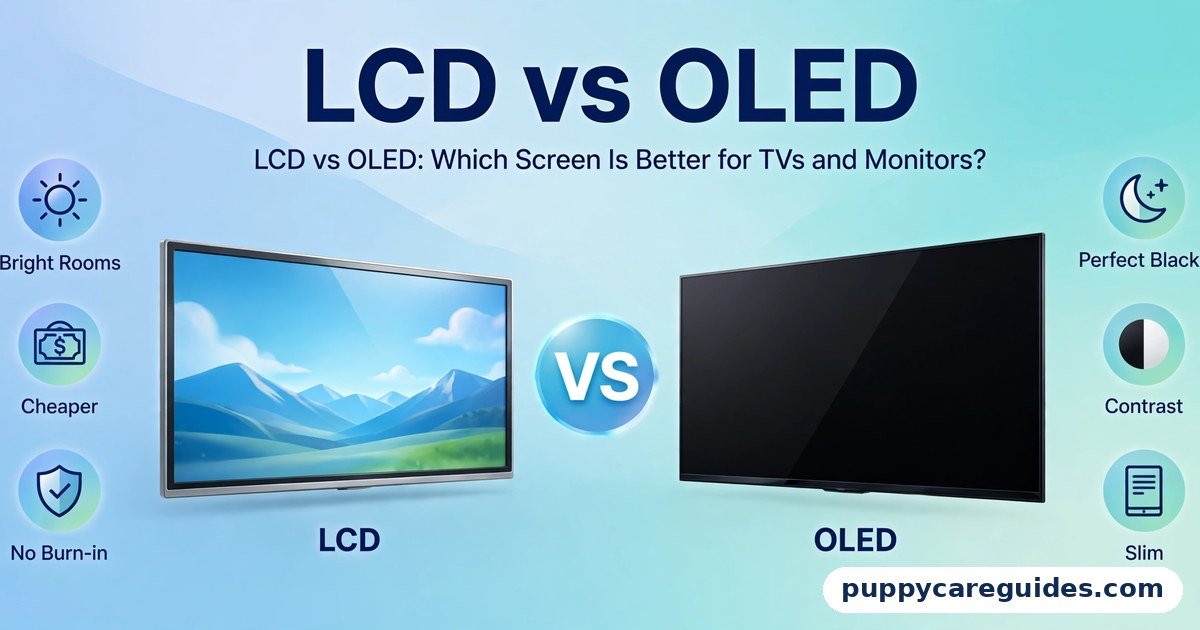
LCD vs OLED: Which Screen Is Better for TVs and Monitors?
Quick Answer
Choose OLED for the best picture — perfect blacks, infinite contrast, and colours that stay rich from almost any angle. Choose LCD for bright rooms, tight budgets, and long hours of static content like office work or news channels, where OLED’s burn-in risk and higher price stop making sense. That is the short answer to LCD vs OLED.
For more technical background, see the OLED overview on Wikipedia.
Table of Contents
The core difference is simple: an OLED pixel makes its own light and can switch off completely, so black on an OLED is truly black. An LCD pixel cannot make light at all — it sits in front of a backlight that is always on, so its “black” is really a dark grey. Everything else — price, brightness, burn-in, power use — flows from that one design choice.
Introduction
Walk into any TV showroom and the OLED models stop you in your tracks. The night scenes look bottomless, the colours look painted on, and the screen itself is impossibly thin. Then you see the price tag, and an LCD model with the same size and resolution suddenly looks very sensible.
So is OLED worth the extra money, or is it a luxury that only shows its worth in a dark cinema room? The answer depends on where the screen will live, what you watch, and how long you keep it on each day. This guide compares LCD vs OLED in plain language: how each technology actually works, where the picture difference is real, where it disappears, and the truth about burn-in that sales staff rarely explain properly. If you are also weighing Samsung’s premium LCD line against OLED, our OLED vs QLED guide goes deeper on that specific fight. The LCD vs OLED decision is simpler than it looks once you know what to check first.
LCD vs OLED: Quick Comparison Table
The table below sums up LCD vs OLED at a glance.
| Feature | LCD | OLED |
|---|---|---|
| How it makes light | Backlight behind a liquid-crystal layer | Every pixel produces its own light |
| Black levels | Dark grey — backlight always leaks some light | Perfect black — pixels switch off completely |
| Contrast | Good (better on VA panels with local dimming) | Infinite — true black next to full brightness |
| Brightness | Excellent — the brightest screens available | Good, but full-screen brightness is limited |
| Viewing angles | Colours and contrast fade from the side (VA worse than IPS) | Excellent — picture holds from wide angles |
| Price | Much cheaper at every size | Premium — often 1.5–2× the price at the same size |
| Burn-in risk | None | Possible with static images left for many hours |
| Power use | Steady — backlight draws power regardless of content | Varies — dark scenes use very little, bright scenes use more |
| Lifespan | Very long; backlight slowly dims over many years | Long, but organic pixels age and can age unevenly |
| Screen thickness | Thicker — needs backlight layers | Extremely thin — no backlight needed |
| Response time | Good (1–5 ms typical on gaming models) | Near-instant (around 0.1 ms) |
| Best for | Bright rooms, budget buys, office and static content | Movies, gaming, dark rooms, best possible picture |
Note: “LCD” covers several panel types. IPS and VA panels behave quite differently — our IPS vs VA Panel guide explains that split in detail.
What Is LCD?
LCD stands for Liquid Crystal Display. Despite being the older technology, it is not a single design — it is a family. Every LCD works the same basic way: a backlight shines white light through a layer of liquid crystals, and those crystals twist to block or pass light for each pixel, with colour filters adding red, green, and blue. The whole LCD vs OLED story starts here.
Because the backlight is always on, an LCD can never show a truly perfect black. When a pixel tries to go black, the crystals block as much light as they can, but some always leaks through — which is why a dark movie scene on an LCD looks dark grey, and why you can see a faint glow around bright objects on dark backgrounds, sometimes called blooming or haloing. Better LCD TVs fight this with “local dimming,” splitting the backlight into zones that dim independently. It helps a lot, but zones are much larger than pixels, so the glow never fully disappears.
Modern LCDs come in several flavours. LED TVs are simply LCDs with LED backlights. QLED is Samsung’s name for an LCD with a quantum-dot colour layer. IPS and VA describe the panel type inside, which decides viewing angles and contrast. What they all share is the backlight — and therefore the strengths and weaknesses in the table above.
Real example: A family buys a 55-inch LCD TV for a living room with big windows. During the day, cricket and news look bright and punchy, easily overpowering the daylight. At night, a dark thriller looks a little washed out compared with the OLED in the showroom — but nobody in the family is upset, because most of their viewing happens in a bright room where the LCD’s strength matters most. In any LCD vs OLED comparison, LCD stands for the bright, affordable screen that never burns in.
What Is OLED?
OLED stands for Organic Light-Emitting Diode. In an OLED screen there is no backlight at all. Each pixel is its own tiny light source made from organic compounds, and it can be dimmed or switched off individually, pixel by pixel. The LCD vs OLED gap is easiest to understand right here.
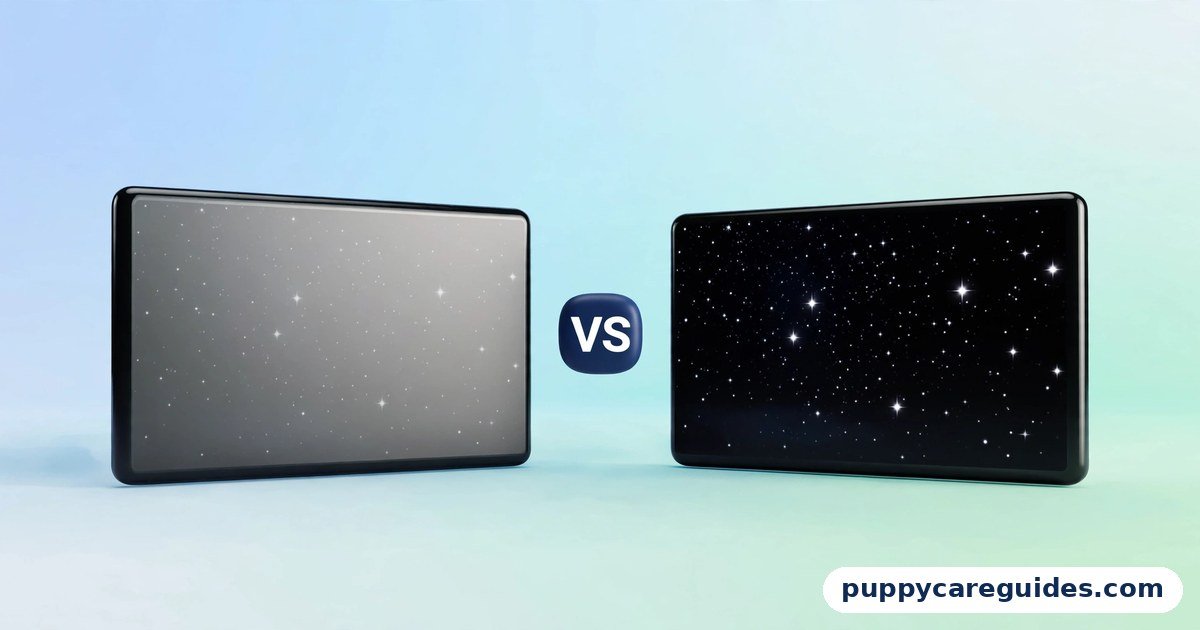
That single fact produces OLED’s famous picture quality. A starfield in a space film is not a grey wash with bright dots — it is a genuinely black sky with genuinely bright stars, because the pixels between the stars are off. Contrast is effectively infinite. Response time is nearly instant, because a pixel only has to change its own brightness rather than wait for crystals to twist, which is why gamers love OLED for fast motion with almost no blur. And because there is no backlight stack, OLED panels can be astonishingly thin and even flexible. Watch a night scene side by side, and the LCD vs OLED difference is impossible to miss.
The trade-offs are equally real. OLED’s organic materials age with use, and if the same bright static image sits on screen for many hours day after day — a news channel logo, a game HUD, a Windows taskbar — those pixels age faster than their neighbours and can leave a faint permanent shadow. That is burn-in. OLED also cannot match the best LCDs for full-screen brightness, which matters in sunlit rooms, and it costs more at every size.
Real example: A film lover sets up an OLED TV in a bedroom with blackout curtains. Night scenes in a horror film are pitch black, faces emerge from real darkness, and subtitles no longer glow with a halo. For this viewer, in this room, the LCD’s extra brightness would have been wasted and its grey blacks would have spoiled every film. In any LCD vs OLED comparison, OLED stands for perfect blacks and the best contrast you can buy.
LCD vs OLED: Key Differences Between LCD and OLED
1. Blacks and contrast: the difference you see in every dark scene
This is OLED’s headline advantage, and it is not marketing. Because each pixel switches off fully, OLED contrast is infinite — the brightest white can sit directly beside total black. LCD, even with excellent local dimming, manages deep greys rather than true black, and bright objects on dark scenes carry a visible glow. If you watch films, prestige TV, or play atmospheric games in a dim room, this difference is obvious within seconds and hard to unsee afterwards.
2. Brightness: LCD wins in sunlit rooms
Brightness is measured in nits, and here LCD leads clearly. Good LCD TVs comfortably exceed 1,000 nits across the whole screen and hold it all day; OLED TVs reach high peaks only in small bright areas, while full-screen brightness is deliberately limited to protect the panel. In a dark or dim room, OLED looks plenty bright — brightness is relative to your surroundings. In a bright living room with windows opposite the TV, an LCD’s punch cuts through reflections and daylight in a way OLED cannot match.
3. Burn-in: a real risk, but a narrow one
Burn-in (permanent image retention) happens when static elements wear OLED pixels unevenly. Modern OLEDs include pixel-refresh cycles, logo dimming, and pixel shifting that reduce the risk a lot, and normal varied viewing — films, series, sports, mixed gaming — is very unlikely to cause it. The genuine risk profile is narrow and specific: the same static content for many hours daily, like a news channel with a fixed ticker, an airport information screen, or a monitor showing the same spreadsheet layout all day. For those uses, LCD is simply the safer tool. We answer the common burn-in questions in the FAQs below.
4. Price and sizes: LCD gives you more inches per rupee or dollar
At any given size, OLED costs substantially more, and the gap grows with size. LCD also comes in far more sizes and price bands, from tiny monitors to giant budget TVs, while OLED TVs start at premium prices and monitors are only recently becoming common. If your budget is fixed, the real choice is often “bigger LCD or smaller OLED” — and in a bright room, the bigger LCD is frequently the happier purchase.
5. Gaming: response time vs brightness and safety
OLED’s near-instant response time means fast motion stays clean with almost no ghosting, and its perfect blacks make HDR games look stunning. LCD gaming screens answer with higher brightness, no burn-in worry from static game HUDs, and lower prices — and many offer very high refresh rates. Speaking of which, refresh rate is a separate decision from panel technology: our 60Hz vs 120Hz guide explains when the higher rate actually matters.
6. Power and lifespan: different kinds of ageing
An LCD’s power draw is fairly constant because the backlight is always lit; an OLED’s draw rises and falls with the picture — dark films sip power, bright sports broadcasts drink more. For lifespan, LCD backlights fade very slowly and evenly over many years. OLED pixels also last for years of normal use, but they age with use and can age unevenly, which is the root of both burn-in and gradual brightness loss. For a screen that will show varied content a few hours a day, both technologies will comfortably outlast your desire to upgrade. Every LCD vs OLED difference above comes back to backlight versus self-lit pixels.
LCD vs OLED: Best Uses of LCD
- Bright living rooms with windows and daylight viewing, where raw brightness wins
- Budget TVs and monitors — the most screen for the least money at every size
- Office and productivity monitors showing static windows, taskbars, and documents all day
- News, sports bars, and signage — static logos and tickers with zero burn-in risk
- Very large TVs (75 inches and up), where OLED prices climb steeply
- Second screens and kids’ rooms, where cost matters more than perfect blacks
LCD vs OLED: Best Uses of OLED
- Movies and series in dim or dark rooms — perfect blacks transform night scenes
- Gaming, especially cinematic and HDR titles, thanks to instant response and contrast
- Bedroom TVs, where viewing is mostly at night and screen sizes are moderate
- Premium phones and laptops, where OLED’s thinness, contrast, and per-pixel control shine
- Colour-critical viewing where deep, accurate dark tones matter
- Anyone who watches mostly varied content a few hours a day and wants the best picture money buys. For movies and gaming in a dark room, the LCD vs OLED edge clearly goes to OLED.
Pros and Cons
LCD — Pros
- Much cheaper at every size, with the widest choice of models
- Highest brightness — best choice for sunlit rooms
- No burn-in risk, even with static content shown all day
- Very long, even lifespan; backlight fades slowly and uniformly
LCD — Cons
- Blacks are dark grey, not black; dark scenes look washed out in dim rooms
- Blooming/halving around bright objects on dark backgrounds
- Viewing angles are limited — picture fades from the side (especially VA panels)
- Thicker and heavier due to the backlight stack
OLED — Pros
- Perfect blacks and infinite contrast — the best picture quality available
- Near-instant response time; motion stays clean for gaming and sports
- Excellent viewing angles with no colour shift
- Extremely thin and light panels. That is the LCD vs OLED balance in one line.
OLED — Cons
- Costs significantly more than LCD at the same size
- Lower full-screen brightness — struggles in very bright rooms
- Burn-in is possible with heavy static content over long periods
- Organic pixels age, so brightness slowly falls over years of use. This is where the LCD vs OLED choice really bites.
LCD vs OLED: Which Should You Choose?
- Movie lover with a dim room: OLED, without hesitation. Films are where its advantage is largest and its weaknesses never show.
- Family with a bright living room: LCD — ideally a bright model with good local dimming. Daylight viewing is its home ground, and the money saved buys a bigger size.
- Office worker / student: LCD monitor. Static windows all day are exactly the pattern OLED dislikes, and LCD costs less.
- Gamer: OLED if your budget allows and your games vary; a good LCD gaming monitor if you play one title with a fixed HUD for many hours daily, or if you want high refresh rates cheaply.
- Buyer on a fixed budget: Decide the size first. If OLED at that size breaks the budget, a good LCD one size up will make most households happier than a small OLED. Whichever way you decide LCD vs OLED, always compare both screens with the same video in the shop. Decide LCD vs OLED by your room and your budget, and the choice makes itself.
LCD vs OLED: Common Mistakes
- Judging TVs under showroom lights. Shops run screens in vivid demo modes under bright lighting, which hides OLED’s black-level advantage and exaggerates LCD’s. The TV will live in your room, not the shop — picture how it will look at home at night.
- Assuming “LED TV” is different from LCD. LED TVs are LCDs with LED backlights. The real dividing line is backlight (LCD family) versus self-lit pixels (OLED).
- Buying OLED for a news-and-sports-only household. If the screen shows one channel’s logo and ticker ten hours a day, that is the textbook burn-in pattern. LCD is the right tool there.
- Ignoring your room. An OLED in a glass-walled bright room disappoints; an LCD in a cinema room disappoints. Match the screen to the room first, the spec sheet second.
- Thinking OLED burn-in means OLED is fragile. Varied everyday viewing is very unlikely to cause burn-in on a modern panel with its built-in protections. The risk is real but specific — do not let it scare you away from the best picture if your viewing is mixed.
- Forgetting the panel inside the LCD. Two LCDs can differ hugely: an IPS panel keeps colours from the side, a VA panel gives deeper blacks. See our IPS vs VA Panel guide before choosing an LCD. Most LCD vs OLED regrets come from exactly these avoidable errors.
LCD vs OLED: FAQs
How long does OLED burn-in actually take?
There is no fixed hour count — it depends on brightness, content, and the panel generation. Accelerated tests that show the same static content at high brightness for many hours a day can produce visible retention within months; normal mixed viewing at sensible brightness typically shows none after years. Modern OLEDs run pixel-refresh routines and logo-dimming that push the risk further out. The honest summary: burn-in is a wear pattern from static content, not a countdown timer every OLED is racing against. This is the core of the LCD vs OLED debate.
Is a phone’s OLED the same as a TV’s OLED?
The principle is identical — self-lit pixels, perfect blacks — but the details differ. Phone OLEDs (often called AMOLED in Samsung’s marketing) are tuned for very high brightness in small areas and are refreshed and managed aggressively, and phones replace their screens’ content constantly, so burn-in is rare in practice. TV OLEDs use a slightly different structure (most use white OLED pixels with colour filters) designed for large sizes. Expect the same strengths and the same static-content caution on both. That is LCD vs OLED in practice.
Are cartoons and channel logos a burn-in risk for kids’ viewing?
A logo that sits in the same corner for many hours every day is exactly the kind of static element that can wear pixels unevenly over time. Occasional viewing is not a problem, and most modern TVs dim logos automatically. If a TV will play one cartoon channel with a fixed logo and bright banners for most of the day, every day, an LCD is the safer and cheaper choice for that job. That is the LCD vs OLED difference where it counts.
Why do OLED TVs look dimmer in the shop but great at home?
Showrooms are lit like offices, and brightness is judged relative to surroundings. OLED’s full-screen brightness is limited, so under shop lights it can look restrained next to a blazing LCD. At home in the evening, your eyes adapt to the darker room and OLED’s contrast — not raw brightness — is what your eyes read as a rich, punchy picture. Judge brightness by the room the TV will actually live in. That is the LCD vs OLED difference in daily use.
Which lasts longer, LCD or OLED?
Both last for years of normal use. An LCD’s backlight dims very slowly and evenly, so its decline is graceful and predictable. An OLED’s organic pixels also have long rated lifespans, but they wear with use and can wear unevenly if fed static content. For mixed everyday viewing, expect either technology to remain enjoyable well beyond the point where you want a bigger or smarter replacement. That is the LCD vs OLED difference that matters most.
LCD vs OLED: Final Verdict
Best picture = OLED. Bright room, budget, or static content = LCD.
These technologies are not good and bad versions of the same thing — they are different tools. OLED’s self-lit pixels deliver blacks and contrast no backlight can match, and for films and games in a controlled room it is simply the best picture you can buy. LCD answers with brightness, low prices, huge choice, and total indifference to static content. Choose by your room and your habits, not by the showroom demo, and either technology will serve you well. If you remember only one line, make it this: OLED wins the dark, LCD wins the daylight. That is the LCD vs OLED choice in short: LCD for bright rooms and tight budgets, OLED for the best picture.
Next: OLED vs QLED: Which Premium TV Should You Buy? — Samsung’s brightest LCD against LG’s OLED, head to head.
Related Articles
- OLED vs QLED: Which Premium TV Should You Buy? — the premium TV fight in detail
- IPS vs VA Panel: Which Monitor Panel Is Better? — the big split inside the LCD family
- 60Hz vs 120Hz: Is the Higher Refresh Rate Worth It? — smoothness, gaming, and battery explained
- MP4 vs MKV: Which Is Better for Videos? — the format your new TV will actually play
- 1080p vs 4K: Which Resolution Is Better for YouTube? — resolution for streaming and uploads







Leave a Reply