


Wi-Fi vs Ethernet: Which Is Better for Gaming and Work?
Quick Answer
Use Ethernet for anything that sits in one place and matters — a gaming PC, a work desk, a TV that streams in 4K. Use Wi-Fi for everything that moves — phones, laptops around the house, guests, and devices with no cable option. That is the short answer to wi-fi vs ethernet.
For more technical background, see the Ethernet overview on Wikipedia.
Table of Contents
A cable gives you the full speed you pay for, with low, steady ping and almost no dropouts, because your data travels down a private wire instead of through shared, interference-filled air. Wi-Fi gives you freedom and convenience, at the cost of speed that falls with distance and walls, and small delays that spike unpredictably. The honest answer for most homes is not either/or: wire the fixed, important devices, and let Wi-Fi handle the rest. That hybrid is what experienced home-network builders actually do.
Introduction
Every home network argument eventually becomes this one: is it worth running a cable, or is Wi-Fi “good enough” now? Wi-Fi marketing makes it sound settled — boxes boast enormous speeds — yet gamers, streamers, and remote workers keep quietly plugging in cables. Both sides are right, about different things.
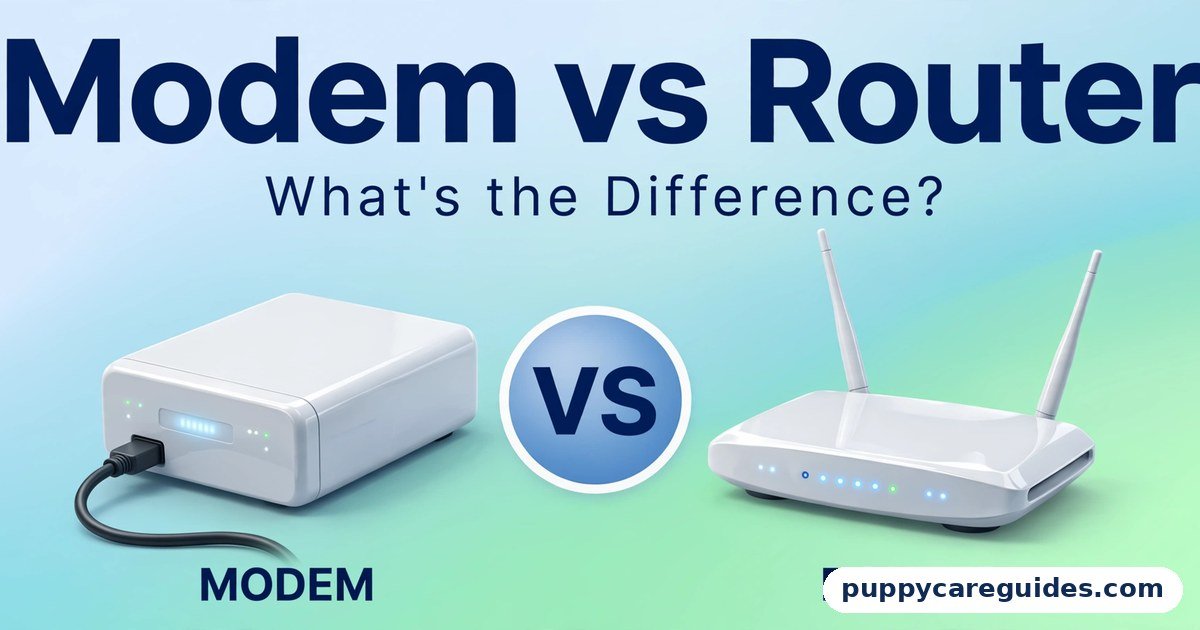
Wi-Fi and Ethernet are two ways of making the same short journey: from your device to your router. (From the router onward to the internet is a separate story, covered in our Modem vs Router guide.) That short journey decides your real speed, your ping in games and calls, and whether your connection stutters at the worst possible moment.
This guide compares Wi-Fi vs Ethernet on the things that actually differ — speed you can measure, latency you can feel, stability, security, and cost — and gives you a simple rule for every device in your house. It also explains the middle options, mesh Wi-Fi and powerline adapters, for the rooms a cable cannot easily reach. The wi-fi vs ethernet decision is simpler than it looks once you know what to check first.
wi-fi vs ethernet: Quick Comparison Table
The table below sums up wi-fi vs ethernet at a glance.
| Feature | Wi-Fi | Ethernet (Cable) |
|---|---|---|
| Typical real-world speed | Varies hugely — fast near the router, much slower through walls | Full rated speed, all the time (1 Gbps on standard home gear) |
| Latency / ping | A few extra milliseconds, with occasional spikes | Lowest possible — usually under 1 ms to the router, rock steady |
| Stability | Affected by walls, distance, neighbours, appliances | Essentially immune to household interference |
| Convenience | Excellent — connect anywhere, no cables | Poor — device is tied to wherever the cable reaches |
| Range | Whole home with a good router or mesh system | One cable run, up to 100 metres per standard |
| Number of devices | Dozens share the same airtime | One device per cable and router port (a switch adds more) |
| Security | Broadcast through the air — needs WPA2/WPA3 password protection | Physical — someone must plug into your network to join it |
| Cost | Already built into every router and device | Cable is cheap; running it neatly through walls takes effort |
| Setup | Type a password and go | Plug in both ends and go — once the cable exists |
| Best for | Phones, laptops on the move, guests, smart home gadgets | Gaming, video calls, 4K TV streaming, office desks, servers |
Note: headline Wi-Fi speeds on router boxes are theoretical laboratory maximums shared by every connected device. Ethernet ratings are what a single device actually gets.
What Is Wi-Fi?
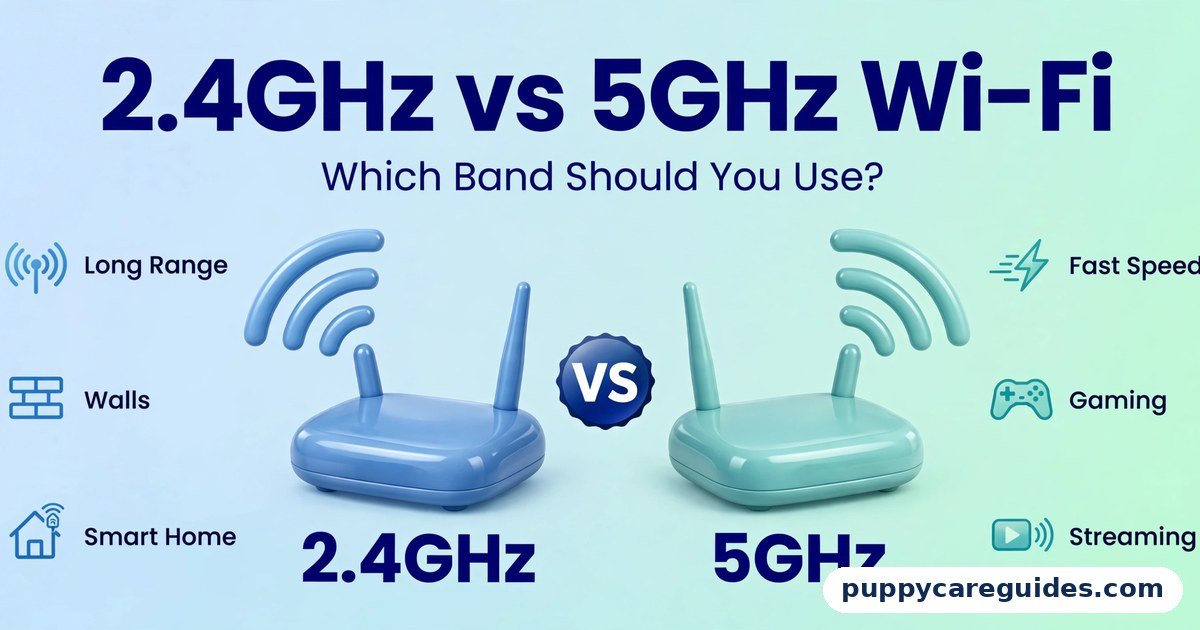
Wi-Fi is a radio connection. Your router broadcasts your network through the air on the 2.4GHz and 5GHz bands (with 6GHz arriving on newer gear — see our 2.4GHz vs 5GHz Wi-Fi guide), and devices connect without any physical link. Modern standards — Wi-Fi 5, Wi-Fi 6, and Wi-Fi 7 — are dramatically faster than the Wi-Fi of a decade ago, fast enough that a laptop near a good router can pull down several hundred megabits per second. The whole wi-fi vs ethernet story starts here.
But radio has physics. The signal weakens with distance, is absorbed or reflected by walls (brick, concrete, and metal are the worst), and shares the air with your neighbours’ networks, your Bluetooth gadgets, and even your microwave oven. And Wi-Fi is a shared, polite medium: only one device talks at a time on a channel, so a house full of active devices queues up for airtime. The result is a connection whose quality depends on where you sit and what everyone else is doing.
Real example: Your laptop shows a blazing speed test result on the kitchen table next to the router. Carry it to the bedroom, two walls away, and the same test returns a third of the speed with triple the ping. Nothing broke — that is simply Wi-Fi being Wi-Fi. In any wi-fi vs ethernet comparison, Wi-Fi stands for freedom to connect anywhere in the home.
What Is Ethernet?
Ethernet is the wired version of the same connection: a physical cable — the familiar one with the chunky clip connector — running from your device straight to a port on your router or a network switch. Standards are simple and honest. Most home equipment runs Gigabit Ethernet, a full 1,000 Mbps in both directions at once, and newer gear offers 2.5 Gbps and beyond. The cable categories matter a little: Cat5e handles gigabit up to 100 metres, Cat6 is the sensible default buy today, and Cat6a suits 10 Gbps runs. The wi-fi vs ethernet gap is easiest to understand right here.
Because the path is a private wire, almost nothing interferes. The speed at 3 a.m. equals the speed at 7 p.m. when the whole street is streaming. Latency to your router is typically a fraction of a millisecond and, just as importantly, it does not wander — no spikes when a neighbour’s network gets busy or someone microwaves lunch. Plug in a cable, and the wi-fi vs ethernet difference shows up in the very first speed test.
Real example: A gamer’s ping to the game server sits at 25 ms on Ethernet, steady as a metronome. On Wi-Fi from the same desk it reads 28 ms — until it jumps to 90 ms for two seconds at a time whenever the connection fights interference. Those two seconds are where games are lost, and they are exactly what the cable removes. In any wi-fi vs ethernet comparison, Ethernet stands for the fastest, steadiest connection a cable can give.
wi-fi vs ethernet: Key Differences Between Wi-Fi and Ethernet
1. Speed: shared and variable vs dedicated and guaranteed
On paper, modern Wi-Fi standards advertise speeds beyond gigabit Ethernet. In a real house, Wi-Fi delivers a fraction of its headline number, shared among every device, falling with each wall. Ethernet delivers its full rating to each wired device, simultaneously, all day. If you pay for a 500 Mbps internet plan, a wired PC actually sees roughly 500 Mbps. A phone two rooms away may see 80. Neither is “lying” — they are different mediums with different rules.
2. Latency and jitter: where gamers and callers feel it
Latency (ping) is the delay before data moves; jitter is how much that delay varies. Ethernet wins both, and the jitter win matters more than the ping win. Video calls and games tolerate a steady 40 ms far better than a connection bouncing between 20 and 120 ms — the bouncing is what produces frozen faces, robotic voices, and rubber-banding characters. A cable’s delay barely moves at all. For competitive gaming and important calls, this stability, not raw speed, is the real prize.
3. Walls, distance, and the neighbours
Wi-Fi quality is environmental. Thick walls, floors, metal appliances, fish tanks, and distance all eat the signal, and in flats and terraces your network competes with dozens of others on the same channels. Ethernet is indifferent to all of it: a cable run does not care what the house is made of or what the neighbours are streaming. This is why the “my internet is slow” complaint so often turns out to be “my Wi-Fi is struggling in this room” — the internet itself, tested at the router with a cable, is fine.
4. Security: broadcast vs physical access
Wi-Fi transmits your network through walls into the street, so it depends entirely on encryption — use WPA3, or WPA2 with a strong password, and it is solid. Ethernet cannot be joined from outside the building at all; an attacker needs physical access to a cable or port. For most homes, well-configured Wi-Fi is secure enough, but the wired connection is secure by its nature. Whichever you use at home, our VPN vs Proxy guide covers protection once your traffic leaves the house.
5. Cost and effort: the real reason Wi-Fi wins by default
Wi-Fi costs nothing extra and works the moment you type a password. Ethernet’s cable is cheap — a long Cat6 cable costs less than a takeaway — but routing it neatly to another room takes time, clips, sometimes drilling, and occasionally a partner’s aesthetic veto. Adapters may be needed too: many modern laptops lack an Ethernet port and need a USB-C adapter. The cost of Ethernet is not money. It is one afternoon of minor DIY per room.
6. How many devices: airtime vs ports
A router has only a handful of Ethernet ports (a cheap switch expands that easily), while Wi-Fi happily connects dozens of devices. But those dozens share airtime, and a busy household — two 4K streams, a game download, three phones — can strain even good Wi-Fi. Moving the heavy, fixed devices onto cables frees the air for everything wireless. The two technologies are not rivals competing for a crown; they are teammates, and wiring the big consumers makes Wi-Fi itself better. Every wi-fi vs ethernet difference above comes back to convenience versus consistency.
wi-fi vs ethernet: Best Uses of Wi-Fi
- Phones and tablets, which have no cable option and move around constantly
- Laptops used all over the house, where freedom beats the last drop of speed
- Guests, who need a password, not a cable hunt
- Smart home devices — bulbs, cameras, speakers — which sip tiny amounts of data
- Rooms where running a cable is impractical, especially with a mesh system extending coverage
- Quick, casual use anywhere: browsing, messaging, and ordinary streaming near the router
wi-fi vs ethernet: Best Uses of Ethernet
- Gaming PCs and consoles, where ping stability decides matches
- Your main work desk, for video calls that cannot freeze mid-sentence
- TVs and streaming boxes playing 4K content every evening
- Desktop computers and home servers / NAS drives, moving large files locally
- Any device that never moves and uses the internet heavily — the general rule of this entire article
- Troubleshooting: when Wi-Fi seems slow, one cable test at the router tells you whether the problem is your internet or your wireless. For gaming, big downloads and work calls, the wi-fi vs ethernet edge clearly goes to Ethernet.
Pros and Cons
Wi-Fi — Pros
- Total freedom of movement, anywhere in range
- No cables to buy, run, or trip over
- Connects dozens of devices with just a password
- Modern standards are fast enough for most people, most of the time
Wi-Fi — Cons
- Speed falls with distance, walls, and interference
- Latency spikes and jitter under load or competition from neighbours
- All devices share the same airtime
- Depends on good passwords and up-to-date encryption to stay secure
Ethernet — Pros
- Full, guaranteed speed to each wired device
- Lowest, steadiest latency — no spikes
- Immune to walls, distance (within the home), and neighbours
- Secure by physical nature; no password attacks possible. That is the wi-fi vs ethernet balance in one line.
Ethernet — Cons
- Device is tethered to the cable’s location
- Running cables neatly takes effort; ports are limited without a switch
- Many thin laptops and all phones/tablets need adapters or cannot use it at all
- Useless for anything you carry around. This is where the wi-fi vs ethernet choice really bites.
wi-fi vs ethernet: Which Should You Choose?
- Gamer: Ethernet, no debate. If your PC or console sits within cable reach of the router, wire it tonight and keep the ping graph flat.
- Remote worker: Ethernet at your desk if you possibly can — your calls are your reputation. If not, sit near the router or invest in mesh, and keep a cable handy for the big presentation.
- Family streaming household: Wire the main TV and any fixed streaming box; leave phones and tablets on Wi-Fi. You will be surprised how much smoother the wireless feels once the TV stops drinking from it.
- Student in a flat or dorm: Wi-Fi for daily life; a single long cable to your desk or console for gaming sessions is the classic budget fix.
- Everyone else: Default to Wi-Fi, and wire devices one by one if you notice a specific problem — buffering TV, laggy games, frozen calls. Fix the pain points, not the whole house at once. Decide wi-fi vs ethernet by the device and the job, and the choice makes itself.
wi-fi vs ethernet: Common Mistakes
- Blaming your internet plan for a Wi-Fi problem. Before paying for a faster plan, test with a cable at the router. If the cable test is fast, your plan was never the issue — your wireless coverage is.
- Buying the wrong cable. Ancient Cat5 cable caps at 100 Mbps. For anything new, buy Cat6 (or Cat5e at minimum) — it costs barely more and will not strangle modern speeds.
- Running one very long cable and expecting loss. Within the 100-metre standard, a proper cable loses nothing. Speed drops in homes come from Wi-Fi, not from a 20-metre cable run.
- Expecting mesh Wi-Fi to equal a wire. Mesh is excellent Wi-Fi, and a huge upgrade for dead zones — but wireless mesh nodes still talk to each other through the air unless you wire them. It narrows the gap; it does not close it.
- Wiring nothing “because Wi-Fi 6 is fast.” Headline Wi-Fi speeds are theoretical and shared. The number that matters is the speed and stability in the room where you actually sit.
- Ignoring powerline as a middle option. If a cable truly cannot be run, powerline adapters send networking through your home’s electrical wiring. Speed varies with the wiring’s age and layout, but for an office or TV it often beats a weak Wi-Fi signal. Most wi-fi vs ethernet regrets come from exactly these avoidable errors.
How to Wire a Device with Ethernet
- Measure the route from your router to the device, following walls and skirting boards, then buy a Cat6 cable a little longer than you measured.
- Check the ports: one end goes into a free LAN port on your router (the yellow ports, usually — not the single WAN/internet port).
- Run the cable along walls and under rugs where it will not be pinched by doors or walked on daily; cable clips keep it tidy.
- Plug the other end into the device. Laptops without a port need a USB or USB-C to Ethernet adapter — inexpensive and driver-free on modern systems.
- Turn off Wi-Fi on that device (or set Ethernet as preferred) so it actually uses the cable instead of quietly staying wireless.
- Run a speed test and a ping test and compare with your Wi-Fi results — the stability improvement shows most clearly in the ping graph.
- If you run out of router ports, add a small gigabit switch: one cable from router to switch turns one port into five or eight. Whichever way you decide wi-fi vs ethernet, always run a speed test on both before you judge.
wi-fi vs ethernet: FAQs
How much faster is Ethernet than Wi-Fi in real life?
At the router, a modern laptop on Wi-Fi and a cable can look similar. Move two rooms away and the picture changes: Ethernet still delivers your plan’s full speed, while Wi-Fi commonly delivers half or less, with worse ping. The further and more obstructed the device, the bigger Ethernet’s advantage. For a 100 Mbps plan used near the router, you may honestly never notice a difference — which is why the advice is to wire the devices where you do notice. This is the core of the wi-fi vs ethernet debate.
Does a long Ethernet cable lose speed?
No, not at any length found in a home. Ethernet cable standards guarantee full speed up to 100 metres for a single run. A 25-metre cable to the far bedroom performs identically to a 1-metre cable at the desk. Claims of loss apply to damaged, kinked, or very old cable — not to length within the standard. That is wi-fi vs ethernet in practice.
Are powerline adapters or mesh Wi-Fi a good substitute for a cable?
They are the two sensible middle options. Mesh Wi-Fi fixes coverage and dead zones and is the better choice for general whole-home use. Powerline adapters send the network through your electrical wiring to one specific room — quality depends entirely on your wiring, but where it works well it gives a TV or desk a stable, wired-style connection without running cable. Neither fully matches a real Ethernet run for stability, but both beat suffering with a weak signal. That is the wi-fi vs ethernet difference where it counts.
Is Ethernet safer than Wi-Fi?
In one specific way, yes: nobody can attempt to join a wired network from the street — they would need to physically plug in inside your home. Wi-Fi, protected by WPA3 or a strong WPA2 password, is also secure for normal home use; its risk comes from weak passwords and outdated routers, not from being wireless. Use both sensibly and either is fine. That is the wi-fi vs ethernet difference in daily use.
My laptop has no Ethernet port. Is it worth buying an adapter?
If you work or game at a fixed desk, yes — USB-C and USB Ethernet adapters are inexpensive, need no installation on modern laptops, and instantly give you the full wired benefit at that desk. It is one of the cheapest genuine upgrades in home networking. That is the wi-fi vs ethernet difference that matters most.
wi-fi vs ethernet: Final Verdict
Fixed and important = Ethernet. Moving and casual = Wi-Fi.
This is not a contest with one winner; it is a division of labour. The cable is unbeatable at the desk, the console, and the TV — full speed, flat ping, zero drama. Wi-Fi is unbeatable everywhere else, which is most of life. Wire the heavy, stationary devices and your Wi-Fi will improve too, because the air gets quieter. One cable, run once, is the cheapest permanent upgrade most home networks ever get. That is the wi-fi vs ethernet choice in short: Wi-Fi for everyday freedom, Ethernet when performance matters.
Next: 2.4GHz vs 5GHz Wi-Fi: Which Band Should You Use? — your router is broadcasting two wireless networks at once. Here is which one each of your devices should be on.
Related Articles
- 2.4GHz vs 5GHz Wi-Fi: Which Band Should You Use? — range vs speed on your router’s two bands
- Modem vs Router: What’s the Difference? — the two boxes every connection in this article depends on
- VPN vs Proxy: Which One Actually Protects You? — protecting your traffic after it leaves the house
- HTTP vs HTTPS: What’s the Difference and Why It Matters — the secure version of every website you visit







Leave a Reply