

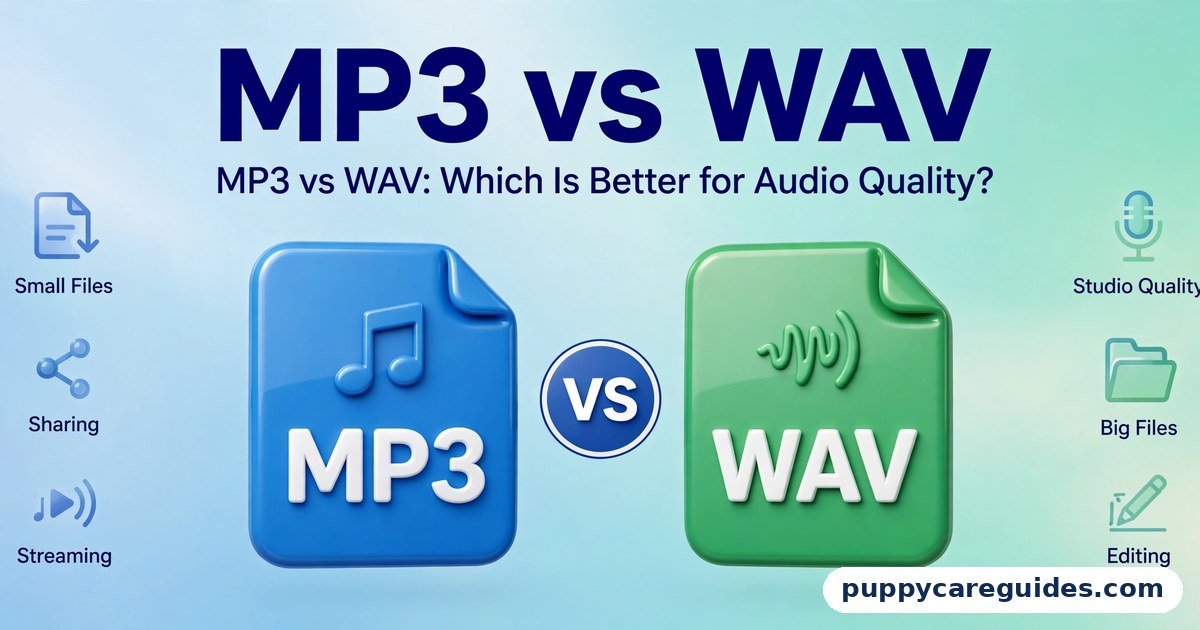
MP3 vs WAV: Which Is Better for Audio Quality?
Quick Answer
Record, edit, and keep masters in WAV. Publish, share, and carry finished audio as MP3. That is the short answer to MP3 vs WAV.
For more technical background, see the WAV format overview on Wikipedia.
Table of Contents
WAV is uncompressed audio — an exact copy of the sound, bit for bit, at roughly 10 MB per minute. MP3 is compressed audio — it deliberately throws away the parts of the sound you are least likely to hear, shrinking the same minute to about 1 MB. Nothing about MP3 is “broken”; it was designed for finished listening, and at 256–320 kbps most people cannot tell it from the WAV. But every edit, conversion, and re-save of an MP3 shaves off a little more quality, while a WAV can be edited forever and stay perfect. The professional rule is simple: WAV while you work, MP3 when you share.
Introduction
Should you record your podcast in WAV or MP3? Your voice recorder, your DAW, your camera, and your phone all offer some version of this choice, and the file sizes involved are wildly different — one minute of audio can be 1 MB or 10 MB depending on a single menu setting. Pick wrong in one direction and your storage vanishes; pick wrong in the other and your recording is permanently lower quality, with no way back.
This is the most fundamental comparison in digital audio: uncompressed versus lossy-compressed. WAV is the untouched original. MP3 is the clever copy. This guide explains what each format really does, with real numbers for file size, an honest answer to “how much better does WAV actually sound,” and the workflow studios use so they never have to compromise. If your real question is which compressed format to publish in, our MP3 vs AAC guide covers that next step. The MP3 vs WAV decision is simpler than it looks once you know what to check first.
MP3 vs WAV: Quick Comparison Table
The table below sums up MP3 vs WAV at a glance.
| Feature | MP3 | WAV |
|---|---|---|
| Full name | MPEG-1 Audio Layer III | Waveform Audio File Format |
| Type | Lossy compression | Uncompressed (usually PCM) |
| Compression | Yes — discards audio data permanently | None — every bit of the recording is kept |
| File size (1 minute, stereo) | ~1 MB at 128 kbps; ~2.4 MB at 320 kbps | ~10.6 MB (CD quality, 44.1 kHz/16-bit) |
| Sound quality | Very good at high bitrates; not identical to source | Identical to the source — the reference standard |
| Editing suitability | Poor — quality drops with every re-encode | Excellent — edit and re-save with zero loss |
| Sharing | Ideal — small enough for email, WhatsApp, web | Awkward — often too large for email/attachments |
| Compatibility | Plays everywhere | Plays almost everywhere, but size limits its use |
| Streaming use | Common for downloads and older services | Rarely streamed (bandwidth cost); lossless services use FLAC |
| Metadata/tags | Rich ID3 tags and artwork | Basic tags only; often stripped by tools |
| Best for | Publishing, sharing, portable listening | Recording, editing, studio masters, archiving |
Note: sizes above are for stereo audio at standard settings. A 4-minute song is roughly 42 MB in WAV, about 10 MB as a 320 kbps MP3, and about 4 MB at 128 kbps.
What Is MP3?
MP3 (MPEG-1 Audio Layer III) is a lossy compression format: when a file is encoded, an algorithm studies the sound and permanently deletes the information your ears are worst at detecting — quiet details masked by loud sounds, extreme frequencies, and subtleties lost in busy passages. What remains is stored at a bitrate you choose, from a rough 64 kbps up to a near-transparent 320 kbps. The whole MP3 vs WAV story starts here.
That deletion is a one-way door. Once audio has been squeezed into an MP3, the removed detail is gone forever; converting the MP3 back to WAV produces a big file that contains the small file’s sound. This is why MP3 is a delivery format — a brilliant final copy for listening — and a poor working format. For its full history and how it compares with its successor, see MP3 vs AAC.
Real example: A podcaster records an interview as a 128 kbps MP3, then edits out the mistakes and exports again as MP3. Then the sponsor asks for a louder version, exported a third time. Each export re-analysed and re-deleted sound. By the third generation, the voices have a faint watery edge that no setting can remove — because the working file was a delivery format. In any MP3 vs WAV comparison, MP3 stands for small files that play anywhere.
What Is WAV?
WAV (Waveform Audio File Format) was created by Microsoft and IBM in 1991 as the standard container for raw PCM audio on Windows — the same pulse-code modulation used on CDs. A standard CD-quality WAV holds 44,100 samples per second, 16 bits each, in stereo, which works out to 1,411 kbps and about 10.6 MB per minute. Studios often go further: 48 kHz for video work, and 24-bit depth for recording headroom. The MP3 vs WAV gap is easiest to understand right here.
Because nothing is compressed away, a WAV file is the sound itself, not a description of it. Every editor, DAW, and operating system handles WAV natively, and editing it is lossless in the truest sense: cut, copy, fade, and re-save a thousand times and the untouched parts stay bit-identical. Its weaknesses are practical, not sonic: huge files and only basic support for tags and artwork.
Real example: A musician records a vocal take at 24-bit/48 kHz WAV. Over a week she edits it in four different programs, sends it to a mixing engineer, who sends it to a mastering engineer. At every stage the file is complete and perfect. Only at the very end — release day — does anyone make an MP3, and that MP3 is made from the WAV master, which stays in the archive. In any MP3 vs WAV comparison, WAV stands for full, uncompressed studio quality.
MP3 vs WAV: Key Differences Between MP3 and WAV
1. Compression: what “lossy” actually costs you
The single defining difference. WAV keeps everything; MP3 keeps what a psychoacoustic model predicts you will hear. At 320 kbps the model’s guesses are so conservative that the difference from WAV is, for most listeners and most music, below the threshold of hearing. At 128 kbps — still common in old downloads — the cuts are audible: cymbals smear, reverbs sound gritty, and stereo detail flattens. The lesson is not “MP3 sounds bad.” It is “MP3 quality is a dial, and WAV has no dial at all.”
2. File size: the ten-to-one rule
One minute of stereo audio:
- WAV (CD quality): ~10.6 MB
- MP3 at 320 kbps: ~2.4 MB
- MP3 at 128 kbps: ~1 MB
Scale that up and the practical difference is stark. A one-hour podcast episode is roughly 635 MB in WAV, 144 MB at 320 kbps, or 58 MB at 128 kbps. A 1,000-song library is about 40 GB in WAV versus 4–10 GB in MP3. This is why phones, email, and WhatsApp (with its attachment limits) run on compressed audio, and why WAV belongs on the computer where the work happens.
3. Editing and re-saving: where WAV earns its size
Every time an MP3 is decoded, edited, and exported again, it is compressed a second time — and a third, and a fourth. Engineers call this generation loss, and it is the strongest argument in this entire comparison. WAV suffers none of it. If audio will be edited, mixed, mastered, trimmed for different platforms, or archived for future use, it should live as WAV (or FLAC — see FLAC vs WAV) until the moment it is published.
4. Listening quality: the honest answer
How much better does WAV sound than a good MP3? On a phone speaker or basic earbuds, in a noisy street: indistinguishable. On good headphones in a quiet room, with a 128 kbps MP3: WAV wins clearly. With a 320 kbps MP3: most listeners, in properly controlled blind tests, cannot reliably pick which is which — trained engineers with excellent equipment sometimes can, on specific difficult passages. WAV is objectively perfect; whether that perfection is audible depends on the MP3’s bitrate, the equipment, and the listener. Our FLAC vs MP3 guide digs into this question in full, because FLAC offers WAV’s exact quality at half the size.
5. Compatibility and sharing: MP3’s home ground
MP3 plays on every device, uploads anywhere, fits in an email, and streams cheaply. WAV plays almost everywhere too, but its size makes it a bad traveller: many email systems cap attachments around 20–25 MB — under three minutes of WAV — and messaging apps either reject large WAV files or compress them for you, badly. Sending a WAV when the listener only needs to hear it is like posting someone a filing cabinet instead of a letter.
6. The studio standard: why professionals record WAV
Recording is the one moment quality cannot be recovered later. A clipped, noisy, or pre-compressed recording is damaged at birth. Studios record WAV (usually 24-bit) because it preserves every option: editing, noise reduction, mixing, remastering, and future formats nobody has invented yet. Storage for a working project is a solved problem — a few gigabytes — while a ruined master is forever. Your phone’s voice recorder offering “uncompressed” or “lossless” quality is offering you the same insurance.
MP3 vs WAV: Best Uses of MP3
- Publishing finished songs and podcasts for download or distribution
- Sharing audio by email, WhatsApp, and social media, where size limits rule
- Portable listening libraries on phones and players with limited storage
- Audio for websites and apps, where fast loading matters
- Everyday voice notes and clips that will never be professionally edited
- Car and casual listening, where road noise hides any difference anyway
MP3 vs WAV: Best Uses of WAV
- Recording anything that matters — music, podcasts, interviews, voice-overs
- Editing and production, as the working format inside your DAW or editor
- Studio masters and archives — the copy every other copy is made from
- Sending audio to collaborators and engineers, who need the full-quality file
- Video production, where 48 kHz WAV is the standard audio companion (see MP4 vs MKV for the video side)
- Samples and sound design, where files will be processed, stretched, and reused. For recording and editing, the MP3 vs WAV edge always goes to WAV.
Pros and Cons
MP3 — Pros
- Tiny files: about a tenth of WAV’s size at everyday quality settings
- Plays on every device and platform without exception
- Perfect for sharing, streaming, and storing large libraries
- At 256–320 kbps, quality is excellent for finished listening
MP3 — Cons
- Lossy: removed audio can never be recovered
- Quality degrades every time the file is re-encoded after editing
- Low-bitrate files (128 kbps and under) audibly damage music
- A poor master choice: limits every future use of the recording
WAV — Pros
- Perfect, uncompressed quality — the reference everything else is judged against
- Edit and re-save forever with zero quality loss
- The universal working format for studios, editors, and video production
- Future-proof archive: tomorrow’s formats can all be made from it
WAV — Cons
- Huge files — roughly 10 MB per minute, 40+ GB per thousand songs
- Too large for convenient emailing, messaging, and casual sharing
- Basic metadata support; tags and artwork are limited compared with MP3/FLAC
- Overkill for listening on phones, earbuds, and in cars
MP3 vs WAV: Which Should You Choose?
- Beginner: Record in WAV (or your app’s highest quality), share in MP3. If you only ever listen and never edit, MP3 at 256 kbps is all you need.
- Podcaster: Record and edit WAV, publish MP3 at 128–192 kbps (or AAC — see MP3 vs AAC). Keep the WAV project files as your archive.
- Musician / producer: WAV for everything until release day — tracking, mixing, mastering, and the archive. MP3 is a delivery format you make at the end, never a working format.
- Everyday listener: MP3 at 320 kbps, or a streaming service, covers you completely. Do not fill your phone with WAV files of music you listen to on the bus. Decide MP3 vs WAV by where the file will be played, and the choice makes itself.
MP3 vs WAV: Common Mistakes
- Recording directly to MP3 to “save space.” Space is cheap; quality is irreplaceable. A 128 kbps recording of a once-only event — a wedding speech, a child’s first words, an interview — is damaged forever.
- Converting MP3 to WAV and calling it “high quality.” The WAV is ten times bigger and sounds exactly like the MP3. The information MP3 removed does not come back. File size is not quality.
- Editing MP3s repeatedly. Every export shaves quality. If you must edit, convert to WAV first, edit in WAV, and export to MP3 once at the end.
- Emailing WAV files. They bounce, get blocked, or get compressed by the app anyway. Share an MP3, or share a link to the WAV in cloud storage if full quality is genuinely needed.
- Deleting the WAV master after making the MP3. The MP3 is a copy for listening, not a replacement for the original. Archive the master — drives are cheaper than re-recording.
- Judging the formats on phone speakers. If your test setup cannot reveal the difference, your conclusion only applies to that setup. Test on the best headphones you own, in a quiet room. Most MP3 vs WAV regrets come from exactly these avoidable errors.
How to Convert WAV to MP3
Free tools: Audacity, VLC, iTunes/Music app, or fre:ac. Audacity steps below; the pattern is the same everywhere.
- Open Audacity and import your WAV file (File > Import > Audio).
- Make any final edits now, while the file is still uncompressed.
- Choose File > Export > Export as MP3.
- Set the quality: 320 kbps (or “Insane” preset) for music; 128–192 kbps is fine for speech and podcasts.
- Fill in the metadata tags (artist, title, episode) in the tag editor that appears.
- Export, then listen to the MP3 on the device it is meant for — phone, car, or earbuds.
- Keep the original WAV in an archive folder. The MP3 is for the world; the WAV is for you.
Going the other way? MP3 to WAV is only worth doing as an editing workspace (convert, edit, export once) — never as a quality upgrade. Whichever way you decide MP3 vs WAV, always keep one untouched master file.
MP3 vs WAV: FAQs
Does WAV really sound better than MP3?
WAV is objectively identical to the original recording; MP3 is an approximation. Whether you can hear the approximation depends on the bitrate and your equipment. At 128 kbps, many listeners hear the difference on good headphones. At 320 kbps, most listeners cannot reliably tell MP3 from WAV in blind tests. So yes, WAV is better — but a high-bitrate MP3 is close enough that for everyday listening the difference rarely matters. This is the core of the MP3 vs WAV debate.
Which format should I record my podcast in?
WAV, without hesitation — 44.1 kHz or 48 kHz, 16-bit or 24-bit. Recording is the one stage where quality is decided forever, and WAV also survives editing without generation loss. When the episode is finished, export the published copy as MP3 (128–192 kbps for speech) or AAC. Your listeners get small files; you keep a perfect master. See also MP3 vs Opus if your platform uses newer codecs. That is MP3 vs WAV in practice.
What exactly do I lose when I convert WAV to MP3?
You lose whatever the encoder’s psychoacoustic model decided you would not miss: mostly very quiet sounds masked by louder ones, extreme high frequencies, and fine stereo detail — plus, at low bitrates, some clarity in complex passages. You also lose the ability to edit without further loss. You do not lose the melody, the words, or — at high bitrates — anything most listeners can detect. That is the MP3 vs WAV difference where it counts.
Why are WAV files so big?
Because nothing is removed. CD-quality WAV stores 44,100 stereo samples every second at 16 bits each — about 1,411 kilobits per second, or 10.6 MB per minute. That raw completeness is the entire point of the format, and it is also why compressed formats were invented. FLAC keeps the identical quality at roughly half the size, which is why archivists prefer it — our FLAC vs WAV guide explains the trade-off.
Can I upload WAV to YouTube or streaming services?
You can upload WAV audio inside a video to YouTube — the platform re-encodes everything to AAC anyway, so starting from WAV gives it the best material to work with. Music distributors accept WAV (and usually require lossless) for store delivery, then create the MP3/AAC versions themselves. What you generally cannot do is stream WAV to listeners directly: the bandwidth cost is why even lossless streaming services use FLAC instead.
MP3 vs WAV: Final Verdict
Work in WAV, share in MP3.
These formats are two stages of one workflow, not two rivals. WAV is the negative, the master, the original — perfect, bulky, and built for working and keeping. MP3 is the print you hand out — light, universal, and indistinguishable from the original at good settings for almost everyone who will ever press play. Record in WAV, edit in WAV, archive in WAV, and let MP3 do what it was invented to do: carry the finished sound to every device on Earth. That is the MP3 vs WAV choice in short: WAV to create, MP3 to carry.
Next: FLAC vs WAV: Which Is Better for Lossless Audio? — if both formats are lossless, why does one take up half the space?
Related Articles
- MP3 vs AAC: Which Is Better for Music? — the two lossy giants, compared at the same bitrate
- FLAC vs WAV: Which Is Better for Lossless Audio? — lossless quality at half the size
- FLAC vs MP3: Which Is Better for Listening? — is lossless worth it for everyday listening?
- MP3 vs Opus: Which Is Better for Streaming? — the modern codec challenging MP3’s crown
- JPG vs PNG: Which Is Better for Photos and Logos? — the same lossy-vs-lossless question, for images



Leave a Reply